
Buy Steam Deck OLED in 2026: Price, Stock and Complete Buyer’s Guide
“”
Last updated: August 16, 2026
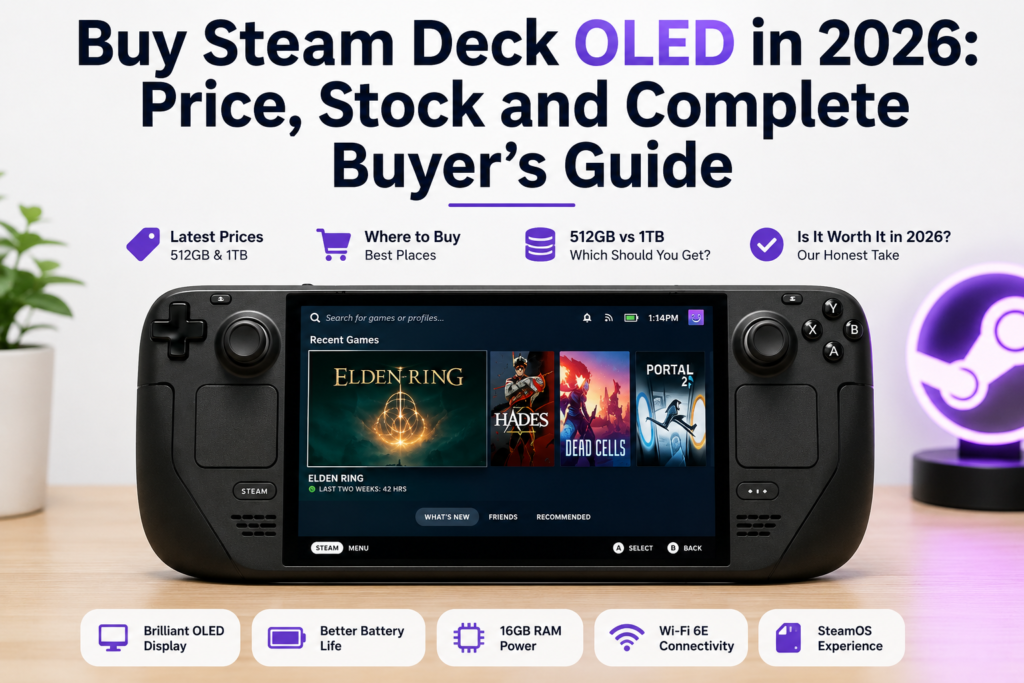
As of July 16, 2026, the Steam Deck OLED costs $789 for 512GB and $949 for 1TB in the United States. Buy from Valve first, and check Valve-certified refurbished stock before paying full price. Our verdict: it is still the easiest Steam handheld to recommend, but it is no longer the best pure value at its new price. | Your situation | Our recommendation |
| You want the simplest way to play your Steam library anywhere | Buy it |
| You care about OLED image quality and battery efficiency | Buy it |
| You want the best value | Check Valve-certified refurbished stock |
| You want the highest AAA frame rates | Compare newer Windows handhelds |
| You mainly use PC Game Pass | Pick a Windows handheld |
| You already own a Steam Deck OLED | Keep your current model |
| You are waiting only because of Steam Deck 2 rumors | Buy based on your needs today |
How We Researched This Guide
This is a buying and verification guide, not a lab review.
For this update, we checked Valve’s current US pricing, product specifications, hardware return terms, certified refurbished program, and live retailer listings. We also checked current prices for competing handhelds.
We did not run frame-rate, temperature, fan noise, or battery benchmarks on a retail Steam Deck OLED for this article. We will not pretend otherwise. Our hands-on expertise includes controller testing, dead-zone diagnosis, button checks, and stick-drift detection, which is why the post-purchase inspection section focuses heavily on controls and input behavior.
Current Steam Deck OLED Pricing in 2026
Valve increased the price of both OLED models on May 27, 2026. The company said the system itself had not changed and linked the increase to component costs and global logistical challenges. price | Current price | Dollar increase | Percentage increase |
| Steam Deck OLED 512GB | $549 | $789 | $240 | 43.7% |
| Steam Deck OLED 1TB | $649 | $949 | $300 | 46.2% |
Here’s the thing. That increase changes the whole buying decision.
The OLED model still has the same processor class, 16GB of RAM, display, controls, and storage choices it had before the increase. You are paying more for the same hardware rather than a faster revision.
That does not suddenly make it bad. It does mean you should compare it more carefully with refurbished stock and newer handhelds before ordering.
Current Refurbished Steam Deck OLED Prices
Valve-certified refurbished OLED models have been listed at these US prices:
| Refurbished model | Listed price | Saving compared with new |
|---|---|---|
| 512GB Steam Deck OLED | $629 | $160 |
| 1TB Steam Deck OLED | $759 | $190 |
The refurbished 1TB model costs less than a new 512GB model at current pricing. Stock can appear and disappear, so check Valve’s page rather than assuming a model will still be available later. Used buyers, refurbished, is now the first place we would check.
For a closer look at pricing, warranty coverage, condition, and essential inspection checks, read our steam deck refurbished buying guide before choosing between a new, Valve-certified, or seller-refurbished model.
Is the Steam Deck LCD Discontinued?
Yes. Valve ended production of the remaining 256GB LCD model, although used units and unsold third-party inventory may still appear. Valve has continued supporting existing LCD owners, including replacement-part availability through partners such as iFixit. The model can still make sense when the discount is large. Just remember what you give up:
- HDR OLED display
- Up to 90Hz refresh rate
- Larger 50Wh battery
- Wi-Fi 6E
- Lower-power 6nm APU
- Reduced weight
- Several cooling and efficiency improvements
Where to Buy Steam Deck OLED Right Now
For US buyers, Valve’s official store is the safest starting point.
| Buying source | Reliability | Main concern | Verdict |
|---|---|---|---|
| Valve’s official store | Highest | Stock changes by region | Best place to buy new |
| Valve-certified refurbished | Highest | Limited stock | Best value |
| Best Buy Marketplace | Medium | A third-party seller may fulfill it | Check every detail |
| Amazon or Walmart marketplace | Medium | Markups and unclear conditions | Use caution |
| eBay or local seller | Varies | Limited warranty or returns | Inspect before paying |
1. Buy Directly From Valve
Buying directly from Valve gives you official pricing, clear product condition, and Valve’s hardware support.
Valve’s Hardware Refund Policy says Steam Deck buyers have the right to cancel an eligible hardware purchase within 14 days of receiving it. The buyer must notify Valve within that period and return the hardware under the stated conditions. Valve also warns that excessive testing, modification, or damage can affect the refund. heck:
- Storage capacity
- Delivery estimate
- Shipping address
- Sales tax
- Return conditions
- Whether the system is new or certified refurbished
2. Can You Buy a Steam Deck OLED at Best Buy?
Yes, listings can appear on BestBuy.com, but they may be marketplace offers rather than products sold directly by Best Buy.
When we checked Best Buy on July 16, 2026, its refurbished 512GB listing showed:
- Price: $649.99
- Condition: Refurbished Excellent
- Seller: North Deals US
- Fulfillment: North Deals US
- Availability: Sold out
- Suggested financing: $54.17 per month for 12 months
Those details were visible on the live product page at the time of our check. Because “Steam Deck OLED Best Buy” can sound like Best Buy itself is selling and supporting the system. That is not always the case.
Before buying from a Best Buy listing, verify:
- The seller’s name
- New, open-box, used, or refurbished condition
- Whether Valve certified the refurbishment
- The warranty provider
- The return address
- Included charger and case
- Final price after shipping and tax
A marketplace page on a trusted retail website does not automatically make the marketplace seller an authorized Valve retailer.
3. Amazon, Walmart, and eBay Listings
Third-party marketplaces may help buyers in regions where Valve does not sell directly, but US buyers should be careful about paying a markup.
Check whether the unit is:
- Factory sealed
- Open-box
- Used
- Seller-refurbished
- Valve-certified refurbished
- Imported from another region
“Refurbished” does not always mean a full hardware inspection took place. A seller may simply clean the case, reset SteamOS, and list the unit again.
Compare the complete marketplace price with Valve’s current price and certified refurbished price. A private or seller-refurbished unit should offer a real discount because you are accepting more risk.
4. Can You Buy a Steam Deck OLED in a Physical Store?
Physical-store availability depends on the country and retailer. Valve’s online store remains the main official buying route in the United States.
Before driving to a store:
- Call and confirm the item is physically available
- Ask for the exact storage model
- Confirm its condition
- Ask whether the store or another seller owns the stock
- Check the warranty
- Confirm the original charger and case are included
Do not assume “available near me” means a new system sold directly by the retailer.
5. Buying Outside the United States
Before using an importer, calculate the full cost:
- International shipping
- Customs charges
- Import tax
- Currency-conversion fees
- Return shipping
- Charger plug compatibility
- Warranty access
A lower advertised price may stop looking cheap once those costs are added.
Is the Steam Deck OLED Still Worth Buying at $789?
It is still worth buying for the right player, but it is not an automatic recommendation anymore.
At $789, you are mainly paying for:
- SteamOS
- A 7.4-inch HDR OLED display
- Up to 90Hz refresh rate
- Reliable sleep and resume
- Trackpads
- Steam Input
- Lower-power handheld gaming
- A large community
- Valve’s long-term software support
The current 1TB model has premium anti-glare etched glass, while both OLED versions have a 1280 × 800 display, up to 90Hz refresh, Wi-Fi 6E, and 16GB of onboard RAM. n 2026?
The price changed.
The competitive market also changed. Newer systems now offer faster chips, more memory, higher-resolution displays, or broader Windows compatibility.
What Did Not Change?
The price increase did not add:
- A new processor
- More RAM
- A higher display resolution
- Better game compatibility
- Native PC Game Pass support
- A second USB-C port
This is why the current Steam Deck OLED is easier to defend as a user-experience purchase than as a pure specifications purchase.
Steam Deck OLED vs Current Alternatives
Prices below were checked on July 16, 2026, and can change with sales or retailer updates.
| System | Price checked | Display | Main advantage | Main drawback |
|---|---|---|---|---|
| Steam Deck OLED 512GB | $789 | 7.4-inch OLED, up to 90Hz | SteamOS and OLED screen | Older gaming hardware |
| ROG Xbox Ally X | $999.99 | 7-inch FHD, 120Hz | Faster hardware and Windows access | Higher price and Windows friction |
| Legion Go S SteamOS, 512GB | $989.99 | 8-inch, 120Hz | Larger screen and SteamOS | Costs $200 more than the Deck |
| Legion Go 2, 16GB and 1TB | $1,499.99 | 8.8-inch OLED, 144Hz | Larger OLED and newer hardware | Much more expensive |
| Nintendo Switch 2 | $449.99 until August 31 | Nintendo handheld display | Nintendo exclusives and simple setup | Not a handheld PC |
Best Buy listed the ROG Xbox Ally X at $999.99, the 512GB SteamOS Legion Go S at $989.99, and the base Legion Go 2 configuration at $1,499.99 when checked. US MSRP for Switch 2 is $449.99. Nintendo has announced that the price will rise to $499.99 on September 1, 2026. That upcoming increase should be reflected whenever this guide is updated after August. m Deck OLED Still Wins
SteamOS feels built for handheld gaming
Windows handhelds are more flexible, but that flexibility can create extra work. SteamOS usually feels closer to a console. You wake the system, select a game, and start playing.
The OLED display still matters
The 800p resolution does not sound exciting on a specification sheet, but OLED changes how games look. Black areas stay black, dark scenes have stronger contrast, and colors have more punch than they do on the old LCD model.
The controls offer more flexibility
The two trackpads help with strategy games, launchers, desktop navigation, older PC titles, and games originally designed around a mouse.
Steam Input also gives players a large library of community layouts.
Lower-power gaming is still a strength
The Steam Deck does not need to win every benchmark to feel good in use. Indie titles, older AAA games, emulation using legally owned games, and less demanding PC releases are still a strong fit.
Where the Steam Deck OLED Falls Behind
New AAA performance
Newer demanding games may require:
- Lower graphical settings
- Resolution scaling
- A 30 or 40 FPS cap
- Reduced crowd density
- Lower ray-tracing settings or no ray tracing
- Acceptance that some releases will not run well
Anti-cheat compatibility
Some competitive multiplayer games do not support SteamOS because of their anti-cheat setup.
Always check Steam Deck compatibility notes for the exact game you play. Do not assume every title in your Steam library will work just because it has a PC version.
Native PC Game Pass
PC Game Pass is not a normal native SteamOS library. Cloud streaming is possible, and Windows can be installed, but that adds setup and maintenance.
Players who mainly use Game Pass should look closely at a Windows handheld.
Who Should Buy a Steam Deck OLED?
It makes sense when:
- Most of your library is on Steam
- You play indie games, RPGs, older AAA releases, or emulated games you legally own
- You prefer simple software over maximum frame rates
- You value the OLED display
- You want trackpads
- You travel regularly
- You find certified refurbished stock
Who Should Skip It?
Consider another system when:
- You mainly play unsupported competitive games
- PC Game Pass is your main library
- You want the fastest available handheld
- You expect high settings in every new AAA release
- You already own an OLED Deck
- You primarily want Nintendo or PlayStation exclusives
Steam Deck OLED 512GB vs 1TB
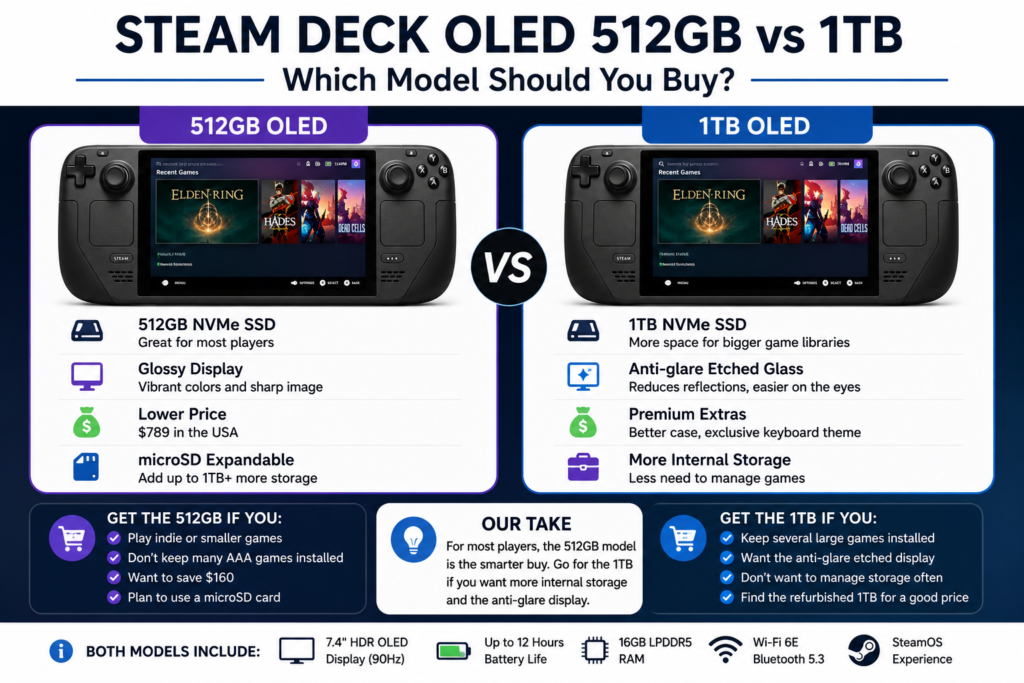
For most people, the 512GB model is the better new-unit choice.
| Feature | 512GB OLED | 1TB OLED |
|---|---|---|
| Internal storage | 512GB NVMe SSD | 1TB NVMe SSD |
| Screen finish | Glossy | Anti-glare etched glass |
| Current price | $789 | $949 |
| Difference | $160 | |
| Best fit | Most buyers | Large libraries and bright rooms use |
Both models have the same processor, RAM, controls, battery capacity, resolution, and gaming performance. The 1TB model mainly adds storage, etched glass, and upgraded case details. Model If
- You install only a few large games at once
- You mainly play indie games
- You plan to use a microSD card
- You prefer a glossy screen
- You want to save $160
Buy the 1TB Model If
- You keep several large games installed
- You do not want to manage storage often
- Reflections bother you
- You specifically want etched glass
- You will find a refurbished 1TB model below the new 512GB price
Is the 1TB Model Worth $160 More?
Not for storage alone.
A good microSD card gives the 512GB model much more room. The 1TB version makes more sense when you also want the etched-glass display and prefer keeping more games on internal storage.
For many buyers, a refurbished 1TB model at $759 is more attractive than either new configuration when stock is available.
New vs Refurbished vs Used
| Condition | Best for | Main advantage | Main risk |
|---|---|---|---|
| New | Buyers who want the lowest risk | Clean condition and direct purchase | Highest price |
| Valve-certified refurbished | Value-focused buyers | Valve testing and warranty | Stock disappears |
| Used | Buyers comfortable testing hardware | Lowest possible price | Unknown wear and repair history |
Is Valve-Certified Refurbished Safe?
It is the safest refurbished route because the system comes through Valve’s own program rather than an unknown marketplace process.
Minor cosmetic wear is possible. The important difference is that you are buying through Valve with a clearer warranty and support path.
When Should You Buy Used?
A used system is worth considering when the discount is large enough to cover the added risk.
Do not pay close to Valve’s refurbished price for a private-sale unit with:
- No receipt
- No return option
- No warranty
- Missing charger
- Unknown repair history
- Visible damage
Used Steam Deck OLED Red Flags
Watch for:
- Stick drift
- Triggers that do not reach full input
- Buttons that stick or double-register
- Dead or stuck pixels
- OLED damage or permanent marks
- Loose USB-C port
- Grinding fan noise
- Damaged screws
- Cracked shell
- Broken microSD slot
- Missing charger
- Battery drain while powered off
- Seller refusing a basic test
How to Track Steam Deck OLED Restocks
The official Valve checkout page is the most reliable stock signal.
We recommend this routine:
- Sign in to your Steam account.
- Confirm your delivery address.
- Check both the new and certified refurbished pages.
- Look at 512GB and 1TB availability.
- Compare the delivery estimate.
- Avoid rushing to a reseller after an official sellout.
- Recheck the page after Valve hardware announcements.
A social-media post can alert you, but the purchase button on Valve’s store is what matters.
For setup, compatibility, or buying details, read our use controllers across platforms.
Can You Buy It Now and Pay Later?
Financing depends on the retailer, country, and payment provider.
When we checked the Best Buy marketplace listing on July 16, 2026, it displayed suggested payments of $54.17 per month for 12 months. That did not make it a direct Best Buy sale, and the listing was sold out. check:
- Interest rate
- Total repayment
- Late fees
- Down payment
- Refund handling
- Whether financing applies to a reseller markup
A monthly payment can make an expensive product feel cheaper than it really is. Check the final repayment amount, not only the monthly number.
What Should You Buy With It?
You do not need to order every accessory on day one.
Which microSD Card Size Is Best?
| Card size | Best fit |
|---|---|
| 256GB | Indie games and smaller libraries |
| 512GB | A mix of indie and AAA games |
| 1TB | Large libraries and less storage management |
A reputable 512GB A2-rated UHS-I card is a good starting point for many buyers.
Avoid suspiciously cheap high-capacity cards. Fake cards may report a large capacity but corrupt files once their real storage limit is exceeded.
Do You Need the Official Dock?
No. Compatible USB-C hubs and third-party docks can also work.
Check:
- USB-C Power Delivery
- HDMI or DisplayPort support
- Ethernet
- USB port count
- Included charger
- Firmware support
- Whether your protective case fits
Buy the official dock when Valve support, firmware updates, and the included charger matter more than getting the lowest price.
Do You Need Another Carrying Case?
A new Steam Deck OLED includes a carrying case and power supply. The Best Buy product description we checked also listed a carrying case and 45W power supply. only when you need:
- More accessory storage
- A slimmer travel case
- More drop protection
- Room for a dock and charger
Screen Protector for 512GB vs 1TB
Be careful with the 1TB etched-glass model.
A glossy protector can reduce the anti-glare effect. A matte protector may soften the picture. Check how the protector changes the screen before buying one specifically for the etched-glass version.
How We Recommend Testing a Steam Deck OLED After Buying It
Our controller-testing work focuses on finding input problems before they become obvious during gameplay.
This is not a claim that we benchmarked a retail Steam Deck OLED for this article. It is the verification process we recommend using on any new, refurbished, or used handheld while you are still inside the return period.
Test Every Button
Open the gamepad tester in the Steam Deck browser and check:
- A, B, X, and Y
- D-pad directions
- L1 and R1
- L2 and R2
- L3 and R3
- Rear grip buttons
- Steam button
- Quick Access button
- Both trackpads
Each control should activate once and release cleanly.
Watch for:
- Double inputs
- Missing inputs
- Buttons that remain active after release
- Triggers that do not reach their full range
- D-pad directions activate together
Check the Analog Sticks for Drift
Leave both sticks untouched and watch the input indicators.
A small amount of raw movement can be handled by a normal dead zone. Constant movement that affects games is different.
Then move each stick slowly around its full range. Look for:
- Failure to return near the center
- Sudden jumps
- Uneven circular movement
- Missing directions
- Failure to reach the outer range
Our controller dead-zone guide explains the difference between normal dead-zone behavior and movement that may point to stick wear.
For setup, compatibility, or buying details, read our choosing an arcade stick.
Do not open a new system just because the raw reading moves slightly. Diagnose the problem first. Opening the unit can create warranty or return complications.
Inspect the OLED Screen
Display solid black, white, gray, red, green, and blue images.
Check for:
- Dead pixels
- Stuck pixels
- Uneven tint
- Touchscreen dead areas
- Pressure marks
- Permanent image retention
- Scratches
Do this before installing a screen protector.
Test the USB-C Port
Connect the charger and confirm the system charges normally.
Move the cable gently near the connector. Normal movement should not repeatedly disconnect the charging.
Do not force the plug or use a damaged cable.
Check Wi-Fi, Bluetooth, and Audio
- Download a game or update
- Connect Bluetooth headphones or a controller
- Test both speakers
- Test the headphone jack
- Check the microphone input if you plan to use it
Check the Fan and Battery
Play a demanding game for 20 to 30 minutes and watch for:
- Unexpected shutdowns
- Rapid battery drops
- Charging problems
- Grinding or clicking fan noise
- Severe frame-rate changes
- Excessive heat warnings
Fan noise by itself does not prove something is wrong. Grinding, clicking, or unstable behavior deserves a closer look.
Repair Only After Diagnosis
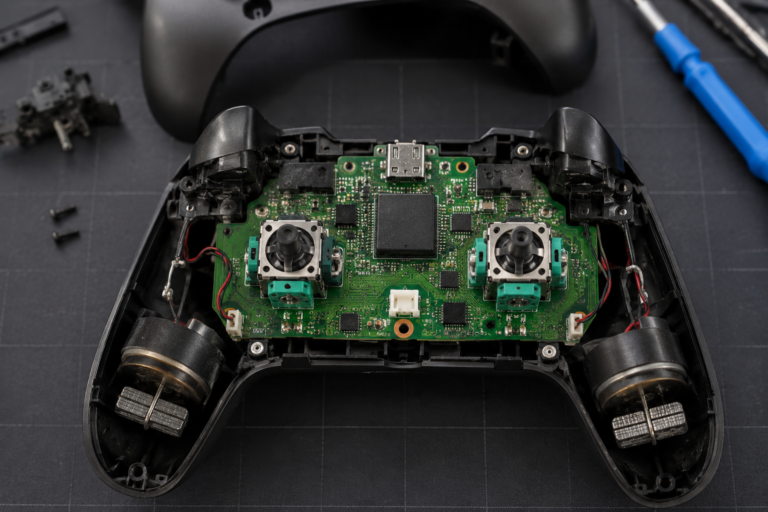
A worn joystick, a bad dead-zone setting, a calibration issue, and a loose hardware connection can create similar symptoms.
Our joystick replacement guide explains why testing should come before disassembly. For a new Steam Deck, use Valve support or the retailer’s return process before attempting a repair yourself.
Steam Deck OLED or PS5?
Choose the Steam Deck OLED when portability and access to your Steam library matter most.
Choose a PS5 when you mainly play on a television, want stronger home-console performance, or care more about PlayStation releases than portable PC gaming.
| Choose Steam Deck OLED when | Choose PS5 when |
|---|---|
| You want portable play | You mostly play on a TV |
| Your library is on Steam | Your library is on PlayStation |
| You want PC settings and mods | You prefer fixed console settings |
| Trackpads and desktop mode matter | Higher home-console performance matters |
| You travel regularly | Portability does not matter |
The Steam Deck cannot install normal PS5 console game files. It can play PC versions of PlayStation games released on Steam or stream from a PS5 through remote-play software.
Should You Buy Now or Wait for Steam Deck 2?
Do not delay a purchase based only on rumors.
Buy now when:
- You need a handheld this year
- Your favorite games already run well
- You find certified refurbished stock
- SteamOS and OLED matter more than maximum power
Wait when:
- You already own a capable handheld
- You mainly want better new-game performance
- You do not need portable gaming now
- You would regret buying before a major hardware upgrade
The safest rule is simple: buy based on what Valve sells today, not on an unconfirmed launch date.
FAQS
Where Can I Buy a Steam Deck OLED Right Now?
Valve’s official store is the safest US option. Check both the new and certified refurbished pages. Marketplace listings can appear at Best Buy, Amazon, Walmart, or eBay, but confirm the seller, condition, warranty, and total price before ordering.
Is the Steam Deck OLED Still Worth It in 2026?
Yes, for players who value SteamOS, the OLED screen, trackpads, and easy access to a Steam library. At $789, it is no longer the clear value winner, so check refurbished stock and compare newer handhelds first.
Can I Buy the Steam Deck OLED at Best Buy?
Best Buy may show marketplace listings, but they are not always sold directly by Best Buy. The listing we checked on July 16, 2026 was sold and shipped by North Deals US and was marked sold out. e in Physical Stores?
Availability depends on the retailer and the country. Valve’s online store remains the main official US buying route. Call before visiting a store and confirm the condition, storage capacity, seller, warranty, charger, and return policy.
Is a Refurbished Steam Deck OLED Safe?
A Valve-certified refurbished unit is generally the safest refurbished choice because it comes through Valve’s program. A seller-refurbished marketplace unit may follow a different inspection process.
Should I Buy New or Refurbished?
Buy new when untouched condition matters most. Buy Valve-certified refurbished when saving $160 to $190 matters more than possible cosmetic wear. Avoid paying Valve-refurbished prices for a private unit without warranty or returns.
Should I Buy the 512GB or 1TB Model?
The 512GB model suits most buyers. Choose 1TB when you want etched anti-glare glass, keep many large games installed, or do not want to manage microSD storage.
Is the 1TB Model Worth the Extra Money?
It is worth considering when you want both the extra storage and the etched-glass display. For storage alone, a 512GB model with a reputable microSD card is usually the cheaper route.
Why Is It Out of Stock in Some Regions?
Stock can vary because of regional allocation, demand, component supply, and production volume. Check Valve’s regional store rather than treating another country’s availability as confirmation for your address.
Is Valve Discontinuing the OLED Model?
Temporary stock shortages do not prove discontinuation. The OLED models remain Valve’s current Steam Deck line, while production of the LCD version has ended.
Should I Buy It or Wait for Steam Deck 2?
Buy now when you need a handheld and your games already run well. Wait, when you already own another system and your main priority is a large performance upgrade for future AAA games.
Should I Buy a Steam Deck OLED or a PS5?
Choose the Steam Deck for portable PC gaming and an existing Steam library. Choose PS5 for television gaming, stronger console performance, and PlayStation titles.
Can It Play PlayStation Games?
It can run PC versions of PlayStation games released on Steam. It can also stream from a PS5 through remote-play software. It cannot directly install normal PS5 console game files.
Does It Include a Carrying Case?
New systems include a carrying case and charger. Check the listing carefully when buying used, imported, open-box, or seller-refurbished stock.
Can I Expand the Storage?
Yes. The Steam Deck OLED includes a microSD slot, and games can be installed on a compatible card. A 512GB card is a practical starting point for many libraries.
How Should I Test It After Buying?
Check the sticks, buttons, triggers, trackpads, touchscreen, screen, speakers, USB-C port, Wi-Fi, Bluetooth, microSD slot, battery, and fan. Complete these checks while you are still inside the seller’s return period.
Bottom Line
The Steam Deck OLED remains one of the easiest ways to take a Steam library away from your desk. SteamOS works well on a handheld; the OLED screen looks excellent, and the controls offer more flexibility than most competitors.
The new price is the problem.
For most buyers, the 512GB version is the better new model. A Valve-certified refurbished OLED is the stronger deal when stock is available. Choose a Windows handheld when raw AAA performance, native PC Game Pass, or wider anti-cheat compatibility matters more than SteamOS. Buy now when the current system already fits your games. Do not wait based only on Steam Deck 2 rumors.



One Comment