No controller detected
Connect your gamepad via USB or Bluetooth, then press any button or move a stick to begin
Left Y → 0.000
Right Y → 0.000
Deadzone & Settings
Vibration controls are in the Visual tab, below Buttons History.
How to Use the Online Controller Tester
Testing your Gamepad Tester takes under two minutes. Follow these five steps in order to check every input and catch problems before they cost you a game.
Step 1: Connect Your Controller
Plug in via USB or pair via Bluetooth. Most modern browsers detect compatible controllers within a few seconds. If nothing appears on screen, reconnect the controller and refresh the page. An updated version of Chrome or Edge gives you the most reliable detection.
Step 2: Press Every Button
Press each face button, shoulder button, D-pad direction, and thumbstick click one at a time. Every button should register instantly on screen and stop registering the moment you release it. Pay attention to any button that never responds, responds only sometimes, or stays active after you let go.
Step 3: Move Both Analog Sticks
Push each thumbstick slowly through its full range in every direction, including the diagonals. A healthy stick travels smoothly, reaches the edges of its range, and returns close to the center when you let go. Constant movement without touching the stick is the main sign of stick drift, one of the most common controller problems in the US market and one that affects an estimated 1 in 5 controllers within two years of regular use.
Step 4: Squeeze Both Triggers
Slowly press each trigger from rest to full. The displayed value should increase smoothly and continuously from 0 to 1. Sudden jumps, gaps in the range, or a trigger that never reaches maximum often point to debris, wear, or a calibration issue rather than a broken controller.
Step 5: Review and Compare
Once you have tested every input, match what you saw against your actual gameplay problem. If the tester shows clean results but your game does not respond, start with software. If the tester shows the same problem you experience in-game, you have confirmed a hardware issue and you can try the calibration guide before considering repair or replacement.
Before you replace your controller, take two minutes to test it. Our free game pad tester runs entirely in your browser with nothing to install and no account to create. Plug in your controller, press every button, and get a live read on exactly what is working and what is not.
PadProTools is compatible with Xbox, PS5 DualSense, PS4 DualShock 4, Nintendo Switch Pro Controller, and most USB or Bluetooth controllers. It works on Chrome, Edge, and all major Chromium-based browsers across Windows, macOS, Linux, Android, and ChromeOS.
Latest Articles and Guides
Quick Answer: What Is a Gamepad Tester?
A gamepad tester is a browser-based tool that reads live input from your controller and shows you exactly what each button, trigger, thumbstick, and D-pad is doing in real time. You connect your controller, interact with every input, and compare what you see against normal behavior. Our new website of Gamepad Tester tool.
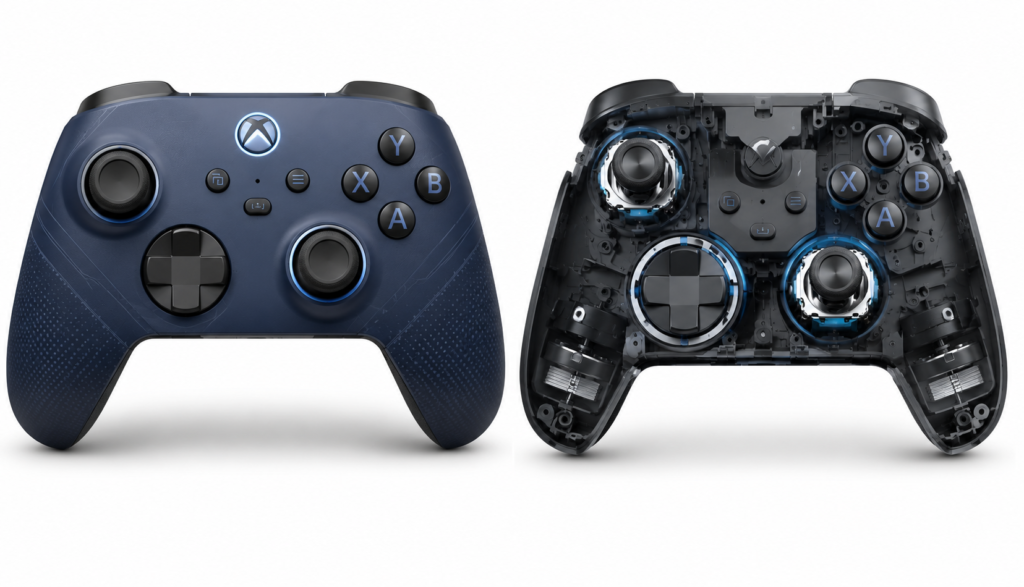
If every control responds correctly here but your game is not responding, the problem almost certainly lies in the game settings or your driver rather than the controller itself. If inputs are missing, drifting, or erratic in the tester, you have identified a real hardware issue worth looking into. Before you start testing, it’s worth understanding why checking your controller before every gaming session can save time and help you spot problems early.
To test the related hardware in your browser, use our keyboard tester.
PadProTools uses the browser’s native Gamepad API, so your controller data is read locally and never sent to our servers. If you’re a gamer who also enjoys trading in Roblox, you can use MM2 Value Checker to quickly check the latest MM2 item values while keeping your gaming tools organized in one place.
What Can This Game Pad Tester Detect?
PadProTools checks every input your controller can send: face buttons, shoulder buttons, thumbsticks, triggers, the D-pad, and vibration motors, plus overall connection stability. Here’s what each check looks for and what a problem in each area usually means. Every button, including face buttons, shoulder buttons, bumpers, D-pad directions, and thumbstick clicks, should activate cleanly when pressed and deactivate completely when released. Buttons that stick, delay, or trigger on their own are worth inspecting for debris or worn contacts before anything else.
Analog Stick Test
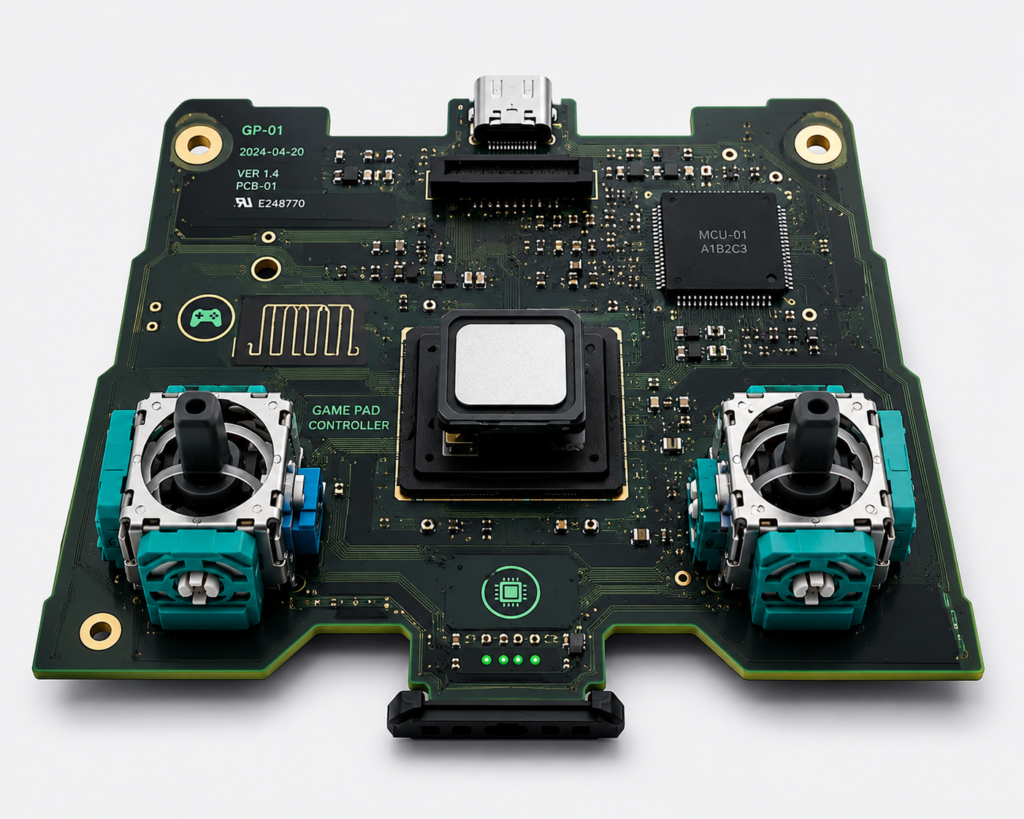
The tester displays real-time X and Y axis values for each thumbstick. Healthy sticks move smoothly in all directions, reach the outer boundary of their range, and settle close to the center at rest. Small nonzero readings can occur, and whether they affect gameplay depends on the deadzone used by each game.
Stick Drift Detection
Stick drift is movement on screen that happens without any input from you, such as camera rotation, a character walking, or a menu scrolling on its own. The tester shows how much your sticks move at rest. Compare repeated readings with the deadzone options in the game you play; consistent movement while the stick is untouched is more useful evidence than one small reading.
Trigger Test
Modern controllers use analog triggers rather than simple on-and-off switches. The tester shows a continuous value from zero to full as you squeeze. Smooth, consistent travel through the entire range is the sign of a healthy trigger. Sudden jumps or gaps usually point to debris around the mechanism or early wear on the potentiometer.
D-Pad Test
Each directional input should register independently. Pressing Up should not also activate Up-Left or Up-Right. If diagonal inputs appear when you press a single direction, the D-pad contact may be worn or slightly misaligned.
Vibration and Rumble Test
Where supported by your browser and controller, PadProTools can trigger vibration feedback to confirm that your rumble motors are working. This is particularly useful when checking PS5 DualSense haptic performance.
Connection Status
The tester confirms whether your browser can see your controller at all. If nothing appears after connecting, the issue may be your cable, your Bluetooth pairing, your browser version, or your operating system rather than the controller itself.
Supported Controllers
PadProTools works with any controller your browser can detect through the standard Gamepad API. These are the most commonly tested controllers by US users.
To test the related hardware in your browser, use our HTML5 controller tester.
Xbox Controllers
Xbox Wireless Controllers, Xbox One Controllers, Xbox Series X and S Controllers, and Xbox Elite Controllers are among the most widely supported options on Windows and Chromium-based browsers. All face buttons, bumpers, analog triggers, thumbsticks, and the D-pad can be verified in seconds.
Common Xbox issues we detect: RB and LB bumper failure, trigger value gaps, and right stick drift on Elite controllers.You can also check the olivegardenmenu if you are planning where to eat after gaming .
PS5 DualSense Controller
The DualSense supports analog triggers with resistance feedback, adaptive haptics, touchpad input, and motion controls. Standard browser support covers face buttons, D-pad, thumbsticks, shoulder buttons, and triggers. Advanced haptic features depend on your specific browser and OS version. Controller performance may also be affected if your PS5 keeps overheating, so make sure the console has proper ventilation.
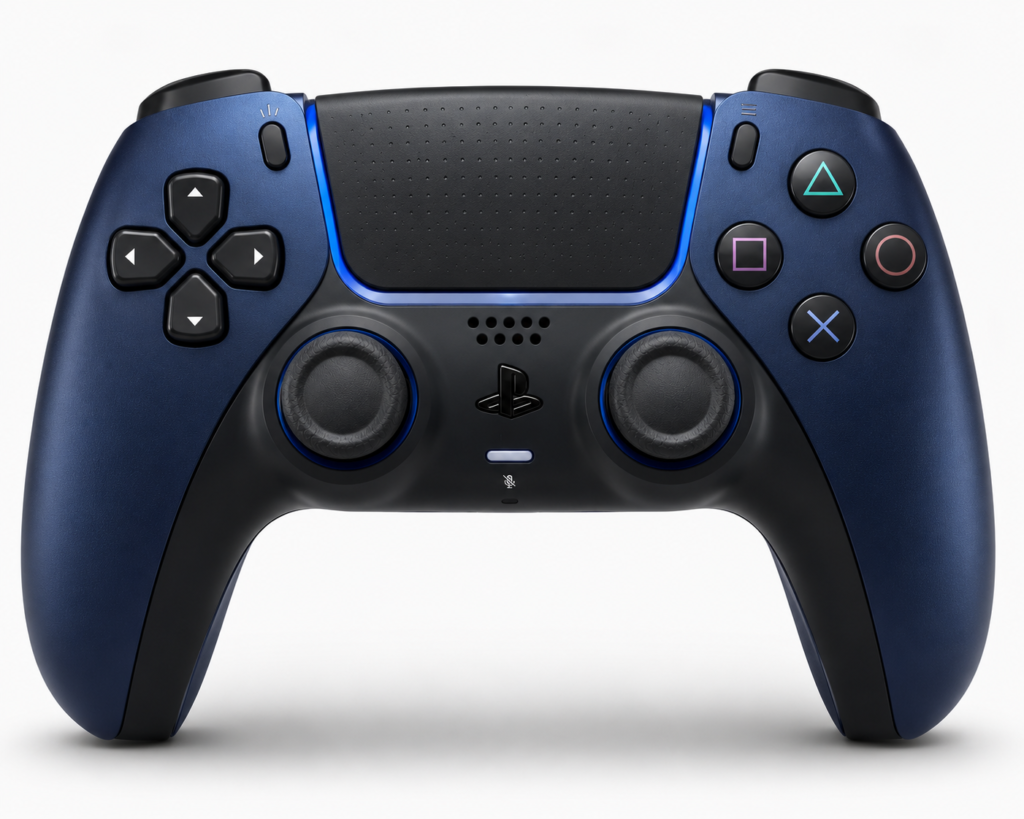
Common DualSense issues we detect: trigger mechanism wear, particularly on L2, left stick drift, and touchpad detection problems.
PS4 DualShock 4
One of the most tested controllers on PadProTools. The DualShock 4 connects reliably over USB and Bluetooth on Windows and macOS, with full input coverage across triggers, sticks, the touchpad, and all buttons.
Common DualShock 4 issues we detect: analog stick drift on the left stick, trigger value irregularities, and touchpad click failure.
Nintendo Switch Pro Controller
Compatible with most modern browsers over USB or Bluetooth when connected to a PC or Mac. Full button, D-pad, trigger, and thumbstick testing is available.
For diagnosis and repair steps, see our controller deadzone guide.
Common Switch Pro issues we detect: B button wear, left stick drift, and Bluetooth dropout.
Generic USB and Third-Party Controllers
Controllers using the standard HID protocol, including brands like 8BitDo, GameSir, Razer, PowerA, and most budget PC controllers, are detected as generic gamepads. Button numbering may differ from that of first-party controllers. The tester shows raw axis and button values regardless of how the manufacturer has labeled the inputs.
Supported Platforms and Browsers
Browser and OS support for the Gamepad API varies, especially for Bluetooth. The table below shows what to expect on each platform so you know what you’re working with before you start testing.
| Platform | Recommended Browser | USB Support | Bluetooth Support |
|---|---|---|---|
| Windows 10 and 11 | Chrome, Edge | Excellent | Good |
| macOS Ventura and later | Chrome, Edge | Good | Good |
| Linux Ubuntu 22 and later | Chrome | Good | Varies |
| ChromeOS | Chrome | Good | Good |
| Android | Chrome | Device dependent | Device dependent |
For the most reliable results, use a current version of Chrome or Edge on Windows.
Common Controller Problems You Can Diagnose
Most controller issues fall into one of five categories: detection failure, stick drift, unresponsive buttons, trigger range problems, or Bluetooth disconnects. Here’s how to recognize each one and what typically causes it Minor drift can often be resolved with cleaning or a calibration adjustment.
Controller Not Detected
If the tester shows no controller, start by checking the USB cable and trying a different port. Confirm your Bluetooth is paired and the controller is within range, then refresh the page after reconnecting. If Chrome or Edge doesn’t recognize it, try the other browser. When Windows Device Manager also cannot see the controller, the issue is almost certainly hardware or cable rather than anything browser-related.
For diagnosis and repair steps, see our PS5 controller repair guide.
Stick Drift
Unwanted movement without touching the stick shows up as camera drift, a character walking on its own, or menu inputs you never made. The tester shows the exact magnitude of that drift, so you know whether it crosses the threshold that affects gameplay. Minor drift can often be resolved with cleaning or a calibration adjustment stick drift repair guide.
Button Not Responding
Press the button and watch the tester. If it never activates, check for debris and test it several times with pressure applied at slightly different angles. Intermittent response usually points to dirty contacts. A button that never responds at all may have a broken switch underneath.
Trigger Not Reaching Full Range
If your trigger value peaks at 0.7 instead of 1.0, or jumps directly from 0 to 0.5 without any smooth travel in between, the trigger potentiometer may be dirty or worn.
Bluetooth Disconnects
Random disconnects where the controller disappears and reappears usually point to interference, a low battery, or distance from your device. Charge the controller fully, move closer to your computer, and disconnect any unused Bluetooth devices before running the test again.
Understanding Your Test Results
Raw numbers don’t mean much without context. This section explains what a healthy result actually looks like, when stick drift is genuinely a problem versus normal tolerance, and how to decide between calibrating and replacing your controller.
What Does a Healthy Controller Look Like?
A healthy controller shows buttons responding in under 16ms, analog sticks settling within ±0.05 of center at rest, triggers traveling smoothly from 0.0 to 1.0, no inputs firing without being touched, and a connection that stays stable throughout the entire test. No two controllers are perfectly identical, but significant differences from this pattern are worth investigating.
Does Stick Drift Always Mean the Controller Is Broken?
Not at all. Small values near the center, typically under ±0.05, fall within the manufacturing tolerance of most analog sticks and are filtered out by the deadzone settings built into most games. Drift becomes a real problem when values exceed ±0.1 at rest, or when you start noticing actual unwanted movement during normal play.
For setup, compatibility, or buying details, read our cross-platform controller guide.
When Should You Calibrate Instead of Replace?
Calibration is worth trying first when sticks do not return close to center, when triggers feel inaccurate, or when movement feels inconsistent but inputs are still registering. Windows includes a built-in calibration tool under Game Controllers in the Control Panel calibration walkthrough. Calibration corrects software-level drift and inaccuracy but cannot fix physical damage.
Should You Replace the Controller?
Replacement should be the last step, not the first. In our experience working through controller issues with US users, the majority of reported problems turn out to be dirty contacts, outdated firmware, Bluetooth interference, or calibration drift. All of those are fixable without buying new hardware. Test first, fix what you can, and replace only when hardware failure is confirmed.
Why PadProTools?
Most online gamepad testers show you raw numbers and leave you to figure out what they mean. PadProTools is built around a different idea to give you a baseline to compare against and a plain-English explanation of what your results actually indicate.
Every section includes reference values from real controller testing so you can compare your results against a known baseline rather than staring at a column of digits. When values look unusual, you get plain-English explanations and realistic next steps rather than a suggestion to buy something new. Controller input is read locally by your browser through the Gamepad API; nothing is transmitted to our servers, and no account is required to use any part of the tool.
For another handheld buying option, compare our Steam Deck OLED buying guide.
Over 2.3 million controller tests have been run on PadProTools by gamers, repair technicians, parents, and esports players across the United States. The most common finding is that the controller was not actually broken. Something else was.
FAQS
Is the PadProTools gamepad tester free?
Yes, completely free. No account, no download, no payment of any kind. Open the page, connect your controller, and start testing immediately.
Does the gamepad tester work with PS5 DualSense on PC?
Yes. Connect your DualSense via USB or Bluetooth, and Chrome or Edge on Windows will detect it right away. You will see live input for face buttons, thumbsticks, triggers, shoulder buttons, and the D-pad. Haptic features depend on your browser’s level of support.
Why isn’t my Xbox controller being detected?
Start by confirming the controller is connected via USB cable or Xbox Wireless Adapter. Refresh the page after connecting. If it still does not appear, try Chrome or Edge, and check that Windows itself recognizes the controller in Device Manager before troubleshooting the browser side.
For the related PS5 display or hardware issue, see our PS5 HDMI not working guide.
How do I know if I have stick drift?
Open the tester and set your controller down on a flat surface without touching it. Repeated movement while the stick is untouched may indicate drift. Whether a small reading affects play depends on the deadzone and sensitivity settings used by the game.
Can this tester check controller input lag?
The tester reflects input through the browser Gamepad API. It is useful for confirming whether input is being registered, but it is not a precision latency measurement tool.
Does the gamepad tester work on mobile?
Some Android devices with Chrome can detect USB or Bluetooth controllers. iOS browser support for the Gamepad API is limited at this time. For the best experience, use a Windows or macOS desktop or laptop.
Is my controller data safe?
Yes. The browser reads controller input locally using the same Gamepad API that browser-based games rely on. No data is sent to PadProTools servers. We do not log button presses, store inputs, or ask for any personal information.
For setup, compatibility, or buying details, read our arcade sticks guide.
What is the difference between a gamepad tester and controller calibration?
A gamepad tester shows you live input and helps you identify what is wrong. Calibration adjusts how your operating system interprets that input to correct inaccuracies. Use the tester to diagnose the problem first, then calibrate if the results suggest a software-level fix would help.
Can I test a Nintendo Switch Pro Controller on PC?
Yes, when connected via USB or Bluetooth to a compatible PC or Mac running Chrome or Edge. Full button, D-pad, trigger, and thumbstick testing is available.
Why does my controller work in the tester but not in my game?
If the tester shows clean results, the controller is working correctly. The issue most likely lies in the game’s controller settings, Steam Input configuration, driver version, or the game simply not supporting your specific controller natively.
Controller Calibration and Next Steps
Stick drift under ±0.1 is worth trying Windows calibration first. Stick drift over ±0.1 calls for cleaning the analog stick mechanism. A button that is not responding should be checked for debris and treated with contact cleaner if accessible, per the button Tester. A trigger not reaching full range often responds well to cleaning around the trigger area. A controller that is not being detected at all should be confirmed at the OS level, such as Windows Device Manager or macOS Bluetooth settings, before assuming the browser or tester is at fault. If everything passes in the tester but the game still does not respond, the issue is most likely in the game’s software settings or controller driver rather than the hardware itself.
Testing your controller takes under two minutes. Understanding what those results mean can save you from unnecessary purchases and hours of blind troubleshooting. Whatever you find here, you will know exactly where to look next.