Can You Use PS4 Controller on PS5?
“”
Last updated: August 16, 2026
Can You Use PS4 Controller on PS5? Yes, you can use a PS4 DualShock 4 controller on PS5, but only with supported PS4 games. You can pair it with the console, use it wirelessly, navigate the PS5 interface, and play backward-compatible PS4 titles.
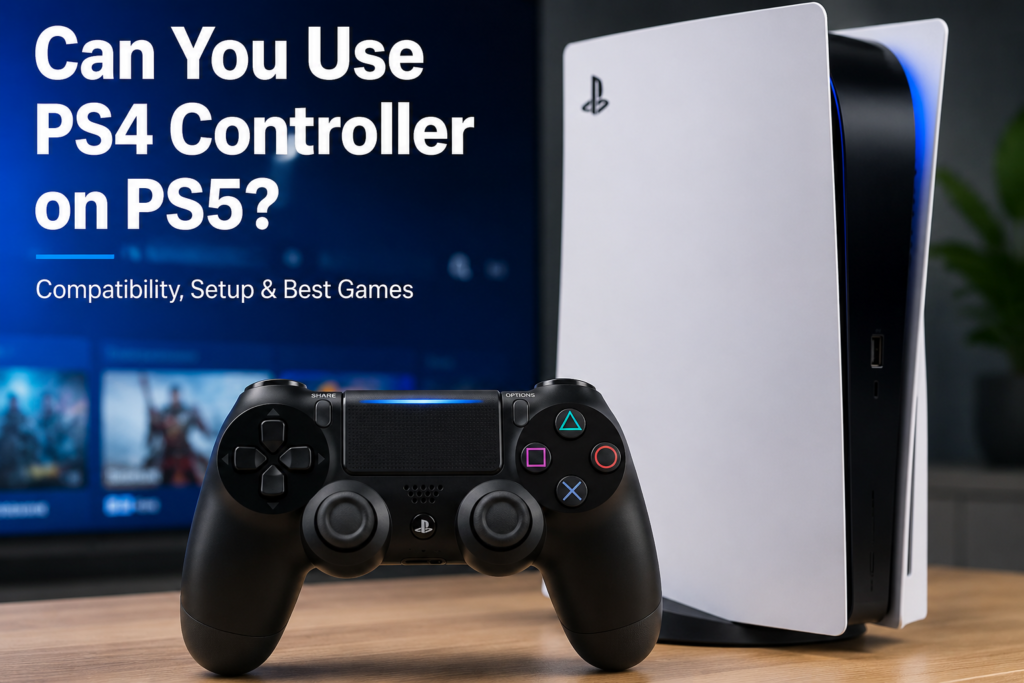
A DualShock 4 cannot directly control native PS5 games. Sony states that PS5 games require a DualSense controller, while DualShock 4 and officially licensed PS4 gamepads work with supported PS4 games running on PS5.
The most important thing to check is the game version. A ps5 controller checker may work correctly in the PS5 menus and then stop responding when you open the native PS5 version of a game.
How This Guide Was Verified
We checked Sony’s official DualShock 4 pairing instructions, PS5 backward-compatibility documentation, game-version guidance, controller support information, and Remote Play requirements.
We also reviewed a practical demonstration showing a DualShock 4 connecting to PS5 through USB and Bluetooth. The controller worked in the interface and supported PS4 games but was rejected during direct gameplay in a native PS5 title.
PadProTools has not independently tested every game, third-party controller, PS5 model, or firmware combination. Game-specific and third-party compatibility is therefore described carefully rather than guaranteed.
For setup, compatibility, or buying details, read our PS5 Fortnite controller guide.
Quick PS4 Controller Compatibility Table
| Use case | Does DualShock 4 work? | Main requirement |
|---|---|---|
| Connect to a PS5 | Yes | Pair it with a USB data cable |
| Use it wirelessly | Yes | Disconnect the cable after pairing |
| Navigate PS5 menus | Yes | Controller must be paired and assigned |
| Play supported PS4 games | Yes | Launch the PS4 version |
| Play native PS5 games | No | DualSense is normally required |
| Local multiplayer in PS4 games | Yes | The game must support local multiplayer |
| Local multiplayer in PS5 games | No | Use supported PS5 controllers |
| PS Remote Play | Yes | Connect it to a supported Remote Play device |
| Original PS VR games | Often | Requirements depend on the game |
| Third-party PS4 controllers | Maybe | Check the manufacturer’s compatibility list |
Does a PS4 Controller Work on PS5?
A genuine DualShock 4 can connect directly to a PS5 and work with supported PS4 games.
Sony says the DualShock 4, DualSense, and officially licensed third-party gamepads can control supported PS4 games running on PS5. The overwhelming majority of the PS4 game library is playable through PS5 backward compatibility, although some games or features may have limitations.
The DualShock 4 can be useful when:
- You already own several PS4 controllers
- You need another controller for a local PS4 multiplayer game
- Your DualSense is charging or unavailable
- You prefer the shape of the DualShock 4
- You use the DualShock 4 Back Button Attachment
- You want to play older PS4 games on your new console
Connecting the controller does not make it compatible with every game. The title and game version still decide whether it can be used for gameplay.
Can a PS4 Controller Play PS5 Games?
No. A DualShock 4 cannot directly control native PS5 games.
Sony requires a DualSense or another controller officially supported for PS5 gameplay. Native PS5 titles may be designed around newer features such as haptic feedback, adaptive triggers, updated motion input, and the DualSense built-in microphone. Not every game uses every feature, but the controller restriction still applies.
A DualShock 4 may still work in the PS5 interface before you launch the game. Once the native PS5 title opens, the console may display a message telling you that the connected controller cannot be used.
This does not necessarily mean the controller is broken or disconnected. It usually means you launched a version that does not support DualShock 4 gameplay.
What About Racing Wheels and Arcade Sticks?
Standard PS4 gamepads and specialty peripherals do not always follow the same rules.
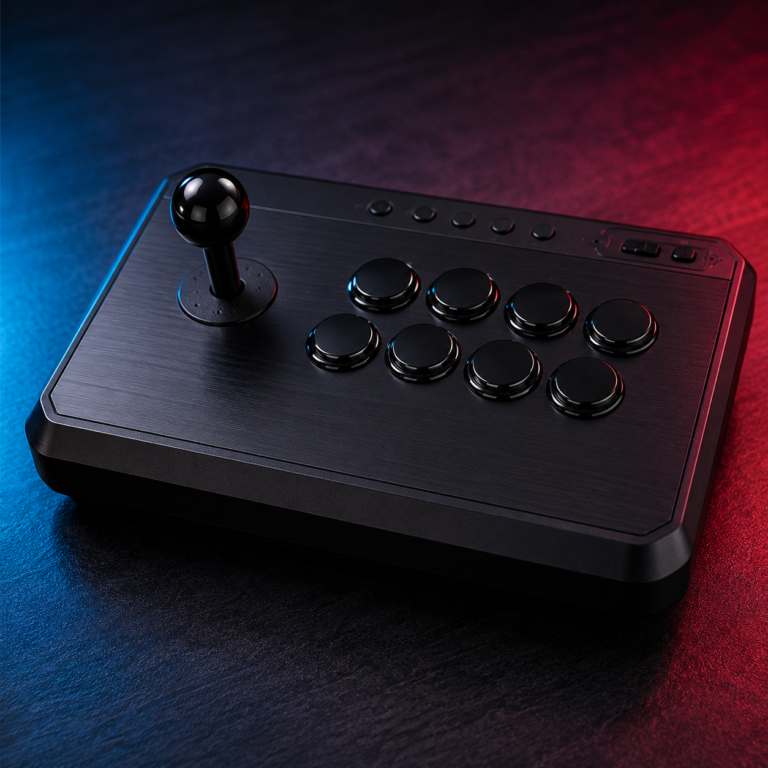
Sony says some officially licensed racing wheels, arcade sticks, and flight sticks can work with both PS5 games and supported PS4 games. Check the manufacturer’s compatibility list for the exact accessory and title.
Can a PS4 Controller Play PS4 Games on PS5?
Yes. This is the main officially supported use of DualShock 4 on PS5.
The controller works with supported PS4 games played through backward compatibility. This can include:
- Digital PS4 games
- Supported PS4 game discs on a PS5 with a disc drive
- PS4 games transferred from another console
- PS4 games stored on compatible extended USB storage
- PS4 editions included with cross-generation purchases
Sony says most of the 4,000-plus PS4 games are playable on PS5. Some older games or features may still behave differently, so support should not be treated as universal.
For setup, compatibility, or buying details, read our DualSense on PS4 guide.
What Does “Supported PS4 Game” Mean?
A supported PS4 game is a title that can run on PS5 through backward compatibility.
The controller may be compatible even when a game has minor graphical, feature, or performance limitations. Keep the console and game updated to reduce backward-compatibility problems.
How to Connect PS4 Controller to PS5 With USB
Sony’s documented method uses a USB cable.
- Turn on the PS5.
- Connect the DualShock 4 to the console.
- Use a Micro-USB to USB-A data cable.
- Press the PS button.
- Wait for the light bar and player indicator.
- Select or assign a user when prompted.
- Disconnect the cable after pairing if you want to use it wirelessly.
When the controller has enough battery power, Sony says you can remove the cable and continue using it wirelessly. A DualShock 4 can be paired with only one console at a time.
Which USB Cable Do You Need?
The DualShock 4 uses a Micro-USB connection.
Use a cable that supports both charging and data. A charging-only cable may light up or charge the controller without completing the pairing process.
Try another cable when:
- The controller charges but does not pair
- Pressing the PS button does nothing
- The light bar keeps flashing
- The controller disconnects immediately
- The PS5 does not assign it to a player
Can You Use It Wirelessly After USB Pairing?
Yes. Once the PS5 has paired with the DualShock 4, disconnect the USB cable and continue wirelessly.
Pairing the controller with another PS4 or PS5 will replace its current console connection. You will need to reconnect it with a USB cable before returning to the previous console.
How to Connect PS4 Controller to PS5 With Bluetooth
USB is the simplest and officially documented console-pairing method. You can also place a DualShock 4 into Bluetooth pairing mode and select it through the PS5 accessory settings.
- Use another working controller to open Settings.
- Select Accessories.
- Open General.
- Select Bluetooth Accessories.
- Disconnect the DualShock 4 USB cable.
- Make sure its light bar is off.
- Hold the Share button and PS button together.
- Wait until the light bar flashes rapidly.
- Select the detected wireless controller.
- Assign it to a user.
Sony uses the Share and PS button combination to place DualShock 4 into Bluetooth pairing mode.
The PS4 controller uses a Share button. The newer DualSense controller uses a Create button.
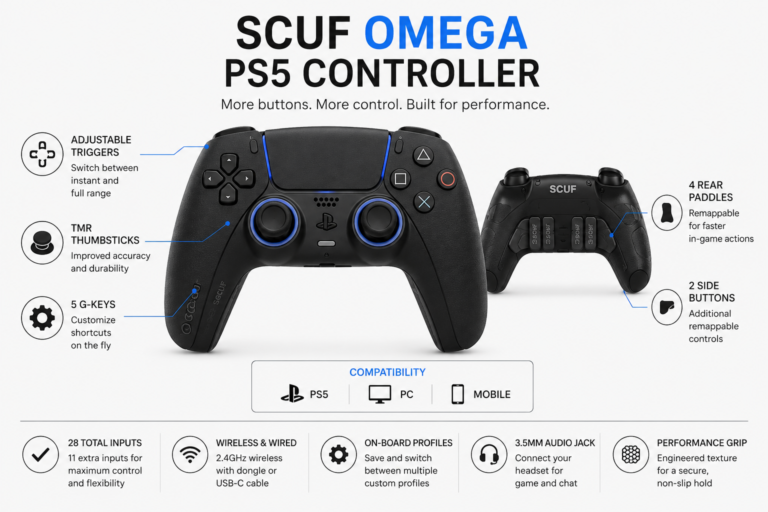
For setup, compatibility, or buying details, read our SCUF PS5 controller guide.
How to Check Whether You Are Running the PS4 or PS5 Version
Many games offer separate PS4 and PS5 editions. The DualShock 4 works only when you launch the supported PS4 version.
To check the version:
- Open Game Library from the PS5 Games home screen.
- Select the game.
- Open the three-dot options menu.
- View the available versions.
- Select the edition marked PS4.
- Download or launch that version.
Sony says the PS4 edition displays PS4 beside the title. The PS5 edition normally displays only the game title on the version-selection screen.
Connected but not working in the game?
Your DualShock 4 may be paired correctly. Check whether you opened the native PS5 version. The PS4 edition can support DualShock 4, while the PS5 edition normally requires DualSense.
Why Does the Controller Work in Menus but Stop in the Game?
The PS5 interface can recognize the connected controller, but the game applies its own platform requirements when it starts.
When the PS5 edition opens, it may reject DualShock 4 gameplay even though the controller still appears connected.
Switch to the PS4 version when:
- Both editions are included with your purchase
- The PS4 edition is still available in your library
- You want to use DualShock 4
- You accept any differences between the PS4 and PS5 editions
Save data, online matchmaking, features, and visual quality can differ between editions. Check the game publisher’s instructions before switching.
Which Popular Games Work With a PS4 Controller on PS5?
| Game | Does DualShock 4 work? | What to launch |
|---|---|---|
| EA Sports FC 24 | Yes | PS4 edition |
| EA Sports FC 26 | Yes | PS4 edition |
| Minecraft | Yes | Minecraft for PS4 |
| Fortnite | Yes, when the PS4 edition is available | PS4 edition |
| UFC 5 | No direct support | No PS4 edition exists |
| FIFA 23 | Yes | PS4 edition |
| Call of Duty | Depends on the title and purchase | PS4 edition where available |
Can You Use PS4 Controller on PS5 FC 24?
Yes, when you install and launch the PS4 version of EA Sports FC 24.
The DualShock 4 will not directly control the native PS5 edition. Confirm that the game tile or version-selection screen displays PS4 before troubleshooting the controller.
Access to both editions may depend on the version or package you purchased.
Can You Use PS4 Controller on PS5 FC 26?
Yes. EA confirms that FC 26 includes Dual Entitlement and allows the PS4 edition to be downloaded and played on PS5.
Launch the PS4 edition to use DualShock 4. The native PS5 edition requires a supported PS5 controller.
EA also notes that matchmaking and some progress are tied to the generation version being played. Players using the PS4 edition join the previous-generation version pool.
Can You Use PS4 Controller on PS5 Minecraft?
Yes, when you run Minecraft for PS4 through backward compatibility.
Minecraft also has a native PS5 version, which launched on October 22, 2024. The native edition will not directly accept DualShock 4 gameplay. Select the PS4 edition when you want to use the older controller.
Can You Use PS4 Controller on PS5 Fortnite?
Fortnite is available in PS4 and PS5 editions. A DualShock 4 can control the PS4 edition running on PS5, but it cannot directly control the native PS5 edition.
Check your game library to see which edition is available to your account. Fortnite receives frequent platform updates, so do not assume both editions are installed.
Can You Use PS4 Controller on PS5 UFC 5?
No, not through a normal direct connection.
EA lists UFC 5 for PS5 and Xbox Series X|S only. There is no PS4 edition to launch through backward compatibility. Use a DualSense or another controller supported for PS5 gameplay.
Can You Use PS4 Controller on PS5 FIFA 23?
Yes, when you own and launch the PS4 edition of FIFA 23.
EA’s Dual Entitlement for FIFA 23 gave eligible Ultimate Edition owners access to both the PS4 and PS5 versions. Standard Edition owners may not have both editions, so check your purchase and game library.
Can You Use PS4 Controller on PS5 Call of Duty?
It depends on the exact Call of Duty title and edition.
Several Call of Duty releases have separate PS4 and PS5 versions or cross-generation packages. A DualShock 4 works when the PS4 edition is running, not when the native PS5 edition is running.
Check:
- The exact Call of Duty title
- Whether your purchase includes both editions
- Whether the installed game is labelled PS4
- Whether the package is PS5-only
- The publisher’s current controller requirements
Can You Use Multiple PS4 Controllers on PS5?
Yes. Sony says up to four controllers can be connected to one console.
Multiple DualShock 4 controllers can be useful for supported local-multiplayer PS4 games running on PS5.
For each controller:
- Pair it with the console.
- Press the PS button.
- Assign it to a user or guest.
- Launch a supported PS4 multiplayer game.
They cannot replace DualSense controllers in a native PS5 multiplayer title.
Can You Mix DualShock 4 and DualSense Controllers?
Yes, when playing a supported PS4 game.
One player can use a DualShock 4 while another uses a DualSense, provided the PS4 game supports local multiplayer and both controllers are connected.
For native PS5 multiplayer games, each player needs a controller supported for PS5 gameplay.
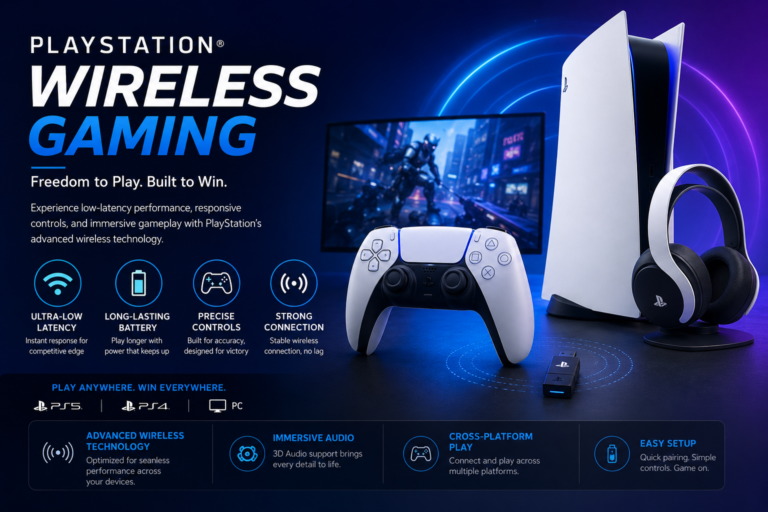
Does PS4 Controller Work With PS Remote Play on PS5?
Yes. DualShock 4 is supported by PS Remote Play on compatible computers and mobile devices.
The setup works like this:
DualShock 4 → Remote Play device → PS5 console
This creates an indirect way to control a native PS5 game with a DualShock 4. The controller connects to the computer, phone, tablet, or another supported device rather than acting as a locally supported PS5 gamepad.
Remote Play can add:
- Input delay
- Video compression
- Audio delay
- Connection interruptions
- Different touchpad behavior
- Reduced suitability for competitive games
Sony recommends at least 5 Mbps upload and download speeds, with 15 Mbps recommended for better performance.
Remote Play is best treated as a temporary workaround when your DualSense is unavailable.
Can You Use a PS4 Controller for PS VR Games on PS5?
Yes, for supported original PlayStation VR games.
Sony recommends using DualShock 4 for the best experience with certain original PS VR games on PS5. Some titles may require PlayStation Move controllers or support the PS VR Aim controller.
This does not apply to PS VR2, which uses different hardware and controller requirements.
Do Third-Party PS4 Controllers Work on PS5?
Some do, but support is not universal.
Sony says officially licensed PS4 gamepads may work with supported PS4 games on PS5. It also recommends checking with the manufacturer because not every licensed or third-party accessory works with every console setup or title.
Before using or buying a third-party controller, check:
- PS5 console compatibility
- Supported game generation
- Wired or wireless support
- Touchpad availability
- Headset-jack support
- Motion controls
- Manufacturer firmware updates
- Support for the exact game
A standard PS4 gamepad that works with PS4 games does not automatically work with native PS5 games.
Why Is My PS4 Controller Connected but Not Working on PS5?
You Launched the PS5 Version
This is the most likely explanation when the controller works in menus but stops during gameplay.
Open the three-dot version menu and select the PS4 edition where available.
The USB Cable Only Charges
Use a Micro-USB cable that supports data transfer. Charging-only cables may provide power without pairing the controller.
The Controller Is Paired With Another Console
A DualShock 4 stores one active console pairing. Reconnect it to the PS5 with a USB cable and press the PS button.
The Battery Is Too Low
Leave the controller connected until it has enough charge, then try pairing again.
The Controller Needs to Be Reset
- Turn off the controller.
- Find the small reset hole on the back.
- Press the internal button with a pin for at least five seconds.
- Connect the controller to the PS5 with a USB cable.
- Press the PS button.
Sony recommends resetting the controller when pairing issues continue.
The Game Is Not Backward Compatible
Most PS4 games work on PS5, but some titles remain PS4-only or have feature limitations. Check Sony’s compatibility information and the game publisher’s support page.
The Third-Party Controller Is Unsupported
The controller may work on PS4 without being fully supported on PS5. Check the manufacturer’s current compatibility list.
The Console or Game Needs an Update
To check the PS5 system version:
- Open Settings.
- Select System.
- Open System Software.
- Select Console Information.
To update a game, highlight it, press the Options button, and select Check for Update.
Test the PS4 Controller Before Replacing It
A game-version restriction can look like a controller hardware problem, so test the DualShock 4 separately before buying a replacement. If the PS5 also becomes unusually hot, produces excessive fan noise, freezes, or shuts down during gameplay, follow our PS5 Keep Overheating guide because the issue may be related to the console rather than controller compatibility.
Connect the DualShock 4 to a supported computer or mobile device and open the controller test online.
The tool can help check:
- Face buttons
- D-pad input
- Analog-stick movement
- L2 and R2 triggers
- L3 and R3 stick buttons
- General controller detection
- Possible stick drift
A successful browser test confirms that the connected device receives controller input. It does not prove that a native PS5 game supports DualShock 4.
When the buttons work in the tester and in PS5 menus but fail inside a game, check whether you launched the PS5 edition.
PS4 Controller on PS5 vs. PS5 Controller on PS4
| Controller setup | Direct compatibility |
|---|---|
| PS4 DualShock 4 on PS5 | Yes, with supported PS4 games |
| PS5 DualSense on PS4 | No native direct gameplay support |
The two situations are not the same. PS5 officially supports DualShock 4 for backward-compatible PS4 games, while PS4 does not natively support the newer DualSense.
Read our guide: Does PS5 Controller Work on PS4?
FAQS
Can you use a PS4 controller on PS5?
Yes. A DualShock 4 works with supported PS4 games running on PS5. It cannot directly control native PS5 games.
Can a PS4 controller navigate PS5 menus?
Yes. After pairing and assigning the controller, it can navigate the interface. Game compatibility is checked separately when a title launches.
Can you connect a PS4 controller to PS5 wirelessly?
Yes. The easiest method is to pair it with a USB data cable first and then disconnect the cable. You can also place it in pairing mode with the Share and PS buttons.
Can you use a PS4 controller on PS5 without a cable?
Yes, after wireless pairing. A USB data cable remains the simplest first-time setup method.
Can a PS4 controller play native PS5 games?
No. Native PS5 games normally require DualSense or another supported PS5 controller.
Can you use PS4 controllers on PS5 for multiplayer?
Yes, for supported local-multiplayer PS4 games. They cannot replace supported PS5 controllers in native PS5 multiplayer games.
Can you use PS4 controller on PS5 FC 24?
Yes, when you launch the PS4 edition of FC 24. It will not directly control the native PS5 edition.
Can you use PS4 controller on PS5 FC 26?
Yes. Install and launch the PS4 edition included through FC 26 Dual Entitlement.
Can you use PS4 controller on PS5 Minecraft?
Yes, with Minecraft for PS4. The native Minecraft PS5 edition requires a supported PS5 controller.
Can you use PS4 controller on PS5 Fortnite?
Yes, when running the PS4 edition. It will not directly control the native PS5 edition.
Can you use PS4 controller on PS5 UFC 5?
No. UFC 5 has no PS4 edition, so DualShock 4 cannot directly control it on PS5.
Can you use PS4 controller on PS5 FIFA 23?
Yes, if you own and launch the PS4 edition. Access to both editions depends on the FIFA 23 package you purchased.
Can you use PS4 controller on PS5 Call of Duty?
It depends on the game and purchased edition. Use the PS4 version when one is included and available.
Why do Reddit answers say both yes and no?
Both answers can be correct. DualShock 4 connects to PS5 and plays supported PS4 games, but it does not directly control native PS5 games. Many answers leave out the game-version distinction.
Final Answer
Yes, you can use a PS4 DualShock 4 controller on PS5, but only for supported PS4 games.
Connect it with a Micro-USB data cable, press the PS button, and assign it to a user. Once paired, you can disconnect the cable and use the controller wirelessly.
The DualShock 4 cannot directly control native PS5 games. When it works in PS5 menus but stops after a game opens, check whether you launched the PS5 edition. Switch to the version marked PS4 when your purchase includes both editions.
Remote Play offers an indirect workaround for native PS5 games, but it may add input delay. For normal PS5 gameplay, a DualSense or another officially supported PS5 controller remains the most reliable option.