PS5 Controller 30th Anniversary Edition: Price, Features and Buying Guide
“”
Last updated: August 16, 2026
Source and availability check: August 3, 2026
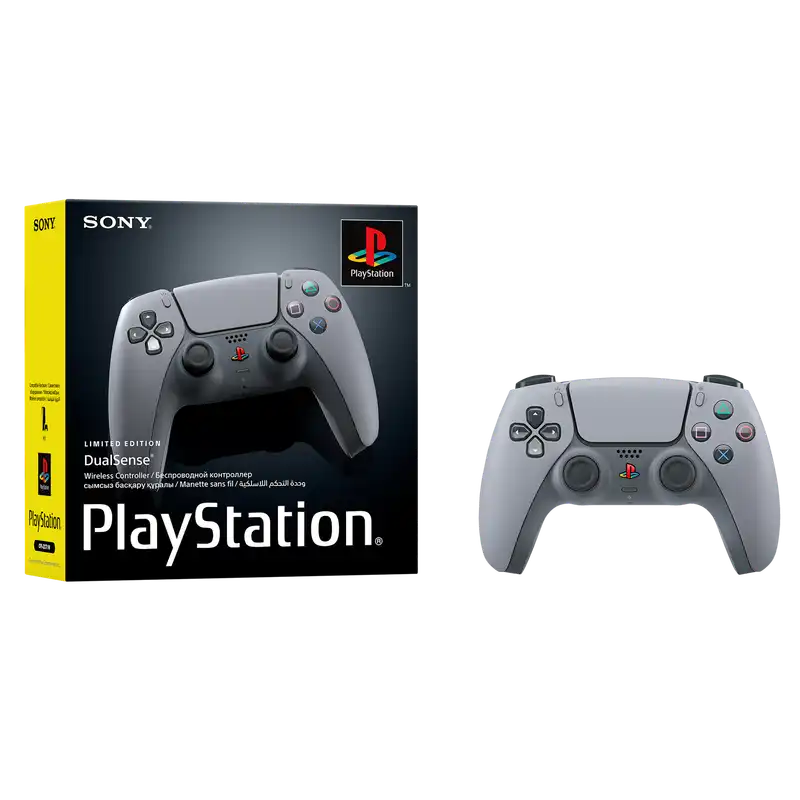
The PS5 Controller 30th Anniversary Edition is a standard DualSense with a gray design inspired by the first PlayStation console. It offers the same core controls and gaming features as a regular DualSense.
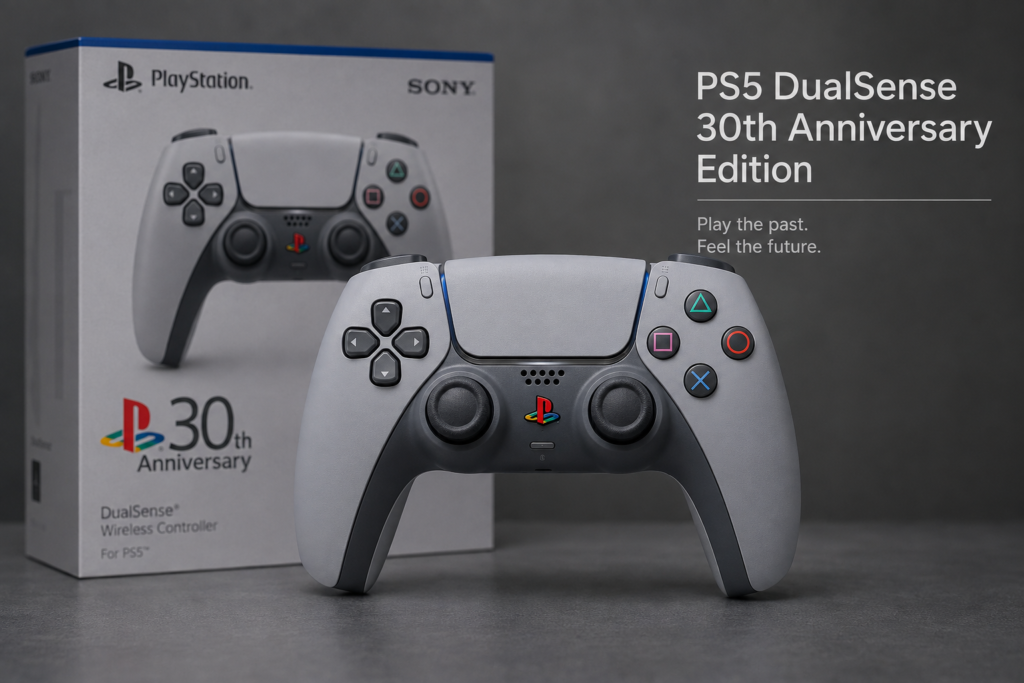
The higher price comes from its limited release, original PlayStation styling, and collector demand, not better sticks, faster response, or extra buttons.
Sony announced the collection on September 19, 2024. The products launched on November 21, 2024, with preorders for the standalone controller beginning on September 26, 2024. You can verify these dates in Sony’s official PlayStation 30th Anniversary announcement.
PS5 30th Anniversary Controller Quick Facts
| Detail | Information |
|---|---|
| Official name | DualSense Wireless Controller 30th Anniversary Limited Edition |
| Announcement date | September 19, 2024 |
| Release date | November 21, 2024 |
| Original US price | $79.99 |
| Controller type | Standard DualSense |
| Main difference | Original PlayStation-inspired design |
| Individually numbered | No confirmed numbering for the standalone controller |
| Primary platform | PlayStation 5 |
| Other platforms | Compatible PCs, Macs and supported mobile devices |
| Production total | Not officially confirmed for the standalone controller |
Best Buy recorded the controller’s comparable retail value as $79.99. Current retailer and reseller prices can change, so buyers should treat $79.99 as the original price rather than a guaranteed current price. View the Best Buy product and review record.
How We Verified This Guide
We used three separate checks rather than relying on marketplace descriptions:
- We verified the release date, collection products, design description, bundle contents, and 12,300-unit statement through Sony’s official PlayStation 30th Anniversary Collection page and announcement.
- We checked the original US price against Best Buy’s product record.
- We used the same controller-input inspection process described in our controller testing methodology for the used-controller checklist.
Hands-on disclosure: This is a source-verified buyer guide. We are not claiming that PadProTools opened, disassembled, or physically inspected every anniversary controller or reseller listing mentioned here. Where we describe testing, we are explaining the repeatable process we use to evaluate a connected DualSense controller.
What Is the PS5 Controller 30th Anniversary Edition?
Sony released the controller as part of the PlayStation 30th Anniversary Collection. The collection applied the original PlayStation’s gray color theme to newer PS5 hardware.
The standalone product’s official name is DualSense Wireless Controller 30th Anniversary Limited Edition. Sony lists it separately from the anniversary consoles, PlayStation Portal, and DualSense Edge.
The collection included:
- PS5 Pro 30th Anniversary Limited Edition Bundle
- PS5 Digital Edition 30th Anniversary Limited Edition Bundle
- DualSense Wireless Controller 30th Anniversary Limited Edition
- DualSense Edge Wireless Controller 30th Anniversary Limited Edition
- PlayStation Portal 30th Anniversary Limited Edition
Buying the standalone DualSense did not include a console, DualSense Edge, charging station, or collector bundle accessories.
What Makes the Anniversary Controller Look Different?
The main changes are visual.
Original PlayStation Gray Color
The controller uses a light gray shell with darker gray buttons, analog sticks, and lower sections. The color layout references the first PlayStation console and its controller.
Sony describes the collection as using the original PlayStation color design across current PS5 products.
Multicolor PlayStation Logo
The PS button uses a colored PlayStation logo instead of the single-color appearance found on most standard DualSense models.
Colored Face-Button Symbols
The Triangle, Circle, Cross, and Square symbols use their traditional colors:
- Green Triangle
- Red Circle
- Blue Cross
- Pink Square
Anniversary Packaging
The retail packaging is part of the item’s value for collectors. A controller with its clean original box will usually be more attractive to collectors than a loose used unit.
Packaging does not affect gaming performance, but it can affect resale demand and condition grading.
What Was the Original Price?
The original US retail price was $79.99.
That number should be kept separate from current marketplace prices. A seller may ask much more for a sealed or hard-to-find unit, but an asking price does not prove market value.
Retail Price vs Resale Price
| Price type | Meaning |
|---|---|
| Original retail price | The authorized launch price |
| Asking price | The amount a seller wants |
| Sold price | The amount a buyer actually paid |
| Sealed price | Price for an unopened unit |
| Open-box price | Price for an opened but complete unit |
| Used price | Price based on condition and function |
| Imported price | Price after shipping, tax and import costs |
When checking value, compare recently completed sales for controllers in the same condition. Do not compare a loose used controller with a sealed collector unit.
Is It Still Available?
Sony’s current collection page continues to describe the anniversary products as having limited availability at selected retailers while supplies last. That wording does not guarantee stock in your country or at a specific store.
You may find the controller through:
- PlayStation Direct restocks
- Major gaming retailers
- Marketplace sellers
- Used-game stores
- Local collector groups
- Auction sites
- Import sellers
Check the actual seller name. A controller shown on a major retailer’s website may be sold by a third-party marketplace seller.
Is It Different From a Standard DualSense?
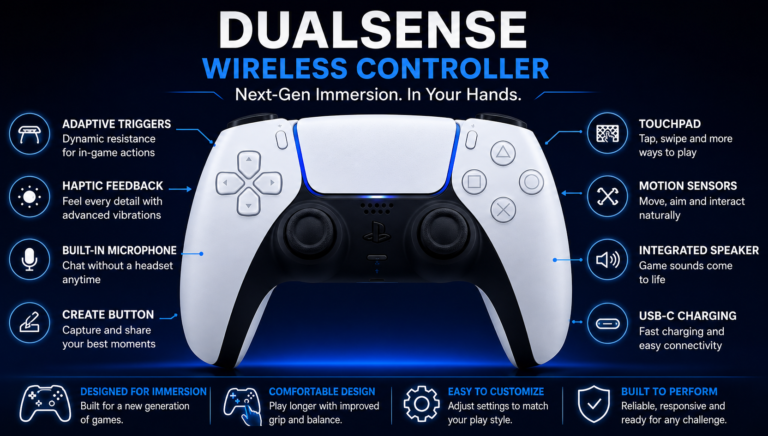
The design is different, but the core controller is a standard DualSense.
Sony did not announce upgraded sticks, faster input, a larger battery, extra buttons, or improved wireless performance for the anniversary model.
Anniversary DualSense vs Standard DualSense
| Feature | Anniversary DualSense | Standard DualSense |
|---|---|---|
| Shape | Same | Same |
| Button layout | Same | Same |
| Haptic feedback | Same supported feature | Same |
| Adaptive triggers | Same supported feature | Same |
| Touchpad | Same | Same |
| Motion controls | Same | Same |
| Built-in microphone | Same | Same |
| USB-C charging | Same | Same |
| Bluetooth | Same | Same |
| Rear buttons | No | No |
| Replaceable stick modules | No | No |
| Main difference | Anniversary design | Regular color choices |
| Confirmed performance upgrade | None | Not applicable |
A used standard controller in good condition may perform better than a worn anniversary controller. Limited availability does not improve input accuracy, battery health, or stick centering.
Does It Perform Better Than a Normal PS5 Controller?
No technical performance upgrade was announced.
It does not automatically provide:
- Lower input delay
- Better analog-stick sensors
- Longer battery life
- Stronger haptic effects
- Faster button response
- Rear controls
- Trigger stops
- Replaceable stick modules
The condition of the individual controller matters more than its color.
Players who want extra rear controls and competitive features may get more practical value from a scuf controller ps5 or DualSense Edge.
DualSense Edge 30th Anniversary Edition vs Standard Anniversary Controller
The DualSense Edge anniversary model is a separate premium controller.
Sony’s DualSense Edge includes configurable control profiles, adjustable stick sensitivity and deadzones, button assignments, trigger settings, and replaceable stick modules. You can verify those features through Sony’s DualSense Edge support documentation and official Edge product page.
| Feature | Anniversary DualSense | Anniversary DualSense Edge |
|---|---|---|
| Controller category | Standard | Premium and configurable |
| Rear controls | No | Yes |
| Replaceable stick modules | No | Yes |
| Adjustable trigger stops | No | Yes |
| Custom control profiles | Standard settings | Advanced profiles |
| Stick sensitivity adjustment | No dedicated Edge controls | Yes |
| Carrying case | Not normally included | Included |
| Best suited to | Regular players and collectors | Competitive players and collectors |
Do not confuse the standard anniversary DualSense with the more expensive DualSense Edge anniversary controller.
Was the Standalone Controller Limited to 12,300 Units?
Sony’s 12,300-unit figure applies to the PS5 Pro 30th Anniversary Limited Edition Bundle, not the standalone DualSense controller.
Sony states that each anniversary PS5 Pro console was individually numbered and that 12,300 numbered consoles were made available globally. The standalone DualSense appears as a separate product without a published production total.
Be careful with listings that say:
- One of only 12,300 controllers
- Individually numbered standalone controller
- Official 12,300-unit DualSense run
- Matching number from the PS5 Pro bundle
Those descriptions may be confusing the standalone controller with the numbered PS5 Pro console.
What Came in the PS5 30th Anniversary Bundles?
Sony offered two main anniversary console bundles.
PS5 Pro 30th Anniversary Limited Edition Bundle
The PS5 Pro bundle included:
- Limited-edition PS5 Pro console
- Anniversary DualSense controller
- Anniversary DualSense Edge controller
- Anniversary DualSense charging station
- Disc-drive console cover
- Vertical stand
- Original PlayStation-style cable connector housing
- Four PlayStation-shape cable ties
- PlayStation sticker
- One of 30 poster designs
- PlayStation paperclip
The PS5 Pro console in this bundle was individually numbered.
PS5 Digital Edition 30th Anniversary Bundle
The Digital Edition bundle included:
- Anniversary PS5 Digital Edition console
- Anniversary DualSense controller
- Disc-drive console cover
- Vertical stand
- Original PlayStation-style cable housing
- Cable ties
- Sticker
- Poster
- Paperclip
It did not include the DualSense Edge or charging station included with the PS5 Pro bundle.
Was There a PS5 30th Anniversary Disc Edition?
Sony officially released a PS5 Digital Edition 30th Anniversary Limited Edition Bundle, not a separately named anniversary disc edition.
The bundle included a matching cover for an optional detachable disc drive. The disc drive itself was sold separately.
Sony’s current disc-drive page confirms that the accessory can be added to supported PS5 Digital Edition consoles or a PS5 Pro. View the official PS5 Disc Drive page.
Does the Anniversary Controller Work on PS4?
The gray anniversary design does not change normal DualSense compatibility.
The controller is designed for PS5. It does not provide normal native DualSense support for PS4 games running on a PS4 console.
Some users rely on Remote Play, adapters, or other workarounds. These are not the same as directly pairing and using the controller as an officially supported PS4 controller.
For normal PS4 use, the DualShock 4 remains the intended option.
Can You Buy a 30th Anniversary Controller Shell?
Third-party sellers offer gray replacement shells that can make a normal DualSense look similar to the anniversary model.
An aftermarket shell does not turn a standard controller into an official anniversary controller.
A shell-swapped controller may show:
- Incorrect gray shades
- Poorly printed logos
- Missing anniversary markings
- Uneven gaps
- Loose shell sections
- Misaligned buttons
- Tool marks
- No matching retail box
- A standard controller label underneath
An aftermarket shell can be fine for personal customization. The problem is selling the modified controller as a genuine limited edition.
How to Check Whether the Controller Is Genuine
No single logo, color, label, or box detail proves authenticity. Check the complete listing.
Ask for Original Photos
Ask the seller for clear photos of:
- Front and back
- USB-C port
- PS logo
- Touchpad
- Face buttons
- Analog sticks
- Rear label
- Retail packaging
- Box seals
- Barcode labels
- Purchase receipt, when available
Avoid listings that use only Sony’s promotional images.
Inspect the Fit and Finish
Look for:
- Even shell gaps
- Clean printing
- Correct logo colors
- Consistent gray tones
- Proper button alignment
- No tool marks
- No damaged clips
- No rough plastic edges
Review the Seller
Check:
- Seller history
- Previous feedback
- Return policy
- Original photographs
- Proof of purchase
- Reason for selling
- Clear condition description
A very low price may indicate damage, a shell swap, a misleading listing, or a missing product.
How We Test a Used Anniversary Controller
When we evaluate a used DualSense, we follow the same order each time. This helps separate cosmetic collector issues from actual controller faults.
1. We Inspect the Controller Before Connecting It
We check:
- Shell gaps
- Stick wear
- Sticky buttons
- Loose triggers
- USB-C port movement
- Cracks
- Signs that the shell was opened
- Battery swelling or unusual heat
2. We Test Every Button
We press and release:
- Triangle
- Circle
- Cross
- Square
- D-pad
- L1 and R1
- L2 and R2
- L3 and R3
- Create
- Options
- Touchpad click
We watch for inputs that fail to appear, activate twice, or remain active after release.
3. We Leave Both Sticks Untouched
We leave the controller on a flat surface and watch the stick position before moving anything.
If a stick registers movement while untouched, we check it again after:
- Reconnecting the controller
- Restarting the browser
- Updating the controller
- Testing through USB instead of Bluetooth
Movement that remains may indicate stick drift.
4. We Move Each Stick Slowly
We move each analog stick:
- Up
- Down
- Left
- Right
- Diagonally
- Around the full outer edge
We check whether the stick returns close to center and whether the movement looks smooth.
5. We Press L2 and R2 Slowly
We watch whether each trigger moves from its resting value to a full press without jumping or stopping early.
6. We Test USB and Bluetooth
We test both connection methods when possible.
During USB testing, we gently check whether the connection cuts out when the cable moves. During Bluetooth testing, we watch for random disconnections or delayed inputs.
Test It With Gamepad tester
Connect the controller and open the PadProTools pad tester.
Our normal browser-based check is:
- Connect the DualSense through USB or Bluetooth.
- Open the tester in a supported browser.
- Press a button to activate detection.
- Check every digital button.
- Move both analog sticks.
- Release the sticks and inspect their center position.
- Press L2 and R2 slowly.
- Watch for inputs that remain active after release.
| Test result | Possible cause |
|---|---|
| Stick moves while untouched | Drift, calibration or connection issue |
| Button remains active | Sticky or damaged button |
| Trigger does not reach full range | Trigger or sensor wear |
| Controller disconnects | Battery, Bluetooth, firmware or port issue |
| USB connection cuts out | Cable or charging-port issue |
| Tester works but a game does not | Game support or mapping issue |
The browser test checks controller inputs. It does not prove that the shell, box, or anniversary branding is genuine.
Does It Work on PC, Mac and Phones?
The anniversary model follows normal DualSense connection and platform rules.
Support depends on:
- Operating system
- USB or Bluetooth connection
- Game support
- Controller firmware
- Whether the game supports advanced DualSense features
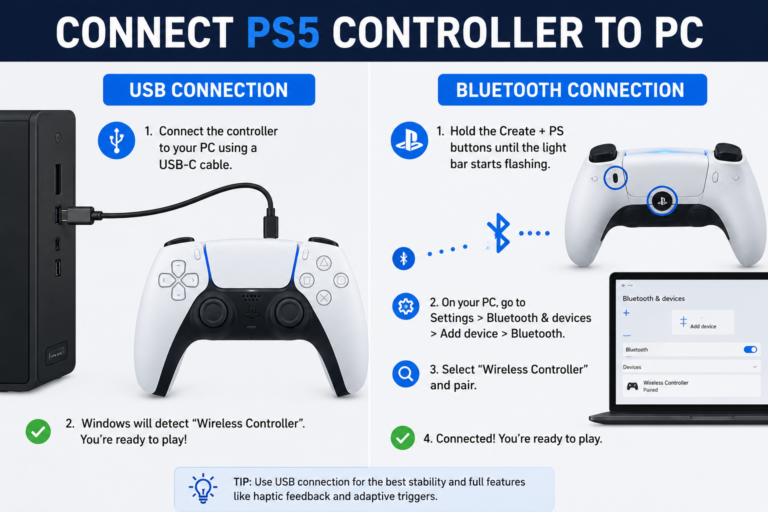
For Android and iPhone setup, read our guide on how to connect PS5 controller to phone.
Windows and Steam
You can connect through USB or Bluetooth. Steam Input may help when a game does not provide native PlayStation controller mapping.
Some PC games only support advanced DualSense features through USB.
Android
Supported Android devices can use Bluetooth or a compatible USB connection. The game must also support external controllers.
iPhone and iPad
Compatible Apple devices can pair through Bluetooth or connect through supported cables and adapters. Game support varies by app.
Is It Good for Everyday Gaming?
Yes. It functions as a normal DualSense.
Regular use can lead to:
- Stick wear
- Battery wear
- Shiny areas on the shell
- Marks around the buttons
- Scratches
- Dust buildup
- Possible stick drift
- Lower collector-grade condition
Collectors may display it and use another controller for daily gaming. Other owners may prefer to use it rather than keep it in a box.
The right choice depends on whether the controller’s preserved condition matters more to you than playing with its design.
Is It Worth Buying?
For Collectors
It may be worth a reasonable premium when:
- The controller is genuine
- Its condition matches the price
- The original box is included
- The seller provides clear photographs
- Return protection is available
- You value the original PlayStation design
Future resale growth is not guaranteed.
For Everyday Players
A normal DualSense usually offers better value because its core controls and performance are the same.
Buy the anniversary version when the design itself is worth the extra cost to you.
For Competitive Players
The standard anniversary controller does not have rear controls, trigger stops, replaceable stick modules, or advanced profiles.
A DualSense Edge, SCUF, or another performance controller may offer more useful gameplay changes.
Fighting-game players can also compare the best arcade sticks and our detailed best arcade stick guide.
For Portable Gaming
The DualSense can connect to compatible phones and computers, but it still needs another device to run or stream the game.
Players who want a self-contained handheld PC may prefer a steam deck refurbished model.
Problems a New Controller Will Not Fix
A controller cannot repair a PS5 display or cooling problem.
When the console turns on without displaying an image, inspect the HDMI cable, TV input, and console port. Our hdmi port repair cost guide explains the likely repair factors.
When the PS5 becomes very hot, shuts down, or displays a temperature warning, follow our ps5 overheating troubleshooting guide.
How to Clean and Store It
Turn the controller off and remove all cables before cleaning.
Use:
- A clean microfiber cloth
- A soft brush around the sticks and buttons
- A lightly dampened cloth for stubborn marks
- A clean and dry storage area
Avoid:
- Spraying liquid directly onto the controller
- Harsh household cleaners
- Direct sunlight
- High heat
- Damp storage
- Crushing the retail box
For an opened collector unit, check and charge the battery periodically rather than leaving it fully depleted for a long time.
FAQS
What was the original PS5 Controller 30th Anniversary Edition price?
The original US price was $79.99. Current prices depend on stock, seller, country, packaging, and condition.
Is the standalone anniversary controller individually numbered?
Sony did not announce individual numbering for the standalone controller. The 12,300 numbered units were PS5 Pro anniversary consoles.
How many standalone anniversary controllers were produced?
Sony has not published a confirmed production total for the standalone standard DualSense.
Does it perform better than a normal DualSense?
No performance upgrade was announced. Its core controls and functions follow the standard DualSense design.
Does it work on PS4?
It is designed for PS5 and does not provide normal native DualSense support on a PS4 console.
Does it have rear buttons?
The standard anniversary DualSense does not have rear buttons. The DualSense Edge anniversary model does.
Can it develop stick drift?
Yes. Its analog-stick design is based on the standard DualSense, so an individual unit can develop unwanted movement.
Is a gray replacement shell the same as the anniversary edition?
No. An aftermarket shell changes the appearance of a standard controller but does not make it an official anniversary product.
Was there a PS5 30th Anniversary Disc Edition?
Sony released an anniversary PS5 Digital Edition bundle with a matching cover for an optional disc drive. The drive was sold separately.
Should I open a sealed controller?
Open it when you plan to use it and do not care about sealed collector condition. Keep it sealed when the unopened packaging is an important part of your collection. Neither choice guarantees future profit.
Final Verdict
The PS5 Controller 30th Anniversary Edition is a standard DualSense in a limited gray design based on the original PlayStation.
Its collector appeal is real, but its gaming performance is not higher than a regular DualSense. Buyers should pay extra only when the design, packaging, and limited availability matter to them.
Before keeping a used unit, we recommend testing every button, both sticks, both triggers, Bluetooth, USB connectivity, charging, and battery behavior. A genuine anniversary shell cannot compensate for a controller with drift, worn triggers, or a damaged charging port.