SCUF PS5 Controller Guide: Omega vs Reflex, Price, Setup and Testing
“”
Last updated: August 16, 2026
A SCUF PS5 controller is made for players who want rear paddles, shorter trigger presses, custom thumbsticks and more control without taking their thumbs off the analog sticks controller test.
The current model is the SCUF Omega, released on May 12, 2026. The older SCUF Reflex, Reflex Pro and Reflex FPS lineup has been discontinued, but those controllers can still appear as used, refurbished or remaining retail stock. The official PlayStation announcement confirms that Omega is licensed for PS5 and launched at a recommended US price of $219.99.
Omega is aimed at competitive players who will use its extra buttons and app settings. Players who care more about DualSense haptic feedback, adaptive triggers, simple wireless pairing or a lower price may prefer a standard DualSense or DualSense Edge.
SCUF PS5 Controllers at a Glance
| Controller | Status | Best for | Rear controls | Trigger type | Main limitation |
|---|---|---|---|---|---|
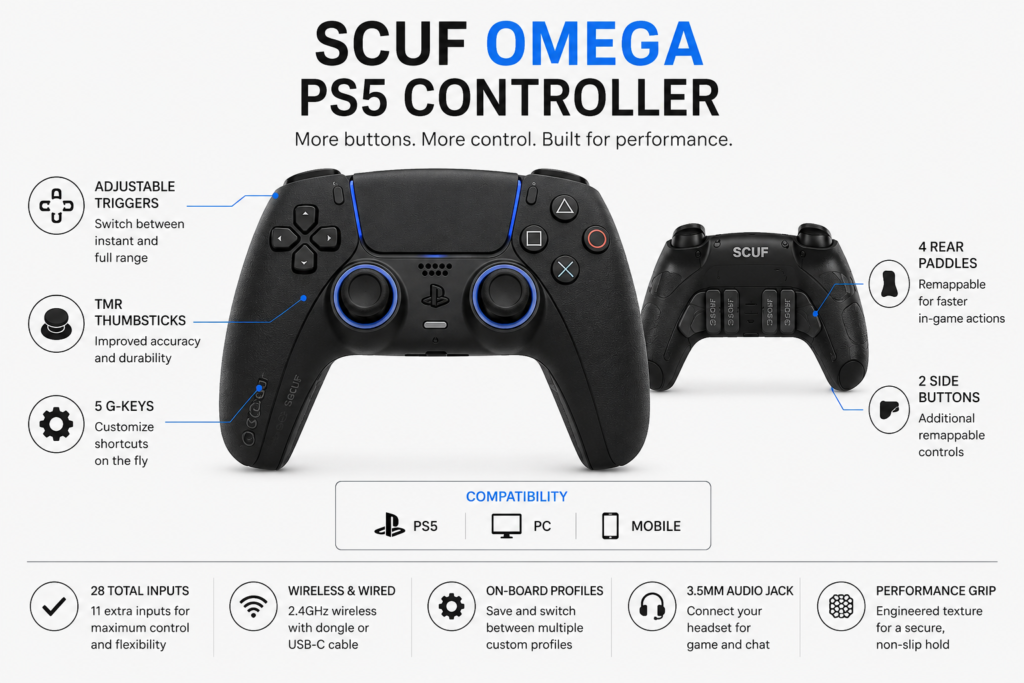
| SCUF Omega | Current | Competitive PS5 and PC players | Four paddles, two side buttons and five G-Keys | Switchable short-click or full analog | No vibration, haptics or adaptive triggers |
| SCUF Reflex | Discontinued | General PS5 gaming | Four paddles | Adaptive | Used or old stock only |
| SCUF Reflex Pro | Discontinued | Players wanting grip, paddles and DualSense features | Four paddles | Adaptive | Condition and warranty vary |
| SCUF Reflex FPS | Discontinued | Competitive shooters | Four paddles | Fixed instant triggers | Poor fit for gradual racing controls |
| DualSense | Current | Casual and story games | None | Adaptive | No rear controls |
| DualSense Edge | Current | Official PS5 customization | Two back buttons | Adjustable trigger length | Fewer rear inputs than Omega |
SCUF’s current controller comparison guide confirms that Omega replaced the Reflex line. Reflex and Reflex Pro retained adaptive triggers and vibration, while Reflex FPS removed those features and used instant triggers. Omega removes vibration and DualSense-style haptics while adding more inputs, TMR sticks, mechanical switches, adjustable triggers and app controls.
For setup, compatibility, or buying details, read our use a PS4 controller on PS5.
What Is a SCUF Controller for PS5?
A SCUF controller for PS5 is a performance-focused gamepad with extra controls and physical adjustments not found on a standard DualSense.
Depending on the model, these may include:
- Rear paddles
- Side buttons
- Short or adjustable triggers
- Interchangeable thumbsticks
- Performance grip
- Custom control profiles
- Button remapping
- Stick deadzone settings
- Trigger deadzone settings
- Response curves
- Wired and wireless connection options
The extra inputs do not create new in-game commands. They normally copy existing buttons such as Cross, Circle, R1, L1 or a D-pad direction.
The benefit is easier access. A rear paddle can handle jump, crouch or reload while your right thumb remains on the aiming stick.
SCUF is the controller brand name. The phrase “SCUF PS5 controller meaning” refers to a SCUF-made performance controller that supports PlayStation 5, not a special setting inside the console.
What Is the SCUF Omega PS5 Controller?
SCUF Omega is the company’s current officially licensed performance controller for PS5 and PS5 Pro. It also supports PC and mobile use through its available connection modes. It launched at a recommended US retail price of $219.99.
Its main hardware includes:
- Four removable rear paddles
- Two removable side buttons
- Five G-Keys
- Endurance TMR thumbsticks
- Omron mechanical action buttons
- Mechanical D-pad switches
- Adjustable instant triggers
- Interchangeable thumbsticks
- Removable magnetic faceplate
- Performance grip
- 3.5 mm headset jack
- USB-C connection
- Included 2.4 GHz wireless dongle
- Tournament cable lock
- Mobile-app customization
Omega has 28 total inputs, including 11 extra physical inputs: four paddles, two side buttons and five G-Keys. The PlayStation launch article describes all 11 as additional controls, but the number that can be freely remapped depends on the platform.
For setup, compatibility, or buying details, read our customize a DualSense controller.
Important G-Key Limitation on PS5
Not all five G-Keys are freely remappable in PlayStation mode.
According to the official SCUF Omega manual:
- G1 is programmable.
- G2 controls volume down.
- G3 controls microphone mute and sidetone.
- G4 controls volume up.
- G5 is programmable.
G2, G3 and G4 are fixed in PlayStation mode. All five G-Keys can be remapped in PC mode.
This means Omega has 11 extra physical inputs, but eight are freely remappable on PS5:
- Four rear paddles
- Two side buttons
- G1
- G5
This distinction should be clear before buying the controller for PS5.
For setup, compatibility, or buying details, read our controller setup for Fortnite.
TMR Thumbsticks
Omega uses TMR, or tunnel magnetoresistance, thumbsticks. They use non-contact magnetic sensing rather than the contact-based potentiometers found in many standard controllers.
TMR technology may reduce wear linked to traditional stick sensors, but the controller should not be described as permanently drift-proof. Calibration errors, physical damage, firmware problems and other faults can still cause unwanted movement.
The sticks can be recalibrated through the SCUF app. Players can also choose different thumbstick heights and shapes.
Mechanical Buttons
Omega uses Omron mechanical switches for its action buttons, D-pad and instant-trigger mode. These produce a short, click-style press rather than the softer feel of a membrane button.
Mechanical buttons can feel clear and responsive in shooters or menu-heavy games. The clicky feel is still a personal preference and may not suit every player.
Adjustable Instant Triggers
Omega’s trigger switches let you choose between:
- A short, mouse-click-style input
- Full analog trigger movement
Use the short setting for firing or aiming in competitive shooters. Use full travel for games that need gradual control, such as throttle and braking in racing games. The trigger mode can be switched physically instead of being permanently selected when the controller is ordered.
This is more flexible than the older Reflex FPS, whose instant triggers were fixed. The supplied Reflex review transcript also found that instant triggers suited shooters but acted like on-and-off buttons in racing games.
SCUF Omega Advantages
More Controls Without Moving Your Thumbs
Rear paddles and side buttons reduce how often you need to move your thumbs away from the analog sticks.
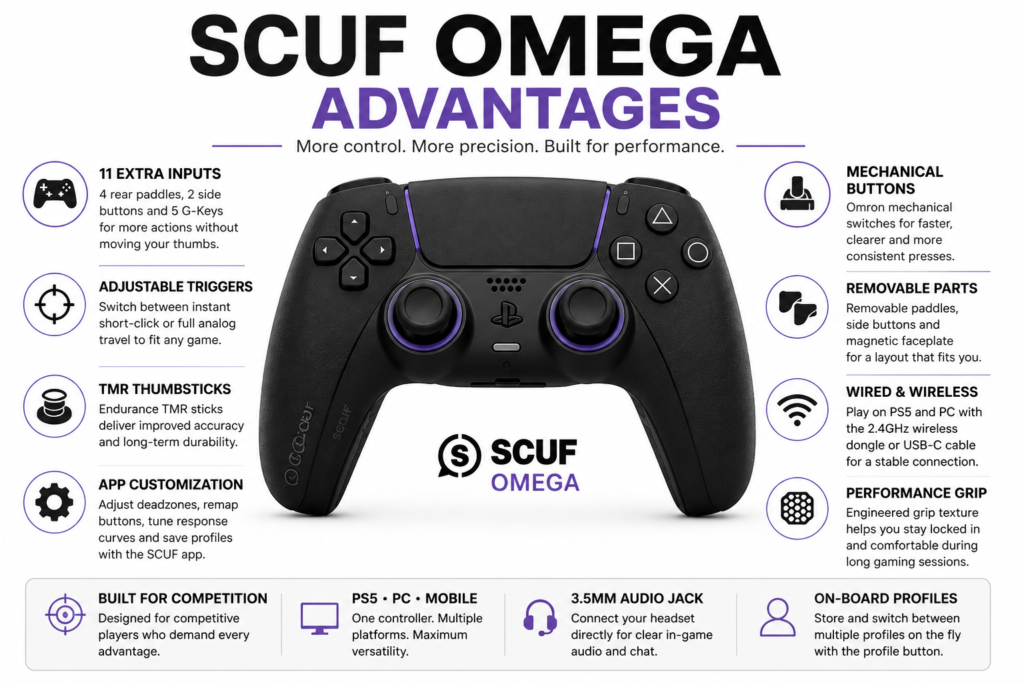
Useful assignments include:
- Jump
- Crouch
- Slide
- Reload
- Weapon switch
- Melee
- Ping
- D-pad commands
This can help in Call of Duty, Warzone, Fortnite, Apex Legends and other games where aiming and movement happen at the same time.
Rear controls improve button access. They do not guarantee better aim or better results.
For setup, compatibility, or buying details, read our cross-platform controller guide.
Switchable Trigger Modes
Omega does not force you to choose between instant and analog triggers when ordering. You can switch between the two styles on the controller.
This makes the controller more useful across different game types.
App-Based Adjustment
The SCUF app can manage:
- Button remapping
- Stick deadzones
- Trigger settings
- Response curves
- Sensitivity
- Calibration
- Profiles
- Firmware
- PC polling rate
The 1,000 Hz polling option is listed as a PC-only feature. It should not be presented as an advantage for PS5 gameplay.
Removable Rear and Side Controls
Omega’s inner paddles and side buttons can be removed. Blanking plates can cover the empty spaces when the full layout feels crowded or causes accidental presses.
This allows a new owner to start with two outer paddles before adding more controls.
For setup, compatibility, or buying details, read our PS5 controller Black Friday guide.
Wired and Wireless PS5 Modes
Omega supports:
- Wired PS5 play through USB-C
- Wireless PS5 play through the included 2.4 GHz USB dongle
Bluetooth mode is intended for supported mobile devices, not wireless PS5 play.
SCUF Omega Limitations
No DualSense Haptics or Adaptive Trigger Effects
Omega does not include vibration modules, haptic feedback or Sony-style adaptive trigger effects. SCUF says those features were removed to reduce weight and focus on competitive input.
That may not matter in competitive shooters. It can matter in games that use controller feedback for driving, weapon resistance, surfaces, weather or story effects.
PS5 Wireless Play Requires a Dongle
Omega does not use Bluetooth for wireless PS5 play. It uses the included 2.4 GHz USB dongle.
This takes up a USB port and means losing the dongle can affect wireless use.
Some Features Are PC-Only
The advertised 1,000 Hz polling feature is for PC. It should not be treated as a PS5 feature.
Only G1 and G5 are freely remappable in PlayStation mode. G2, G3 and G4 remain assigned to audio controls.
The Layout Has a Learning Curve
Four paddles, two side buttons and five G-Keys can feel crowded at first.
Start with two outer paddles. Add the inner paddles and side buttons only after the first layout feels natural.
The hands-on Reflex transcript also found the outer paddles easier to reach than the inner pair.
High Price
Omega launched at $219.99 in the United States. Current special-design models on SCUF’s store have been listed at $239.99, although sales and regional prices can change.
The extra cost makes more sense when the owner will regularly use the paddles, side buttons, profiles, trigger settings and stick adjustments.
Who Should Buy SCUF Omega?
Omega makes the most sense for:
- Competitive shooter players
- Players who already use rear paddles
- PS5 and PC players wanting one performance controller
- Users who adjust deadzones and response curves
- Players who want short mechanical inputs
- Users who need more than two rear controls
- Players willing to trade DualSense effects for extra buttons
It may not suit:
- Casual players
- People who mainly play story games
- Users who want haptic feedback
- Players who want adaptive trigger effects
- Buyers who rarely remap controls
- Users who want native Bluetooth pairing on PS5
- Players on a limited budget
SCUF Reflex PS5 Controller Lineup
SCUF has discontinued the Reflex family and replaced it with Omega. The older controllers remain relevant because many units are still sold used, refurbished or through imported stock. SCUF’s Reflex comparison page was updated in July 2026 to state that the lineup is discontinued.
SCUF Reflex
The original Reflex kept a DualSense-style shape and features while adding:
- Four rear paddles
- Interchangeable thumbsticks
- Three onboard profiles
- Wireless connectivity
- Adaptive triggers
- Haptic feedback
It suited players who wanted paddles without giving up the main DualSense experience.
SCUF Reflex Pro PS5 Controller
Reflex Pro added a performance grip while retaining adaptive triggers, vibration and four rear paddles.
A SCUF Reflex Pro PS5 controller may still be worth considering when:
- It costs much less than Omega.
- It has been fully tested.
- The battery is healthy.
- All four paddles work.
- The seller offers a return period.
- You prefer the DualSense-style body.
- You want haptic feedback and adaptive triggers.
Do not assume every Reflex Pro uses the same stick technology. SCUF released different versions and configurations, so check the exact model and product description.
SCUF Reflex FPS
Reflex FPS focused on competitive shooters. It used fixed instant triggers and removed vibration and adaptive trigger effects.
The short triggers work well for rapid aiming and firing. They are less suitable for racing games because they cannot provide gradual throttle or braking control.
Is SCUF Reflex Discontinued?
Yes. SCUF states that Reflex, Reflex Pro and Reflex FPS are no longer current new products and have been replaced by Omega.
Discontinued does not mean the controllers have stopped working. It means buyers should pay closer attention to:
- Controller condition
- Remaining warranty
- Repair history
- Replacement parts
- Return policy
- Exact stick technology
- Battery health
SCUF Omega vs Reflex Models
| Feature | Omega | Reflex | Reflex Pro | Reflex FPS |
|---|---|---|---|---|
| Current model | Yes | No | No | No |
| Rear paddles | Four | Four | Four | Four |
| Side buttons | Two | No | No | No |
| G-Keys | Five | No | No | No |
| Stick technology | Endurance TMR | Varies by version | Varies by version | Varies by version |
| Mechanical action buttons | Yes | No | No | No |
| Trigger type | Switchable instant or analog | Adaptive | Adaptive | Fixed instant |
| Haptic feedback | No | Yes | Yes | No |
| Vibration | No | Yes | Yes | No |
| Mobile-app settings | Yes | No equivalent system | No equivalent system | No equivalent system |
| PS5 wireless method | USB dongle | Built-in wireless | Built-in wireless | Built-in wireless |
| Best for | Maximum controls | Mixed gaming | Grip and immersion | FPS games |
| Main drawback | Price and missing DualSense effects | Discontinued | Discontinued | Fixed short triggers |
Omega provides more controls, newer stick technology and deeper app settings. Reflex Pro may still feel better to players who want adaptive triggers, vibration and a shape closer to the DualSense.
Is Omega Better Than Reflex Pro?
Omega is the stronger option for players who want:
- More remappable controls
- TMR thumbsticks
- Mechanical buttons
- App-based adjustment
- Switchable trigger travel
- PS5 and PC profiles
Reflex Pro may suit players who want:
- DualSense-style ergonomics
- Adaptive triggers
- Haptic feedback
- Simpler onboard controls
- A lower used price
The better choice depends on the games you play. Omega is focused on competition. Reflex Pro offers a closer balance between performance controls and DualSense-style immersion.
SCUF Omega vs DualSense Edge
Sony’s official DualSense Edge page confirms that the Edge retains haptic feedback, adaptive triggers, motion controls and a built-in microphone. It also offers native PS5 profiles, adjustable triggers, two back buttons and replaceable stick modules.
| Feature | SCUF Omega | DualSense Edge |
|---|---|---|
| Rear controls | Four paddles and two side buttons | Two back buttons |
| Extra front controls | Five G-Keys | Function buttons |
| Haptic feedback | No | Yes |
| Adaptive triggers | No | Yes |
| Trigger adjustment | Short-click or full analog | Adjustable trigger length |
| Stick technology | TMR | Replaceable stick modules |
| User-replaceable stick modules | No listed module system | Yes |
| PS5 configuration | Profiles and SCUF mobile app | Native PS5 profile menu |
| Wireless PS5 connection | USB dongle | Native wireless connection |
| Best for | More controls and competitive layouts | PS5 integration and immersion |
Choose Omega when more inputs, TMR sticks and mechanical controls matter most.
Choose DualSense Edge when native PS5 setup, haptic feedback, adaptive triggers and replaceable stick modules matter more.
Do SCUF Controllers Work on PS5?
Yes. Omega is officially licensed for PS5 and PS5 Pro. The Reflex lineup was also designed for PS5.
The correct connection method depends on the model.
Omega Connection Modes
| Mode | Supported use |
|---|---|
| USB-C wired | PS5 and PC |
| Included 2.4 GHz dongle | Wireless PS5 and PC |
| Bluetooth | Supported mobile devices |
| 1,000 Hz polling | PC only |
These options are controlled by the connectivity and platform switches under the magnetic faceplate.
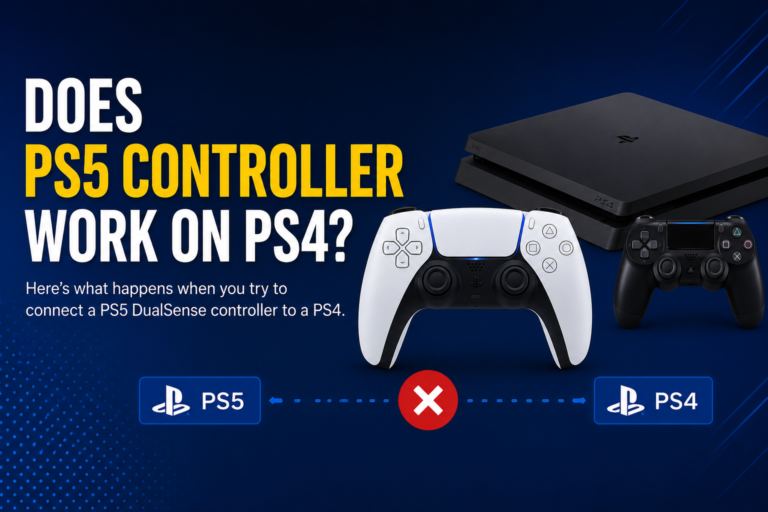
Can a SCUF PS5 Controller Work on PS4?
Omega is officially listed for PS5, PC and supported mobile devices, not for native PS4-console use. The Reflex range was also designed around PS5 rather than PS4-console support.
A PS5 SCUF controller may still control a compatible PS4 game running on a PS5. That is different from connecting it directly to a PS4 console.
Third-party adapters should not be treated as native support. Before using one, check:
- Input delay
- Feature support
- Firmware requirements
- Game rules
- Warranty implications
How to Connect a SCUF Controller to PS5
Connect Omega With a USB Cable
- Remove the magnetic faceplate.
- Set the connectivity switch to wired mode.
- Set the platform switch to PlayStation.
- Connect the included USB-C cable.
- Connect the other end to the PS5.
- Press the PS button.
- Select your user profile.
SCUF includes a cable lock to reduce accidental disconnection during wired play.
Connect Omega Wirelessly
- Remove the faceplate.
- Set the connectivity switch to wireless.
- Set the platform switch to PlayStation.
- Insert the included USB dongle into the PS5.
- Press and hold the PS button.
SCUF recommends the front USB port for the original CFI-1000 PS5 series. Other devices using the 2.4 GHz band may cause wireless interference. See the official Omega connection guide for the current steps.
What to Do if Omega Will Not Connect
Check these points:
- Confirm the platform switch is set to PlayStation.
- Make sure the connectivity switch matches wired or wireless use.
- Try another PS5 USB port.
- Charge the controller.
- Reconnect the dongle.
- Move other 2.4 GHz devices away temporarily.
- Test the included USB-C cable.
- Restart the PS5.
- Check for a firmware update.
- Reset the controller only after noting your current profiles.
SCUF provides manual, soft and hard reset options. A soft or hard reset removes saved settings, while the manual reset button is intended to recover a frozen controller without clearing profiles.
How to Remap a SCUF Controller on PS5
Remap Omega Paddles and Buttons
- Press the profile button until the required profile color appears.
- Hold the profile button until the indicator begins blinking.
- Press the paddle, side button or supported G-Key.
- At the same time, press the normal controller button it should copy.
- Release both buttons.
- Repeat for any other controls.
- Press the profile button again to save.
Omega’s paddles, side buttons and supported G-Keys can copy L1, R1, L2, R2, L3, R3, D-pad directions and the four action buttons. L2 and R2 mapping requires the triggers to be in instant mode.
Remap Reflex Paddles
Reflex controllers use the rear profile button:
- Select one of the three profile colors.
- Hold the profile button until it blinks.
- Press a paddle and the button it should copy.
- Release both.
- Press the profile button again to save.
The supplied Reflex transcript demonstrates this three-profile remapping method.
Best SCUF Paddle Layouts
There is no single best layout. Start with actions that normally force your right thumb away from the aiming stick.
Call of Duty and Warzone
| Extra control | Suggested action |
|---|---|
| Left outer paddle | Jump |
| Right outer paddle | Crouch or slide |
| Left inner paddle | Reload |
| Right inner paddle | Weapon switch |
| Left side button | Ping |
| Right side button | Melee |
Start with jump and crouch on the outer paddles. Add the inner paddles after those controls feel natural.
Fortnite
Possible assignments include:
- Jump
- Edit
- Confirm
- Build mode
- Crouch
- Pickaxe
Do not change every control at once. Begin with the two actions you use most often.
Apex Legends
Useful assignments include:
- Jump
- Crouch
- Reload
- Weapon switch
- Ping
- Tactical ability
Racing Games
Keep the triggers in full analog mode for acceleration and braking.
Rear controls can handle:
- Gear up
- Gear down
- Look back
- Camera
- Handbrake
Sports Games
Try rear controls for:
- Sprint
- Player switch
- Pass modifiers
- Skill controls
The most comfortable layout depends on the game and your normal grip.
How to Adjust Thumbsticks and Deadzones
Stick Deadzone
A deadzone is the area near the stick’s center where small movement is ignored.
A lower deadzone can make aiming feel more responsive, but it can also reveal small centering errors. A higher deadzone hides minor movement but can make fine aiming feel slower.
Do not automatically set the deadzone to zero.
Response Curve
A response curve controls how stick movement is translated into game movement.
- A linear curve gives a more direct response.
- A slower early curve can help with fine aiming.
- A faster early curve reacts more strongly to small movements.
Avoid making large changes in the controller app and game settings at the same time. Change one setting, test it, and then adjust again.
Trigger Deadzone
Trigger deadzones control when the input begins and when it reaches a full press.
Use full analog movement for racing games. Use instant mode where the trigger only needs to act as a button.
How to Test a SCUF PS5 Controller
Test a new, imported, used or refurbished controller before its return period ends.
Connect it to a computer and open the Gamepad Tester on PadProTools.
Test the Analog Sticks
- Leave both sticks untouched.
- Check whether the axis markers remain near the center.
- Move each stick slowly in every direction.
- Rotate each stick around its full edge.
- Release the stick.
- Check whether it returns near the center.
- Repeat the test several times.
Watch for:
- Movement while untouched
- A stick that does not return to center
- Jumping axis values
- Uneven movement
- Missing range in one direction
- Rough or delayed movement
Use the Controller Deadzone Tester or Stick Drift Tester for a closer check.
Test Every Button
Press:
- Cross
- Circle
- Square
- Triangle
- Every D-pad direction
- L1 and R1
- L2 and R2
- L3 and R3
- Create
- Options
- Touchpad button
- Rear paddles
- Side buttons
- Remappable G-Keys
Extra controls may appear as the normal buttons to which they are mapped. A paddle mapped to Cross may register as Cross rather than as a separate browser input.
Use the Controller Button Tester to check for:
- Missed presses
- Double inputs
- Buttons that remain active
- Paddles that need too much pressure
- Inputs that work only in one profile
Test the Triggers
Check that:
- Both triggers rest at zero.
- Full analog mode reaches the full range.
- Input rises smoothly.
- Instant mode activates consistently.
- The left and right triggers behave similarly.
- Neither trigger remains partly active.
Test Wired and Wireless Modes
Check for:
- USB detection
- Random disconnections
- Dongle stability
- Battery charging
- Cable looseness
- Repeated inputs
- Connection loss after switching devices
Test the Headset Jack
Connect a wired headset and check:
- Game audio
- Voice chat
- Microphone mute
- Volume controls
- Sidetone controls
On PS5, Omega’s middle three G-Keys are assigned to volume and microphone functions.
Can a SCUF PS5 Controller Get Stick Drift?
Yes. Any controller can show unwanted stick movement because of:
- Calibration
- Deadzone settings
- Dirt
- Physical damage
- Component failure
- Firmware
- Uneven stick return
- Wear
Omega’s TMR design may reduce problems associated with contact-based stick sensors, but it does not support an absolute “drift-proof” claim.
When Drift May Be a Settings Problem
- The deadzone is too low.
- The controller needs calibration.
- A response curve was changed.
- The problem appears in only one game.
- The issue started after an app setting was changed.
When Drift May Be Hardware Related
- Movement appears in several games.
- The browser tester shows movement while untouched.
- One axis does not return correctly.
- Calibration does not help.
- Movement jumps instead of changing smoothly.
- The stick feels loose, rough or damaged.
A browser tester shows the input received by the device. It cannot identify the exact internal component that failed.
Common SCUF Controller Problems
Rear Paddles Are Not Working
Check:
- The active profile
- Paddle mapping
- Whether the paddle is seated correctly
- Game control conflicts
- Firmware
- App synchronization
- Whether the original mapped button works
Side Buttons Cause Accidental Presses
Remove the side buttons and fit the blanking plates, or map them to less disruptive commands. Omega’s side controls are designed to be removable.
Triggers Feel Too Sensitive
Check whether the trigger switches are set to instant mode. Return them to full analog travel for racing or driving games.
Stick Movement Feels Too Fast
Check:
- App response curve
- Controller deadzone
- Game sensitivity
- Aim acceleration
- Thumbstick height
A taller right stick may support smaller aiming movements, but it also changes how far your thumb needs to move.
Controller Keeps Disconnecting
Random disconnections may be caused by the USB port, cable, wireless dongle, low battery, firmware, or nearby 2.4 GHz interference. However, if the PS5 also becomes unusually hot, produces excessive fan noise, freezes, or shuts down during gameplay, follow our PS5 Keep Overheating guide because the console’s cooling problem may be affecting your gaming sessions.
Try:
- Another USB port
- A direct wired connection
- Moving nearby 2.4 GHz equipment
- Reconnecting the dongle
- Charging the battery
- Updating firmware
- Testing another cable
- Resetting the controller as a final step
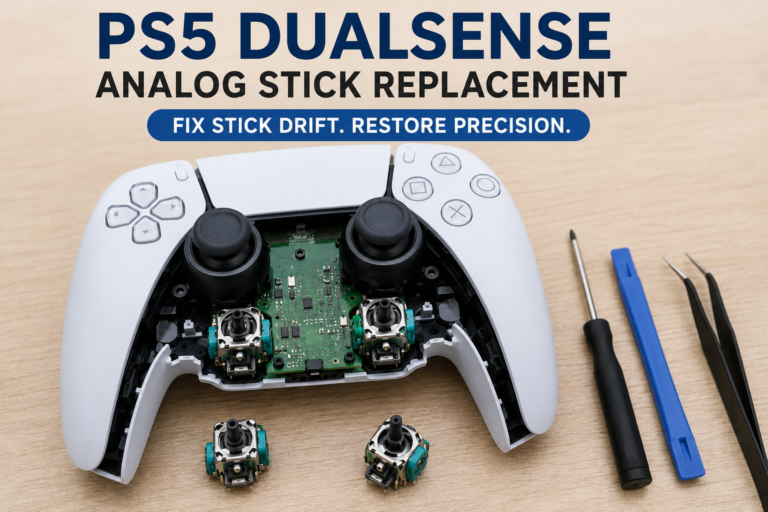
How to Take Apart a SCUF PS5 Controller
Do not open the full controller to fix a profile, firmware or deadzone problem.
Omega’s magnetic faceplate is intended to be removed for access to:
- Connection switches
- Platform switch
- Thumbsticks
- D-pad
- Action buttons
- Side buttons
- Anti-friction rings
Removing the faceplate is different from opening the controller shell and accessing the battery, circuit board, triggers or internal cables.
A full teardown may:
- Damage plastic clips
- Tear ribbon cables
- Damage the battery
- Affect warranty support
- Create trigger problems
- Damage rear-control parts
- Make reassembly difficult
Complete software checks, remapping checks and safe external cleaning first. Omega and Reflex have different internal layouts, so their teardown instructions should not be mixed.
How Much Does a SCUF PS5 Controller Cost?
SCUF Omega launched in the United States at $219.99. Official special-design models have been listed at $239.99, although current sales, availability and regional pricing may change.
The total cost may also include:
- Sales tax
- Shipping
- Special designs
- Accessories
- Replacement parts
- International import costs
A standard DualSense offers better value when rear controls and advanced settings are not needed.
SCUF PS5 Controller Price in Usa
There is no single official SCUF Omega price for Pakistan in the sources checked on July 28, 2026.
The Pakistan listings found mainly featured imported Reflex Pro and Reflex FPS controllers rather than broad local Omega stock:
- Tejar Pakistan SCUF listings
- WellShop SCUF Reflex listings
- Ubuy Pakistan SCUF listings
These pages show that imported SCUF controllers are available through Pakistani retailers and import marketplaces, but availability, condition and final landed cost vary.
Before paying, confirm whether the controller is:
- Box-packed
- Open-box
- Used
- Refurbished
- Imported
- Locally repaired
Also ask for:
- A checking warranty
- Return period
- Original receipt
- Exact model number
- Serial information
- Included dongle
- Original cable
- Thumbstick caps
- Blanking plates
- Repair history
Do not estimate the Pakistan price by converting $219.99 alone. Shipping, customs, seller margin, exchange rates and warranty handling can raise the final cost.
Where Can You Find a SCUF PS5 Controller for Sale?
Possible buying routes include:
- Official SCUF store
- Authorized retailers
- Amazon
- Best Buy
- Imported gaming stores
- Refurbished sellers
- Used marketplaces
Check the exact model name. Sellers may incorrectly mix Omega, Reflex, Reflex Pro and Reflex FPS specifications.
Should You Buy a SCUF PS5 Controller From Amazon?
SCUF’s official warranty policy names Amazon US, Amazon EU and Best Buy as authorized resellers. This does not mean every marketplace listing is sold directly by SCUF or an authorized seller.
Before buying:
- Check the seller name.
- Check who ships the controller.
- Confirm whether it is new, renewed or used.
- Verify the exact model.
- Read recent controller-specific reviews.
- Confirm the return period.
- Confirm warranty eligibility.
- Check that all accessories are included.
- Test the controller immediately after delivery.
Avoid listings that use Omega photos with Reflex specifications.
Buying a Used SCUF Controller
Test the controller before keeping it.
Used-Controller Checklist
- Check the shell for cracks.
- Inspect the USB-C port.
- Check that the cable fits firmly.
- Test both sticks at rest.
- Rotate both sticks slowly.
- Test every face button.
- Test every D-pad direction.
- Test both bumpers.
- Test the full trigger range.
- Test instant-trigger mode where available.
- Test every rear paddle.
- Test side buttons and G-Keys on Omega.
- Check wireless connection.
- Test battery charging.
- Test the headset jack.
- Confirm all accessories.
- Check the return period.
- Check warranty eligibility.
SCUF’s warranty is generally tied to the original purchaser. A used purchase should not be assumed to include transferable manufacturer coverage.
Red Flags
Avoid or negotiate carefully when:
- The seller refuses input testing.
- A stick moves while untouched.
- A paddle works only when pressed hard.
- A button registers twice.
- The USB-C port feels loose.
- The controller disconnects.
- Trigger input does not reach its full range.
- The Omega dongle is missing.
- The controller has been opened.
- There is no return period.
Is a SCUF PS5 Controller Worth It?
It may be worth the price when:
- You play competitive games regularly.
- You already know how you will use rear controls.
- You want short trigger activation.
- You switch between PS5 and PC.
- You adjust stick response and deadzones.
- You need more than two rear buttons.
- You are comfortable using a USB dongle.
It may not be worth it when:
- You mainly play story games.
- You value haptic feedback.
- You want adaptive trigger effects.
- You rarely remap buttons.
- You want simple native PS5 setup.
- A standard DualSense already meets your needs.
- The extra cost would reduce your budget for games.
Rear paddles can make important commands easier to reach. They do not replace aim, practice, positioning or game knowledge.
Final Verdict
SCUF Omega is the current SCUF controller for PS5 and the strongest option for players who want many extra inputs, TMR thumbsticks, mechanical buttons and deeper configuration.
Its main strengths are:
- Four rear paddles
- Two removable side buttons
- Adjustable trigger modes
- TMR sticks
- Mobile-app settings
Its main limitations are:
- High price
- No DualSense haptic feedback
- No adaptive trigger effects
- USB-dongle wireless connection
- Only two freely remappable G-Keys on PS5
The older Reflex Pro remains a useful second-hand option for players who prefer adaptive triggers, haptic feedback and a DualSense-style body. Reflex FPS is better suited to shooters but less flexible for games that need gradual trigger control.
Choose based on the games you play, not the number of features on the box. Test every stick, button, trigger and connection before the return period ends.
FAQs
What is a SCUF controller for PS5?
It is a performance PS5 controller with rear paddles, remappable inputs, custom thumbsticks and trigger adjustments. The current model is SCUF Omega.
What is the newest SCUF PS5 controller?
SCUF Omega is the current model. It launched on May 12, 2026 and replaced the discontinued Reflex lineup.
Do SCUF controllers work on PS5?
Yes. Omega is officially licensed for PS5 and PS5 Pro. Reflex controllers were also designed for PS5.
Is SCUF Reflex discontinued?
Yes. SCUF says Reflex, Reflex Pro and Reflex FPS have been discontinued and replaced by Omega.
How much does a SCUF PS5 controller cost?
Omega launched at $219.99 in the United States. Special designs may cost more, while sales and regional prices can vary.
Why are SCUF PS5 controllers expensive?
The price covers extra controls, custom hardware, trigger options, stick technology, app settings and specialized construction. These features only add value when the player uses them.
How much is a SCUF PS5 controller in Pakistan?
There is no single official Pakistan price. Most units are imported, so the final cost depends on the model, shipping, customs, exchange rates, seller markup, condition and warranty.
Is SCUF Omega officially licensed for PS5?
Yes. SCUF and PlayStation describe Omega as officially licensed for PS5 and PS5 Pro.
Can a SCUF PS5 controller work on PS4?
Omega and Reflex are not listed for native PS4-console support. They can still be used with compatible PS4 games running on a PS5.
Does Omega use Bluetooth on PS5?
No. Omega uses the included 2.4 GHz USB dongle for wireless PS5 play. Bluetooth is listed for supported mobile devices.
Does the 1,000 Hz polling rate work on PS5?
SCUF lists 1,000 Hz polling as a PC-only feature. It should not be treated as a PS5 feature.
Does SCUF Omega have adaptive triggers?
Omega has adjustable triggers that switch between short-click and full analog travel. It does not provide Sony’s adaptive trigger effects.
Does SCUF Omega have vibration or haptic feedback?
No. Omega does not include vibration modules or DualSense-style haptic feedback.
Is Omega better than Reflex Pro?
Omega has more controls, TMR sticks, mechanical buttons and app settings. Reflex Pro may suit players who prefer adaptive triggers, vibration and a DualSense-style body.
How do I remap a SCUF controller on PS5?
Select a profile, hold the profile button until it blinks, press the extra control and the standard button it should copy, then press the profile button again to save.
Can SCUF controllers get stick drift?
Yes. TMR technology may reduce some wear-related problems, but calibration, settings, damage and other hardware faults can still cause unwanted movement.
How do I test a SCUF PS5 controller?
Connect it to a computer, open a gamepad tester, leave the sticks untouched, check the axes, rotate both sticks, press every button and test each trigger from rest to full input.
Why are my SCUF paddles not working?
The wrong profile may be active, the paddle may not be mapped, it may not be seated correctly, or the controller may need a firmware or settings check.
Is it safe to buy a SCUF controller from Amazon?
It can be, but check the seller, condition, return period and warranty. Amazon US and Amazon EU are listed as authorized resellers by SCUF, but third-party marketplace listings still require checking.
Is a used SCUF Reflex Pro worth buying?
It may be worthwhile when the price is lower, every input passes testing, and you want haptic feedback and adaptive triggers. Check the sticks, battery, paddles, triggers, USB-C port and return policy first.
Should I buy SCUF Omega or DualSense Edge?
Choose Omega for more extra controls, TMR sticks and mechanical inputs. Choose DualSense Edge for native PS5 integration, haptic feedback, adaptive triggers and replaceable stick modules.
How This Guide Was Checked
This article was checked against:
- The official SCUF Omega manual and quick-start guide
- SCUF’s current controller comparison guide
- SCUF’s Reflex discontinuation and comparison page
- SCUF’s limited warranty policy
- SCUF’s official Omega connection instructions
- PlayStation’s Omega launch announcement
- PlayStation’s DualSense Edge product and support pages
- Pakistan retailer listings checked on July 28, 2026
- The supplied hands-on SCUF Reflex transcript
The Reflex transcript was used to understand paddle reach, onboard profile mapping, instant-trigger behavior and natural review language. It was not used as a source for current Omega specifications.
PadProTools has not claimed to have completed a hands-on Omega test. Official specifications come from current SCUF and PlayStation documents. The buying and testing sections are diagnostic guidance rather than claims of direct product testing.