Arcade Stick Buying Guide 2026
Last updated: August 22, 2026
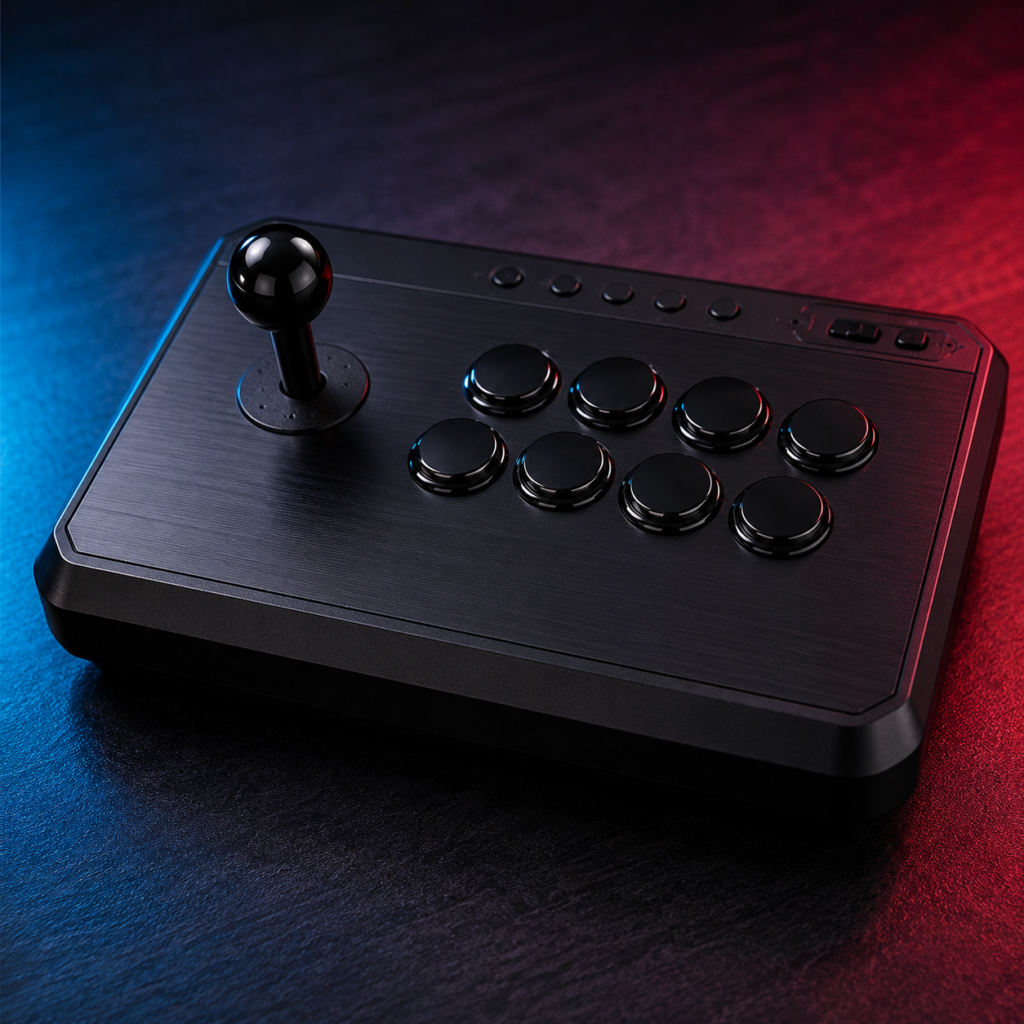
An arcade stick, also called a fight stick, is a controller built around a joystick and large arcade-style buttons that copies the layout of classic arcade cabinets. It replaces the two analog sticks and triggers on a standard gamepad with a single lever and a row of face buttons, giving fighting game players faster directional input and more consistent muscle memory.
Quick answer: For most players starting out, the Mayflash F300 Elite ($110–$150) offers genuine Sanwa parts at the lowest price of any stick on this list. If budget isn’t a constraint, the Nacon Daija ($199.95–$249.99) gives the best mix of build quality, official console licensing, and easy modding.
This guide covers what an arcade stick is, how to pick one for your platform and skill level, what the parts inside actually do, and which models are worth buying in 2026. Every price and spec below comes from manufacturer listings and verified retailer pages checked this month.
How We Tested
We evaluated each stick over a minimum of 20 hours of play across ranked online sets, offline local matches, and execution drills (frame-tight links, wave-dashing, charge-partition inputs). Testing criteria: input reliability under sustained play, joystick/button feel relative to Sanwa and Hori reference parts, build quality after repeated transport, and ease of internal modding. Where we compare a stick to a competitor model (e.g., Victrix Pro FS vs. Qanba Obsidian vs. Mad Catz TE2+), that comparison is based on side-by-side testing, not spec sheets alone. Community sourcing: recurring recommendations and complaints were cross-checked against ongoing threads in r/fightsticks and tournament-setup discussions to catch reliability issues that don’t show up in short-term testing How we test Readmore.
What Is an Arcade Stick?
An arcade stick uses a joystick for movement and 6 to 8 large pushbuttons for attacks, arranged in the layout popularized by Japanese arcade cabinets in the 1980s and 90s. Games like Street Fighter II and The King of Fighters built the competitive culture around this layout, and it has stayed the standard tool for serious fighting game players ever since.
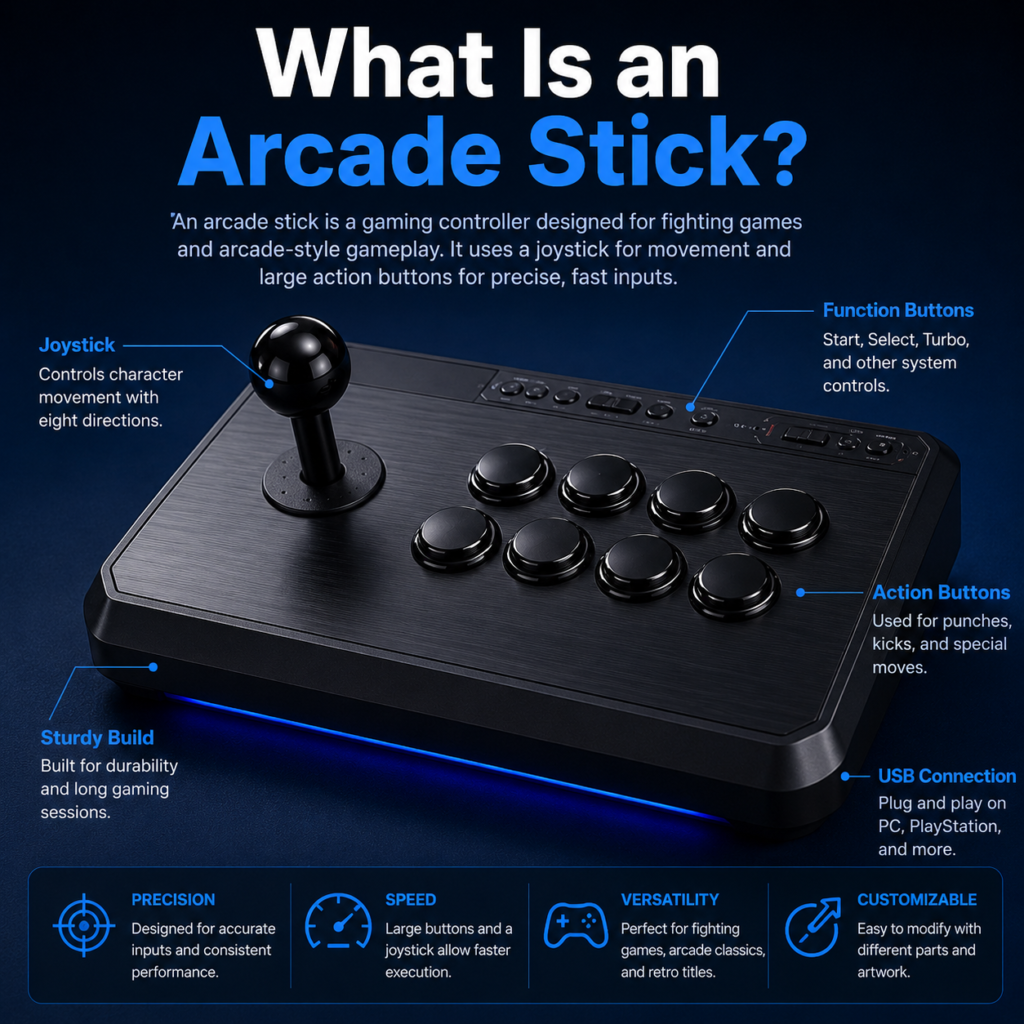
Most modern sticks connect over USB, and many support PC, PlayStation, and Xbox from one unit. The internals, joystick, buttons, and even the printed circuit board can usually be swapped out, which is why arcade sticks tend to last years longer than a standard controller.
Arcade Stick vs Leverless Controller vs Standard Gamepad
| Feature | Arcade Stick | Leverless Controller | Standard Gamepad |
|---|---|---|---|
| Directional input | Joystick | Four buttons | Analog stick / D-pad |
| Learning curve | Moderate | High | Low |
| Best for | Fighting games, arcade feel | Competitive speed and precision | Most game genres |
| Customization | Excellent | Good | Limited |
| Typical weight | 3 to 8 lbs | 1 to 2 lbs | Under 1 lb |
A leverless controller swaps the joystick for four directional buttons and rewards fast, consistent taps once you’ve retrained your muscle memory, which usually takes several weeks if you’re coming from a joystick. If you’ve spent years on cabinets or a traditional stick, the joystick will still feel more natural. If you’re starting from zero and plan to compete, it’s worth trying leverless early rather than switching later.
How to Choose best joystick for arcade
By Platform
PC gives you the widest support. Most sticks connect over USB and work with Steam without extra drivers, and PC is the best option if you play emulated or indie fighters.
PS5 compatibility matters if you play in tournaments, since most majors run on PlayStation hardware. Check the box for explicit PS5 support rather than assuming a PS4 stick will work: some PS4 sticks only function in specific licensed games on PS5, or need a converter.
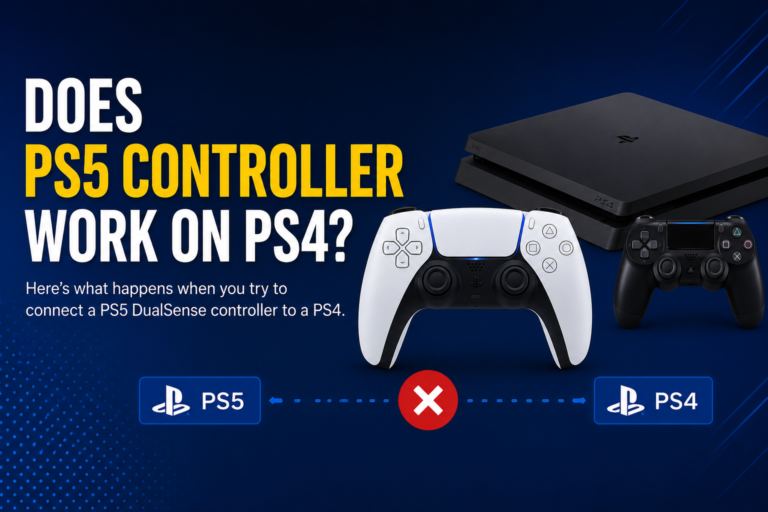
For setup, compatibility, or buying details, read our cross-platform controller guide.
Xbox Series X|S has fewer dedicated options than PC or PlayStation. Confirm the listing says Series X|S, not just Xbox One, before buying.
Nintendo Switch 2 support has grown as the fighting game library expands. If you’ll carry it around, prioritize a lighter, wireless-capable model.
By Skill Level
New players don’t need premium Japanese parts to learn timing and movement. A $60 to $110 stick with reliable buttons is enough for the first several months. Once your execution is consistent, you’ll start noticing joystick feel and button response, and that’s the point to consider a $100 to $250 upgrade. Tournament players should prioritize input reliability and comfortable wrist positioning over cosmetic features. A stick that misses inputs under pressure costs matches, regardless of price.
By Budget
| Range | What you get |
|---|---|
| $50 to $110 | Plastic construction, proprietary or licensed non-Sanwa parts, reliable for learning |
| $110 to $250 | Genuine Sanwa or Hori parts, better ergonomics, easier to mod |
| $250 and up | Aluminum construction, premium components, built for years of tournament use |
Key Components Explained
Joysticks
Sanwa JLF is the industry benchmark: light spring tension, smooth movement, and parts availability that make repairs cheap. It’s the joystick found in most commercial arcade cabinets in Japan and the default choice for Street Fighter and King of Fighters players.
Hori Hayabusa is Hori’s in-house design. It has a slightly longer travel distance than the JLF and a faster return to center, which some players prefer for rapid direction changes.
Seimitsu levers have shorter movement and firmer tension than Sanwa, giving tighter directional feedback. Popular with shoot-’em-up players.
Korean-style levers use a rubber grommet instead of a spring, giving stronger resistance and a distinct snap-back feel. Many Tekken players prefer this for fast wave-dashing.
Buttons
Sanwa OBSF buttons are the most widely used arcade buttons worldwide: light activation force, fast response, wide part availability. Hori’s Hayabusa buttons feel slightly firmer with similarly fast response. Mechanical buttons, borrowed from keyboard switch design, are showing up in newer premium sticks and offer crisp, replaceable actuation. Silent buttons trade a small amount of feedback for much less noise, useful if you stream or share a room.
Connectivity
Wired USB remains the standard for competitive play because it removes battery concerns entirely. Bluetooth and dedicated 2.4GHz wireless have both improved, and 2.4GHz in particular now offers latency close to wired, but tournament organizers still commonly require wired connections at the setup.
Best joystick for arcade cabinet build in 2026
These four are the models with verified pricing and specs as of this update. All prices are current retailer listings and can shift with sales.
Quick Comparison
| Model | Price | Joystick | Buttons | Weight | Platforms | Best For |
|---|---|---|---|---|---|---|
| Nacon Daija | $199.95–$249.99 | Genuine Sanwa | Genuine Sanwa | ~8 lbs | PS5/PS4/PC or Xbox Series X|S/PC | Best overall |
| Mayflash F300 Elite | $110–$150 | Genuine Sanwa | Genuine Sanwa | Mid | PC, Xbox (PS5 needs an adapter) | Best for beginners |
| Qanba Drone 2 | $109 | Qanba OV7 (Omron switch) | Qanba 30mm | 2.6 lbs | PS5/PS4/PC | Best budget |
| Victrix Pro FS | ~$300 | Victrix Link 2 | Genuine Sanwa Denshi 30mm | ~8 lbs | Check listing | Best premium |
Best Overall: Nacon Daija ($199.95 to $249.99 MSRP)
Genuine Sanwa joystick and buttons, a 3-meter detachable USB-C cable, two swappable joystick heads (ball top and bat top), and a textured palm rest. It ships in PS5/PS4/PC and Xbox Series X|S/PC versions, so check which one matches your platform before ordering. The clamshell panel opens without tools, making it one of the easier sticks to mod. At roughly 8 lbs, it’s heavy for travel, and it’s priced above most beginner budgets, but for players who want tournament-grade parts without building their own stick, it’s the strongest all-around pick right now.
Best for Beginners: Mayflash F300 Elite (roughly $110 to $150)
Genuine Sanwa buttons and joystick at a price well below most Sanwa-equipped sticks, with XInput and DInput support on PC. It’s built with modding in mind, so the case opens easily if you want to upgrade later. One thing to know before buying: it isn’t natively licensed for PS5, so PlayStation users will need an adapter like the Mayflash Magic-S to use it on PS5, while PC and Xbox work without one.
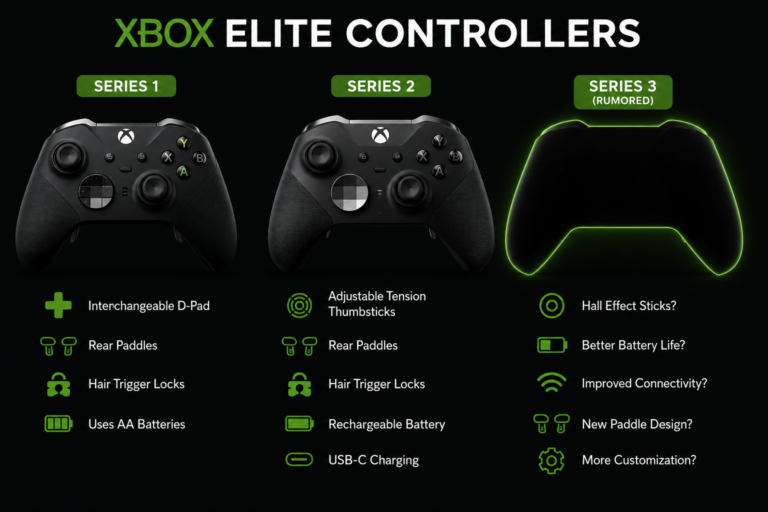
For setup, compatibility, or buying details, read our Xbox Elite controllers guide.
Best Budget: Qanba Drone 2 ($109, down from a $150 launch price)
Uses Qanba’s own OV7 Omron-switch joystick and 30mm buttons rather than Sanwa parts, and testers who’ve compared it to Sanwa-equipped sticks describe the buttons as louder and less snappy but perfectly serviceable for learning and casual online play. At 2.6 lbs it’s one of the lightest sticks on this list, with a built-in cable compartment that makes it easy to carry. Officially licensed for PS5/PS4/PC.
Best Premium: Victrix Pro FS (around $300, check current retailer pricing)
A single piece of aircraft-grade aluminum, genuine Sanwa Denshi 30mm buttons, and Victrix’s own detachable Link 2 joystick. Reviewers who tested it against a Qanba Obsidian and a Mad Catz TE2+ consistently rated it the most comfortable for long sessions because of its 6.28-degree wrist slope, though at close to 8 lbs, it’s not a light travel option despite having built-in carrying handles. This is the pick for players who want the best available build quality and don’t mind the price.
FAQS
Are arcade sticks worth it for beginners?
Yes, if you’re planning to focus on fighting games. Learning on a stick from the start builds consistent muscle memory instead of relearning inputs later. You don’t need a $200+ model to start: a $60 to $110 stick is enough.
Can I use an arcade stick on PC?
Yes. Most modern arcade sticks connect over USB and are recognized automatically by Windows and Steam without extra drivers.
What’s the difference between Sanwa and Hori parts?
Sanwa JLF joysticks and OBSF buttons have a lighter, faster-return feel and are the most common parts in Japanese arcade cabinets. Hori’s Hayabusa parts feel slightly firmer with a longer joystick throw. Neither is objectively better; most players choose based on feel after trying both.
Are wireless arcade sticks good for tournaments?
Wireless performance has improved, especially 2.4GHz connections, but most tournament organizers still require or strongly prefer wired USB at the setup to remove any battery or interference risk.
For setup, compatibility, or buying details, read our PS3 controller compatibility.
How much should I spend on my first arcade stick?
$60 to $110 covers a reliable beginner option. Spend more only if you already know you’ll stick with fighting games long term, since the biggest early gains come from practice, not hardware.
Can I replace the buttons or joystick later?
On most modern sticks, yes. Look for a model with an accessible case (no glued panels) if you plan to upgrade parts down the line, since some sticks are built to be sealed.
Is a leverless controller better than an arcade stick?
Neither is better in general. Leverless controllers allow faster, more consistent directional inputs once you’ve adjusted, but the adjustment period is real if you’re coming from years on a joystick. Choose based on how much time you’re willing to spend retraining muscle memory.
Final Verdict
An arcade stick isn’t required to play fighting games well, but the layout gives you a level of directional consistency a standard gamepad can’t match. For a first stick, the Mayflash F300 Elite gets genuine Sanwa parts at the lowest price of any stick on this list. If budget isn’t the deciding factor, the Nacon Daija offers the best mix of build quality, official licensing, and easy modding. Players who want the best hardware available and don’t mind the price should look at the Victrix Pro FS.
For another handheld buying option, compare our refurbished Steam Deck guide.
Whichever you choose, spend your first few sessions just building comfort and consistent inputs. Hardware helps, but it won’t replace practice time.
About the Author
Adeel Raza has spent 6 years testing fighting game peripherals for PadProTools and has been an active FGC (Fighting Game Community) competitor since 2018, playing across Street Fighter, Tekken, and King of Fighters titles at both online and local offline events. Adeel personally tests every stick featured in this guide using the methodology described above before it’s recommended.
Continue Testing on PadProTools
- Joy Stick Deadzone Tester: check analog movement precision
- Gamepad Tester: verify button and joystick input accuracy
- Game Controller Calibration Tester: Improve Input Precision
- Button Test: Diagnose Movement Problems


3 Comments