PS5 Custom Controller: Complete Customization Guide
“”
Last updated: August 16, 2026
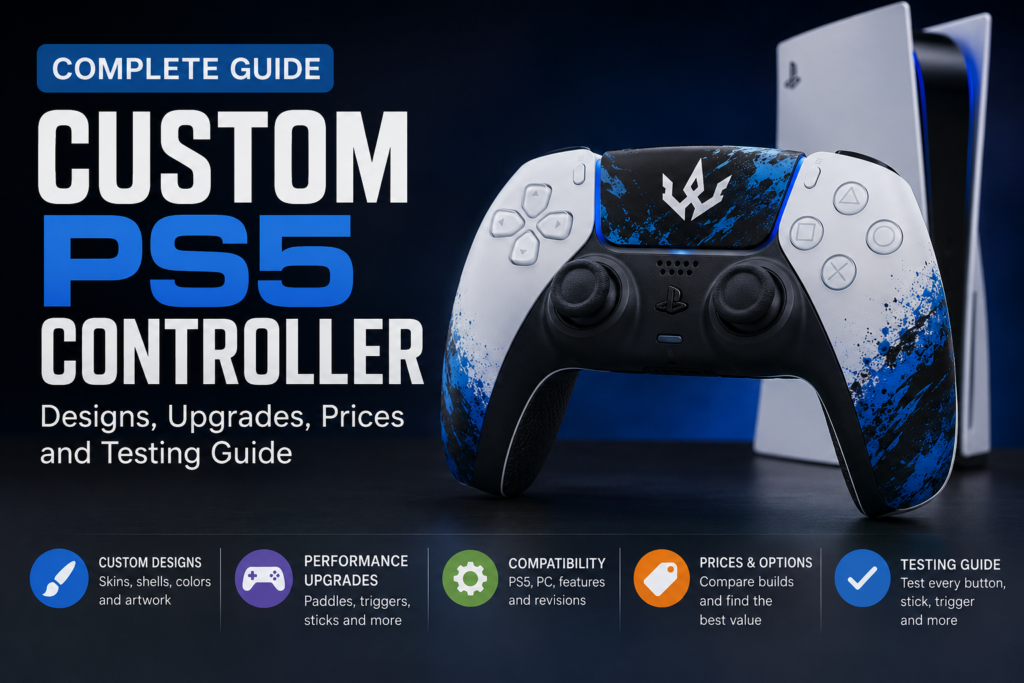
A PS5 Custom Controller Tester is a DualSense or PS5-compatible controller changed for appearance, comfort or control. Cosmetic changes include skins, shells, colors and artwork. Performance modifications include rear buttons, short triggers, adjustable thumbsticks and remappable controls.
The best configuration is not the one with the most upgrades. It is the one that suits your games, grip style and budget. An FPS player may benefit from short triggers and rear paddles, while a racing player will usually need full trigger travel for gradual acceleration and braking.
After buying or modifying a controller, test its buttons, analog sticks, triggers and mapped rear controls before the return period expires.
For setup, compatibility, or buying details, read our PS5 controller 30th Anniversary Edition.
Quick Custom PS5 Controller Recommendations
| Player type | Useful customization |
|---|---|
| Casual player | Custom shell, skin, colored buttons and comfortable grip |
| FPS player | Rear paddles, short triggers and taller right thumbstick |
| Fortnite player | Two or four rear buttons, textured grip and fast triggers |
| Racing player | Full-range triggers, vibration and standard stick movement |
| Fighting-game player | Responsive D-pad, clicky buttons and remapped shoulder controls |
| Story-game player | Cosmetic design while retaining haptic feedback and adaptive triggers |
| Gift buyer | Custom colors, artwork or gamertag without internal modifications |
| Competitive player | Rear controls, saved profiles, adjustable sticks and trigger settings |
What Is a Custom PS5 Controller?
A custom PS5 controller can be a standard Sony DualSense with a new appearance, a modified DualSense with performance parts, or a purpose-built controller designed for competitive play.
Customization normally falls into three categories.
Cosmetic customization
Cosmetic changes affect how the controller looks and sometimes how it feels. Common choices include:
- Controller skins and wraps
- Replacement front and rear shells
- Custom face buttons
- Colored D-pad
- Touchpad artwork
- Transparent components
- Custom thumbstick caps
- Printed names or gamertags
- Textured rear grips
These modifications do not automatically improve reaction speed or aiming. They are mainly useful for creating a personal design or making the controller easier to identify.
Performance customization
Performance modifications change how the controls work. They can include:
- Rear buttons or paddles
- Mouse-click triggers
- Short trigger stops
- Taller thumbsticks
- Adjustable stick tension
- Hall Effect or TMR stick modules
- Clicky face buttons
- Reduced controller weight
- Remappable controls
- Saved control profiles
Rear paddles can duplicate frequently used actions, while short triggers reduce the distance needed to register an input. Magnetic Hall Effect and TMR sticks avoid the sliding electrical contacts used in traditional potentiometers, although correct installation and calibration still matter.
Software customization
Some controllers allow users to adjust controls without replacing internal parts.
The official DualSense Edge supports button assignments, sensitivity curves, stick deadzones, trigger deadzones, vibration strength and saved profiles. It also includes changeable stick caps, two types of back buttons and three trigger-travel settings. Sony notes that adaptive-trigger effects do not work when the trigger stops are set to the medium or short positions.
Is a Custom PS5 Controller Worth It?
A custom controller can be worth buying when it solves a specific problem. It may make important controls easier to reach, provide a more secure grip or create a design that feels personal.
It is less worthwhile when expensive upgrades are added without a clear reason.
A custom controller may be worth it when:
- You regularly play competitive shooters.
- You need rear controls for jump, reload or crouch.
- Standard triggers feel too slow for your preferred games.
- You need a different thumbstick height or shape.
- You want an easier control layout for accessibility.
- You want a unique controller as a gift.
- You understand which DualSense features a modification removes.
A standard DualSense may be enough when:
- You mainly play casual or story-based games.
- You enjoy adaptive triggers and haptic feedback.
- You do not need rear buttons.
- You rarely change control layouts.
- Appearance is not important to you.
- You want the simplest warranty and repair process.
- For setup, compatibility, or buying details, read our controller compatibility guide.
Advantages and disadvantages
| Advantages | Disadvantages |
|---|---|
| Personalized design | Higher price |
| Rear controls can make actions easier to reach | Extra buttons can cause accidental presses |
| Short triggers can reduce activation distance | Digital triggers are poor for gradual inputs |
| Different stick shapes can improve comfort | Taller sticks may feel awkward to some users |
| Remapping can support different games | Some controllers offer limited remapping |
| Magnetic stick options may reduce contact wear | Installation and calibration can still cause problems |
| Better grip can reduce slipping | Some coatings may wear over time |
Ways to Customize a PS5 Controller
You do not need to replace the entire controller to change its appearance. Some changes are simple and reversible, while others require complete disassembly.
PS5 controller skins and wraps
A controller skin is a thin adhesive layer placed over the original shell. It can add a solid color, pattern, texture or printed design.
Skins are suitable for beginners because they normally require no internal work. They are also easier to remove than a replacement shell. Poorly fitted skins, however, may lift around the handles, buttons or touchpad.
Clean and dry the controller before applying a skin. Avoid covering speaker openings, charging contacts, buttons or seams that need to move.
Replacement shells and faceplates
A replacement shell changes the controller’s physical housing. It can provide a more complete design than a skin and may include a matching touchpad, accent rings or rear grip.
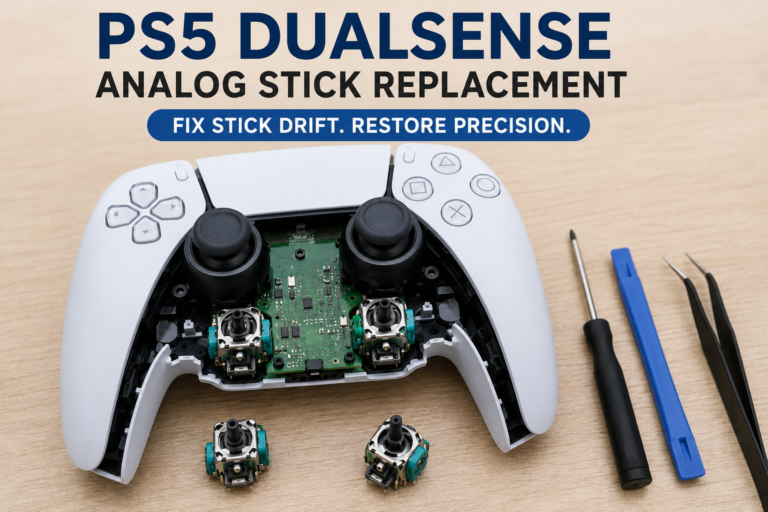
Installing one normally requires opening the DualSense. This creates a greater risk of damaging clips, ribbon cables or screw mounts.
Replacement-part compatibility must be checked carefully. Current eXtremeRate listings, for example, identify supported DualSense hardware revisions such as BDM-010, BDM-020, BDM-030, BDM-040, BDM-050 and BDM-060. Compatibility still varies by exact product, so never assume that one shell or kit fits every DualSense revision.
For setup, compatibility, or buying details, read our Fortnite controller settings on PS5.
Custom buttons, D-pad and touchpad
Face buttons, the D-pad and touchpad can be changed to match the shell. Options include:
- Solid colors
- Transparent plastic
- Metallic finishes
- Retro PlayStation colors
- Blank face buttons
- Custom symbols
- Printed artwork
Cosmetic buttons only change appearance. Clicky-button kits also change how the controls feel and activate.
Thumbstick colors, shapes and heights
Custom thumbsticks are available in different:
- Colors
- Materials
- Heights
- Shapes
- Surface textures
A taller right thumbstick creates a wider movement arc. Some players find this useful for making smaller aiming adjustments. A shorter or wider left stick may feel better for fast movement best arcade stick .
Comfort depends on hand size and grip style. A stick that helps one player may feel slower or less stable to another.
Textured grips
Rubberized or textured grips may reduce slipping during long sessions. They can be part of the replacement rear shell or added as adhesive grip panels.
Check whether a grip increases the thickness of the handles. Players with smaller hands may find a heavily padded grip uncomfortable.
Custom pictures, names and artwork
Online builders may let buyers upload:
- A logo
- Gamertag
- Name
- Team colors
- Personal artwork
- Pattern or photograph
Use a high-resolution image with a simple central subject. Important details should not sit close to the controller’s buttons, seams or touchpad edges.
Custom PS5 Controller Design Ideas
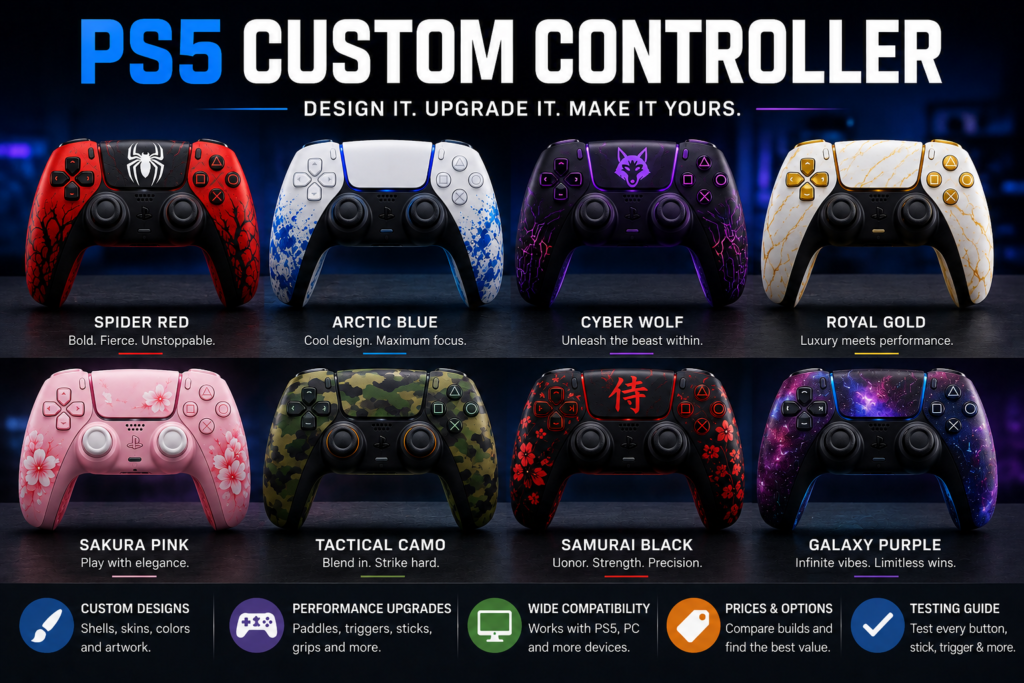
A picture gallery can help users decide which style suits them. Useful design themes include:
- Matte black with red buttons
- White and gold
- Transparent black
- Retro gray with colored PlayStation buttons
- Blue flame
- Purple galaxy
- Minimal all-white
- Camouflage
- Comic-inspired colors
- Custom esports-team design
- Gamertag on the touchpad
- Different colors for the left and right sides
Choose a finish that can handle regular contact with skin and sweat. Glossy surfaces may show fingerprints more easily, while poorly applied paint may chip around buttons or shell edges.
PS5 Controller Performance Upgrades Explained
Performance upgrades should be selected according to the games you play. Adding every available modification can make a controller more expensive without making it more useful.
Rear buttons and paddles
Rear buttons let you activate assigned controls with your middle or ring fingers. This can reduce the need to remove your thumb from the right stick.
Common assignments include:
- Jump
- Crouch
- Reload
- Melee
- Weapon switching
- Sprint
- D-pad actions
More rear controls are not always better. Two well-positioned buttons can be more practical than four or eight controls that are difficult to reach.
Before ordering, ask:
- Which buttons can be assigned?
- Can L3 and R3 be mapped?
- Can bumpers or triggers be assigned?
- Can the mapping be changed without software?
- How many profiles can be saved?
- Do the paddles duplicate normal buttons or create separate inputs?
For setup, compatibility, or buying details, read our premium PS5 controller options.
Short and mouse-click triggers
Mouse-click triggers reduce the movement needed to activate L2 and R2. They feel closer to clicking a mouse button than pressing a normal analog trigger.
They are mainly designed for shooters where the trigger is treated as an on-and-off input.
Possible benefits include:
- Short activation distance
- Clear tactile click
- Faster repeated presses
- Less finger movement
Their main disadvantage is the loss of gradual trigger control. This makes permanent mouse-click triggers less suitable for racing games, where acceleration and braking depend on how far the trigger is pressed.
Some custom controllers also replace the original adaptive-trigger mechanism when digital triggers are installed. Confirm whether the modification is adjustable or permanent before ordering.
Clicky face buttons
A clicky-button kit changes the feel and activation distance of the face buttons or D-pad. It may produce a shorter press and a sharper tactile response.
This can appeal to fighting-game or action-game players, but it may also:
- Produce more noise
- Feel too stiff
- Require controller disassembly
- Be incompatible with certain hardware revisions
- Cause registration problems if installed incorrectly
Always use a button tester after installing a clicky kit. A button can feel as though it clicked while still failing to report an input correctly.
For setup, compatibility, or buying details, read our DualSense Black Friday deals.
Taller and interchangeable thumbsticks
Different thumbstick heights can support different tasks.
A common configuration is:
- Standard or short left stick for movement
- Taller right stick for aiming
Interchangeable sticks are useful when one shape does not suit every game. Sony’s DualSense Edge includes standard, high-dome and low-dome stick caps that can be swapped without opening the controller.
Adjustable stick tension
Stick tension controls how much force is needed to move an analog stick.
Lighter tension may feel faster, while heavier tension can provide more resistance for controlled aiming. Neither setting is automatically more accurate. The better choice depends on sensitivity settings and personal preference.
Hall Effect and TMR sticks
Traditional analog sticks commonly use potentiometers with parts that make physical contact. Hall Effect and TMR modules use magnetic sensing instead.
This design can reduce one source of mechanical wear, but it does not make a controller immune to every problem. Input quality can still be affected by:
- Incorrect installation
- Poor calibration
- Firmware
- Spring wear
- Loose components
- Deadzone settings
- Manufacturing defects
Avoid sellers that promise a controller will remain completely drift-free forever.
Removing vibration motors
Some competitive builds remove vibration motors to reduce weight.
This may make the controller feel lighter, but it removes part of the feedback that many PS5 games use. Check whether vibration and haptic feedback are retained before buying an FPS-focused configuration.
Best Custom PS5 Controller Setup by Game Type
| Game type | Useful upgrades | Features to retain | Consider avoiding |
|---|---|---|---|
| FPS | Two or four rear buttons, short triggers, textured grip, taller right stick | Headset jack and reliable stick input | Heavy vibration if low weight is the priority |
| Fortnite and battle royale | Rear controls for jump, build, crouch or reload | Remapping and comfortable grip | Too many paddles that cause accidental presses |
| Racing | Comfortable grip and precise analog sticks | Full trigger travel, vibration and adaptive triggers | Permanent mouse-click triggers |
| Fighting | Responsive D-pad and clicky face buttons | Reliable wired input | Tall movement sticks |
| Sports | Rear buttons and comfortable thumbsticks | Vibration and full triggers | Extremely sensitive stick curves |
| Story and adventure | Cosmetic shell and comfortable grip | Haptic feedback, adaptive triggers and motion controls | Removing vibration motors |
| Mixed gaming | Adjustable trigger stops and saved profiles | Full DualSense feature set | Permanent FPS-only modifications |
Custom PS5 Controller vs DualSense Edge vs Standard DualSense
| Feature | Standard DualSense | DualSense Edge | Modified DualSense | Purpose-built performance controller |
|---|---|---|---|---|
| Cosmetic choices | Limited official colors | Limited official colors | Extensive | Varies |
| Rear controls | No | Two removable back buttons | Usually two or four | Varies by model |
| Trigger adjustment | No | Three physical travel settings | Short or mouse-click options | Often adjustable |
| Stick replacement | Repair required | Replaceable modules | Depends on modification | Depends on model |
| Software profiles | Game-level settings | Saved controller profiles | Depends on builder | Often included |
| Haptic feedback | Yes | Yes | May be removed | Varies |
| Adaptive triggers | Yes | Yes at full travel | May be removed | Varies |
| Warranty route | Sony or retailer | Sony or retailer | Builder warranty may apply | Manufacturer warranty |
| Best for | General PS5 play | Official advanced controls | Personalized design and specialized upgrades | Competitive features |
The DualSense Edge can store quick-swap profiles, remap buttons and adjust stick sensitivity, trigger deadzones and vibration. It also supports replaceable stick modules.
Custom Controller vs Modded Controller
A custom controller and a modded controller are not always the same thing.
A custom controller may only have a different shell, skin, buttons or grip. It can also include legitimate performance controls such as rear paddles and shorter triggers.
A modded controller may contain electronic functions that automate gameplay actions. These can include rapid-fire or scripted inputs.
Not every personalized controller contains gameplay automation. Check the product description carefully, especially when playing competitive games or entering tournaments.
What Comes in a PS5 Controller Custom Kit?
A custom kit may contain one part or several matching components.
Possible items include:
- Front shell
- Rear shell
- Touchpad cover
- Decorative trim
- Face buttons
- D-pad
- Triggers and bumpers
- Thumbstick caps
- Accent rings
- Rear-button kit
- Clicky-button cable
- LED components
- Opening tool
- Screwdriver
- Replacement screws
Read the package list before ordering. A listing showing a complete controller may only include the front shell and touchpad.
Some kits also require soldering, cutting or calibration. Do not begin installation until you have checked the model compatibility and watched the complete installation process.
How to Check Your DualSense Hardware Revision
Internal DualSense revisions are often identified with BDM numbers. Replacement-part sellers use these numbers to show which controllers their kits support.
The correct identification method depends on the part manufacturer. Follow the seller’s model-checking guide and compare the controller details with the compatibility images on the product page.
Do not choose a kit only because the listing says “for PS5 controller.” A shell may support several revisions, while a clicky-button or remap kit may support fewer.
DIY Customization vs Professional Builds
DIY customization
DIY work may be suitable for:
- Skins
- Thumbstick caps
- Exterior trim
- Simple shell changes
- Cosmetic button replacements
Advantages include lower cost and complete control over the design.
The risks include:
- Broken shell clips
- Damaged ribbon cables
- Stripped screws
- Misaligned buttons
- Trigger problems
- Lost springs
- Failed calibration
- Warranty complications
Professional customization
A professionally built controller normally arrives assembled and ready to use. It may also include testing and a builder warranty.
Professional customization is usually more expensive, but it is the safer route for:
- Soldered stick modules
- Rear-button installation
- Mouse-click triggers
- Internal remapping hardware
- Complex shell designs
- Users without repair experience
How Much Does a Custom PS5 Controller Cost?
The price depends on whether you are buying a skin, individual parts, a cosmetic DualSense or a complete competitive build.
As of August 1, 2026, AIM listed its build-your-own PS5 controller from $75 and its custom Pro model from $180. Its predesigned PS5 controllers commonly appeared between about $149 and $299, depending on the selected configuration. SCUF listings showed Reflex models around $229.99 and some FPS anti-drift configurations at $299.99. These are examples rather than universal market prices.
| Build type | Expected price level | Common inclusions |
|---|---|---|
| Skin or simple exterior accessory | Low | Adhesive design or grip |
| DIY cosmetic kit | Low to medium | Shell, buttons, touchpad and tools |
| Cosmetic pre-built controller | Medium | Genuine controller with custom design |
| Mid-range performance build | Medium to high | Rear buttons, grip and custom sticks |
| Premium competitive build | High | Paddles, digital triggers, magnetic sticks and profiles |
Always check the final cart total. A low starting price may increase after adding paddles, trigger modifications, premium artwork, upgraded sticks, faster production and shipping.
How to Customize a PS5 Controller Online
Most online controller builders follow a similar process:
- Select the base controller.
- Choose the front and rear shell.
- Select the touchpad design.
- Choose face buttons and the D-pad.
- Select thumbstick colors, shapes and heights.
- Add a textured grip.
- Choose rear buttons or paddles.
- Select standard, adjustable or mouse-click triggers.
- Choose the stick sensor type.
- Add a gamertag, name or logo.
- Review which original DualSense features remain.
- Check the price, warranty and expected delivery time.
Save screenshots of the final design and selected upgrades. These can help if the delivered controller does not match the order.
Check Compatibility Before Ordering
Confirm the following before paying:
- Does it work with PS5 games?
- Does it also work on Windows PC?
- Can it connect through USB-C and Bluetooth?
- Does the headset jack still work?
- Are motion controls retained?
- Is the built-in microphone retained?
- Does it support firmware updates?
- Are haptic feedback and vibration included?
- Are adaptive triggers still present?
- Does it work with your charging station?
- Is remapping stored on the controller?
- Does it require a separate application?
Sony states that the DualSense Edge can connect to PC through USB or Bluetooth, while profile editing and firmware updates are available through the PlayStation Accessories app for Windows.
Warranty and Modification Risks
Opening or modifying a controller may affect warranty coverage, especially when damage is linked to an unauthorized alteration or repair.
Sony’s published guarantee terms in some markets exclude damage caused by unauthorized components, alterations or repair attempts outside an authorized service facility. Exact legal rights differ by country, so read the terms that apply where you purchased the controller.
For a professionally modified controller, the custom builder may become the main contact for repairs. Check:
- Warranty length
- Covered components
- Stick-drift coverage
- Trigger and paddle coverage
- Shipping costs for repairs
- Excluded damage
- Return period
- Restocking fees
- Repair time
How to Test a Custom PS5 Controller Online
Test the controller as soon as it arrives or immediately after completing a DIY modification.
1. Inspect the controller
Before connecting it, check:
- Shell gaps
- Loose buttons
- Uneven triggers
- Wobbly paddles
- Sticking controls
- Sharp plastic edges
- Rattling sounds
- Missing parts
- Incorrect colors or artwork
2. Connect the controller
Connect through USB-C first. A wired connection makes it easier to separate controller-input problems from Bluetooth or battery problems.
Open the Gamepad Tester and press a button so the browser detects the controller.
3. Test every button
Check:
- Cross
- Circle
- Square
- Triangle
- D-pad directions
- L1 and R1
- L2 and R2
- Create
- Options
- PS button where exposed
- L3 and R3
Press each control several times. Look for missed inputs, double registration or buttons that remain active after release.
4. Test the analog triggers
Press L2 and R2 slowly from rest to their maximum position.
A normal analog trigger should report gradual movement. A mouse-click trigger may act more like a digital button with a fast jump from inactive to active.
Compare both sides. One trigger should not activate much earlier than the other unless that difference is intentional.
5. Check both sticks for drift
Release the sticks and watch their resting position.
Small variations can occur, but constant movement away from the center may indicate drift, poor calibration or incorrect installation.
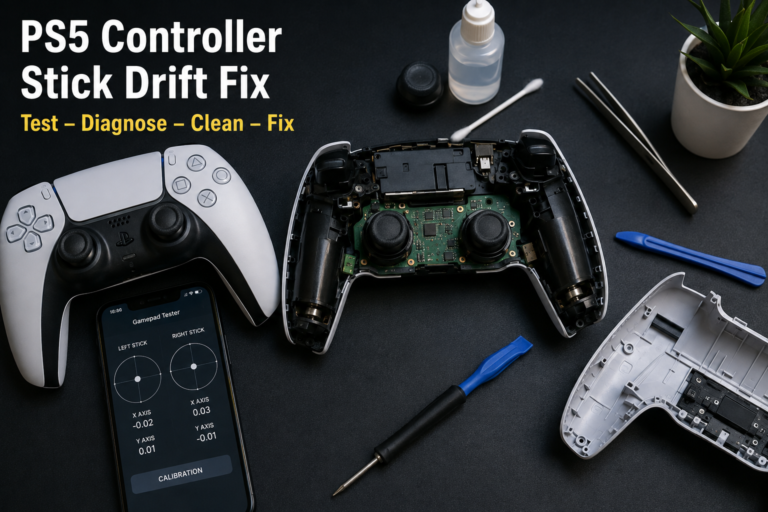
Use the Stick Drift Tester for a closer check.
6. Test the deadzone
Move each stick slowly away from the center.
An extremely large deadzone means the stick must travel farther before movement is detected. A deadzone that is too small may allow unwanted input from minor centering variation.
Use the Joystick Deadzone Tester to compare the left and right sticks.
7. Verify rear buttons and paddles
Press one rear control at a time and check which standard button activates.
Most paddles duplicate an existing input. They may therefore appear as Cross, Circle, Square, Triangle or another assigned button rather than as a separate browser button.
8. Test vibration
Use the Controller Vibration Tester when the browser, operating system and controller connection support vibration output.
Remember that some FPS-focused builds remove the vibration motors.
How browser controller testing works
The browser Gamepad API normally reports buttons as values from 0 to 1 and axes as values from -1 to 1. The standard layout includes four stick axes and the main controller buttons. Browser exposure can vary according to the controller, operating system, browser and connection method.
What an Online Controller Test Cannot Confirm
A browser test is useful for input checking, but it cannot fully confirm:
- Battery health
- Wireless range
- Long-term durability
- Internal soldering quality
- Water resistance
- Haptic-feedback detail
- Adaptive-trigger behavior in every game
- Microphone quality
- Speaker quality
- Motion-sensor accuracy
- Tournament legality
- Future firmware compatibility
Test the controller inside several games after completing the browser checks.
Common Custom PS5 Controller Problems
| Problem | Possible cause | First check |
|---|---|---|
| Rear paddle does not respond | Incorrect mapping or loose component | Reassign it and run a button test |
| Button clicks but does not register | Misaligned part or failed switch connection | Test repeated presses |
| Stick moves without being touched | Drift or calibration problem | Run a stick-drift test |
| Stick does not reach the edge | Calibration or restricted input range | Check the axis values |
| Trigger stays partly active | Trigger alignment or sensor problem | Test gradual trigger movement |
| Trigger does not reach full input | Trigger stop or incorrect assembly | Compare L2 and R2 |
| Controller disconnects | Battery, Bluetooth or firmware issue | Test through USB |
| Vibration does not work | Motors removed or setting disabled | Check the ordered configuration |
| Accidental rear inputs | Poor paddle placement for your grip | Remove or remap the control |
| Shell creaks or separates | Clips or screws not seated correctly | Inspect the housing |
Not every gameplay problem comes from the custom controller. If the PS5 becomes unusually hot, produces excessive fan noise, freezes, loses performance, or shuts down during gaming, follow our PS5 Keep Overheating guide before replacing or modifying the controller.
Custom PS5 Controller Buying Checklist
Before placing an order, confirm:
- Genuine DualSense or third-party base
- Exact PS5 compatibility
- PC compatibility
- Cosmetic selections
- Number and position of rear controls
- Supported remapping choices
- Trigger type
- Stick height and shape
- Hall Effect, TMR or standard sticks
- Haptic-feedback support
- Adaptive-trigger support
- Vibration-motor inclusion
- Built-in microphone support
- Headset-jack support
- Firmware-update method
- Warranty
- Return period
- Repair process
- Production time
- Delivery cost
- Final price after every upgrade
FAQS
Can you customize a regular PS5 controller?
Yes. A regular DualSense can be changed with a skin, replacement shell, buttons, thumbstick caps, grip or internal performance kit. Internal work requires more skill and may affect warranty coverage.
Are custom PS5 controllers worth it?
They are worth considering when the selected changes solve a real need, such as adding reachable rear controls or improving grip. A costly competitive build may not provide much value to someone who only plays casual games.
How much does a custom PS5 controller cost?
Prices vary from inexpensive skins and DIY parts to professional controllers costing several hundred dollars. The final cost depends on the base controller, artwork, paddles, triggers, stick modules, warranty and delivery.
Can I customize a PS5 controller online?
Yes. Online builders commonly let you choose the shell, buttons, touchpad, sticks, grip, rear controls, triggers and personalized artwork before ordering.
What is included in a PS5 controller custom kit?
A kit may contain a shell, touchpad cover, buttons, D-pad, thumbsticks, triggers, tools or internal modification parts. Check the package list because the controller itself is often not included.
Are PS5 controller skins removable?
Most adhesive skins can be removed, although the ease of removal depends on the material, adhesive quality and length of use. Remove them slowly and clean any residue with a method approved for the controller surface.
What are mouse-click triggers?
Mouse-click triggers use a very short, tactile action instead of the normal long analog trigger movement. They are mainly intended for shooters and may be unsuitable for racing games.
Are mouse-click triggers good for Fortnite and Call of Duty?
They can be useful when the game treats the trigger as a simple fire or aim input. They reduce finger travel, but they do not automatically improve accuracy or reaction time.
Are mouse-click triggers good for racing games?
Usually not. Racing games often use gradual trigger pressure for acceleration and braking. A digital mouse-click trigger cannot provide the same analog range.
Do custom PS5 controllers work on PC?
Many DualSense-based controllers work on PC through USB or Bluetooth. Feature support can vary by game, launcher, connection and software.
Are Hall Effect and TMR sticks completely drift-proof?
No component is guaranteed to remain fault-free forever. Magnetic modules reduce the contact wear found in traditional potentiometers, but calibration, springs, assembly and other parts can still affect stick input.
Does changing a PS5 controller shell affect its warranty?
Opening and modifying the controller may affect warranty coverage, particularly when the modification causes damage. Check the Sony, retailer or builder terms that apply in your country.
Do rear paddles appear as separate buttons in a gamepad tester?
Often they do not. Many paddles duplicate an assigned standard control, so the tester displays the mapped button rather than a new independent input.
How do I test custom buttons?
Connect the controller to a browser-based gamepad tester and press each button repeatedly. Look for missed presses, duplicate inputs, delayed release or a different button activating.
Final Verdict
A custom PS5 controller can provide a personal design, easier access to important controls and a configuration built around the games you play. Cosmetic changes are enough for many users. Performance upgrades should only be added when their benefits and trade-offs are clear.
FPS players may value rear paddles and short triggers. Racing and story-game players should usually retain full-range triggers, vibration and adaptive effects. DIY users must check the controller’s hardware revision before buying internal parts.
Whatever configuration you choose, test every button, stick, trigger and mapped rear control immediately. A feature list may look impressive, but reliable input and comfortable placement matter more than the total number of upgrades.
How This Guide Was Researched
Feature and compatibility details were checked against official Sony PlayStation documentation, the W3C Gamepad specification and current manufacturer product information. PadProTools does not claim hands-on testing of every commercial controller mentioned in this guide.