DualSense Features: The Complete Guide to Sony’s PS5 Controller (2026)
Last updated: August 22, 2026
The DualSense Wireless Controller is Sony’s official controller for the PlayStation 5. It builds on the familiar PlayStation layout while introducing features that change how games feel, not just how they look. Adaptive triggers, haptic feedback, motion controls, a built-in microphone, and USB-C connectivity work together to create a more immersive gaming experience in supported titles.
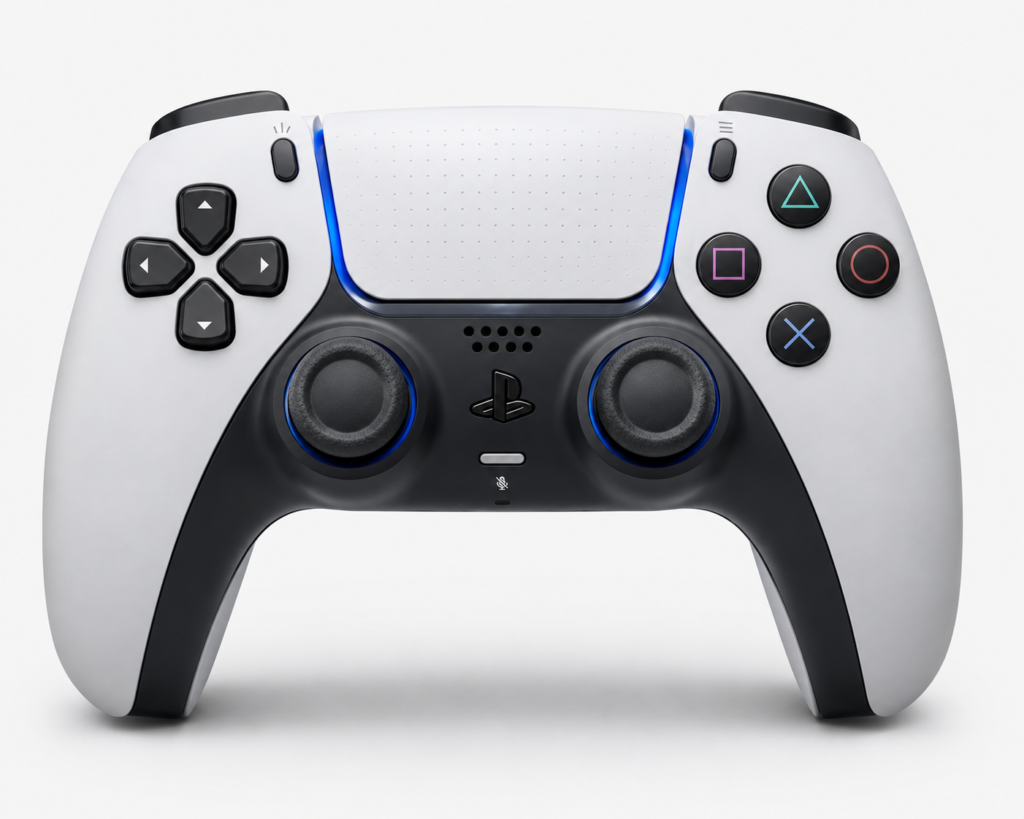
Whether you’re planning to buy a new PS5 controller, comparing it with the DualShock 4, or wondering which DualSense features work on PC, this guide explains everything in clear, practical language. You’ll learn how each feature works, where it makes the biggest difference, and what to expect across different devices.
What Is the DualSense Controller?
Quick Answer: The DualSense Wireless Controller is Sony’s standard controller for the PlayStation 5. It replaces the DualShock 4 with new hardware such as adaptive triggers, advanced haptic feedback, a built-in microphone, USB-C charging, and improved ergonomics. These upgrades allow supported games to deliver more realistic physical feedback while keeping the familiar PlayStation button layout.
Sony introduced the controller alongside the PlayStation 5 to give developers more ways to connect gameplay with the player’s hands. Instead of every action feeling identical, games can create different trigger resistance, vibration patterns, and audio cues that match what’s happening on screen.
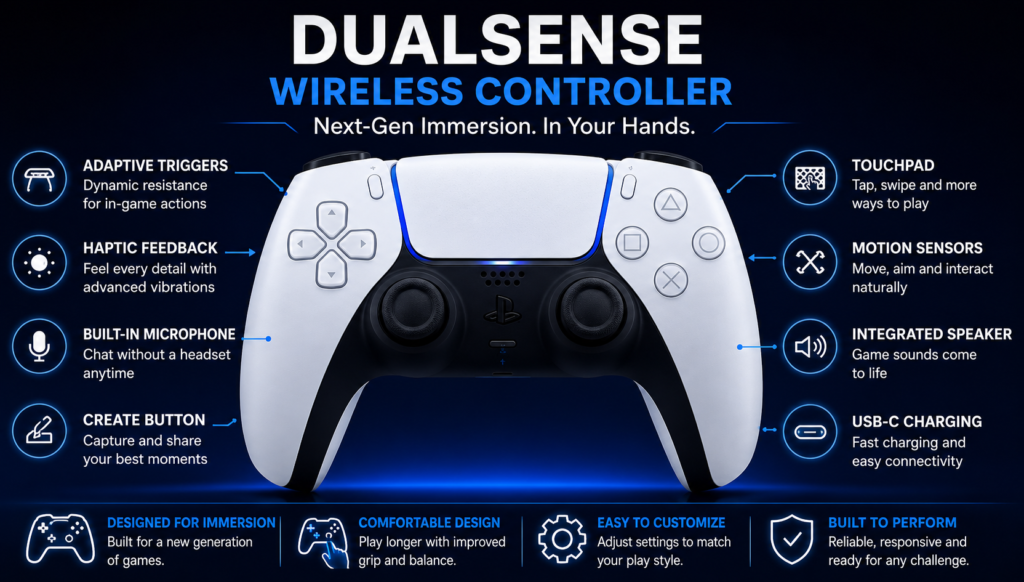
For players, the biggest improvement isn’t a new button; it’s the way multiple technologies work together. Pulling a bow, driving on rough terrain, or walking across different surfaces can all feel noticeably different when a game fully supports the controller.
DualSense Features at a Glance
| Feature | What It Does | Available On |
|---|---|---|
| Adaptive Triggers | Changes trigger resistance based on gameplay | PS5, supported PC games |
| Haptic Feedback | Produces detailed vibration patterns instead of standard rumble | PS5, selected PC games |
| Built-in Microphone | Voice chat without a headset | PS5, compatible devices |
| Integrated Speaker | Plays game audio through the controller | Supported games |
| Touchpad | Supports gestures and additional controls | PS5, PC |
| Motion Sensors | Detect tilt and movement | Supported games |
| Create Button | Captures screenshots and gameplay clips | PS5 |
| USB-C | Fast charging and wired gameplay | PS5, PC |
| Bluetooth | Wireless connectivity | Multiple platforms |
| Rechargeable Battery | Built-in rechargeable power source | All supported platforms |
Good to know: Not every game supports every feature. Developers choose which DualSense technologies to use, so the experience varies from game to game. If you want to check your PS5 DualSense controller, check our gamepad tester.
Adaptive Triggers
Quick Answer: Adaptive triggers allow the L2 and R2 buttons to change their resistance while you play. Instead of feeling the same in every game, they can become heavier, lighter, or react differently depending on the action.
This is one of the controller’s most recognizable upgrades. Rather than acting like ordinary buttons, the triggers use small motors to simulate physical resistance.
Imagine drawing a bow in an adventure game. As the string stretches, the trigger gradually becomes harder to press. In a racing game, the brake may feel firmer than the accelerator. Some action games even use different trigger responses for different weapons, making each one feel unique.
A great example is Astro’s Playroom, where almost every activity demonstrates a different trigger effect. Pulling springs, climbing objects, or using gadgets each produces its own level of resistance, showing what the hardware can do when developers design specifically for it.
It’s also worth understanding one limitation: adaptive triggers do not activate automatically in every game. Developers must build support into the game. On PC, compatibility depends on the title, the software you’re using, and in some cases, whether the controller is connected through USB-C or Bluetooth.
For setup, compatibility, or buying details, read our cross-platform controller guide.
If you prefer a lighter feel, the PlayStation 5 lets you reduce or completely disable trigger effects from the controller settings.
Haptic Feedback
Quick Answer: Haptic feedback replaces traditional controller rumble with much more detailed vibration patterns. Instead of simply shaking the controller, it creates different sensations that match what’s happening in the game.
Older controllers usually relied on two rumble motors that vibrated the entire controller. The DualSense uses advanced actuators that can produce a wider range of feedback, making different actions feel distinct. For example:
- Walking across a metal bridge feels different from walking through sand.
- Driving over gravel creates a rougher sensation than driving on smooth pavement.
- Heavy rain can produce scattered vibrations that feel different from a single explosion.
- Ice surfaces often create lighter, smoother feedback than rocky terrain.
Again, Astro’s Playroom remains one of the best demonstrations. Simply changing the surface beneath your character creates different tactile responses, helping your hands recognize the environment before your eyes fully process it.
When combined with the controller’s speaker, haptic feedback becomes even more convincing because the sound and vibration reinforce each other.
Not every game uses haptic feedback to the same extent. Some titles rely on it throughout the experience, while others only activate it during key moments.
Built-in Microphone
Quick Answer: The DualSense controller includes a built-in microphone, allowing players to join voice chat without connecting a headset.
For quick conversations, multiplayer sessions, or party invitations, this is extremely convenient. A dedicated mute button beneath the PlayStation button lets you switch the microphone on or off instantly, and an indicator light clearly shows when it’s muted.
The built-in microphone works well for casual communication, but it isn’t designed to replace a dedicated gaming headset. External microphones generally produce clearer voice quality and reduce background noise during longer gaming sessions.
Think of it as a feature that’s always available when you need it, rather than your primary audio setup.
Create Button
Quick Answer: The Create button replaces the Share button introduced with the DualShock 4. It gives players faster access to screenshots, gameplay recordings, broadcasts, and creative tools.
At first glance, the button may seem like a simple name change. In practice, Sony expanded its purpose. Players can quickly:
- Capture screenshots
- Record gameplay clips
- Save recent gameplay
- Start broadcasts
- Share content with friends
The shortcuts can also be customized through PlayStation 5 settings, allowing you to choose how a single press, double press, or long press behaves.
For players who enjoy sharing memorable moments, creating tutorials, or recording gameplay highlights, the Create button makes these tasks much faster than navigating system menus.
Touchpad and Redesigned Light Bar
Quick Answer: The DualSense controller keeps the familiar touchpad from previous PlayStation controllers while giving it a cleaner design and relocating the light bar to around its edges. The touchpad supports gestures, swipes, and additional controls in compatible games.
At first glance, the touchpad looks similar to the one on the DualShock 4, but Sony refined both its appearance and functionality. The LED light bar is now integrated around the touchpad instead of being positioned across the front of the controller, making it less distracting while remaining easy to see.
Developers can assign different actions to the touchpad depending on the game. A simple tap may open a map, while swiping in different directions can switch weapons, navigate menus, or trigger special abilities.
Because each game decides how to use the touchpad, its functions vary. Some titles rely on it frequently, while others use it only for menus or shortcuts.
Motion Sensors
Quick Answer: The DualSense controller includes an accelerometer and gyroscope that detect movement, tilt, and rotation. Games can use these sensors for aiming, steering, balancing, or interacting with the environment.
Motion controls have been part of PlayStation controllers for several generations, but developers continue to find creative ways to use them. Instead of replacing traditional controls, they often add precision for specific actions.
For example, some games let players make small aiming adjustments by gently tilting the controller after using the analog sticks. Racing and adventure games may also use motion controls for steering or solving environmental puzzles.
Like adaptive triggers and haptic feedback, motion controls depend on developer support rather than being active in every game.
Integrated Speaker
Quick Answer: The DualSense includes a built-in speaker that plays selected game sounds directly through the controller, adding another layer of immersion.
Rather than replacing your television or headset, the speaker handles specific sound effects chosen by the developer. Footsteps, gadget sounds, radio messages, or environmental effects may come from the controller while the main audio continues through your speakers or headphones.
This works particularly well alongside haptic feedback. Feeling and hearing the same action at the same time helps create a stronger connection between the player and the game world.
Battery Life and Charging
Quick Answer: The DualSense uses a rechargeable lithium-ion battery and charges through a USB-C port. Battery life depends on the game you’re playing and which controller features are active.
For setup, compatibility, or buying details, read our PS4 controller guide.
Features such as adaptive triggers, haptic feedback, the built-in speaker, and the microphone all consume additional power. Games that make heavy use of these technologies generally reduce battery life compared with simpler titles.
Charging through USB-C is faster and more convenient than the Micro-USB connector used by the DualShock 4. Players who own multiple controllers can also use Sony’s charging station to recharge two controllers simultaneously without connecting cables directly.
To extend battery life, you can:
- Lower the controller speaker volume.
- Reduce trigger effect intensity.
- Lower vibration intensity.
- Mute the microphone when it isn’t needed.
- Let the controller turn off automatically after periods of inactivity.
DualSense Technical Specifications
| Specification | Details |
|---|---|
| Controller | DualSense Wireless Controller |
| Manufacturer | Sony Interactive Entertainment |
| Compatible Console | PlayStation 5 |
| Connectivity | Bluetooth, USB-C |
| Charging | USB-C |
| Battery | Rechargeable lithium-ion |
| Motion Sensors | Accelerometer and Gyroscope |
| Audio | Built-in Speaker, Built-in Microphone, 3.5 mm Headset Jack |
| Touch Input | Multi-touch Touchpad |
| Trigger Technology | Adaptive Triggers |
| Vibration | Advanced Haptic Feedback |
| Capture Button | Create Button |
Specifications may vary slightly between hardware revisions, but the core feature set remains the same.
DualSense Colors and Limited Editions
Sony has expanded the DualSense lineup well beyond its original white design. Players can now choose from a wide range of standard colors, premium finishes, and limited-edition releases.
Popular color options include White, Midnight Black, Cosmic Red, Nova Pink, Starlight Blue, Galactic Purple, Gray Camouflage, Volcanic Red, Cobalt Blue, Sterling Silver, Chroma Pearl, Chroma Indigo, and Chroma Teal.
Sony also releases special-edition controllers inspired by selected games and franchises. These editions usually feature custom artwork, unique color combinations, and limited production runs, making them more difficult to find after launch.
If you’re choosing a controller based only on performance, every standard DualSense model provides the same core features. The main differences are cosmetic.
DualSense Price Guide
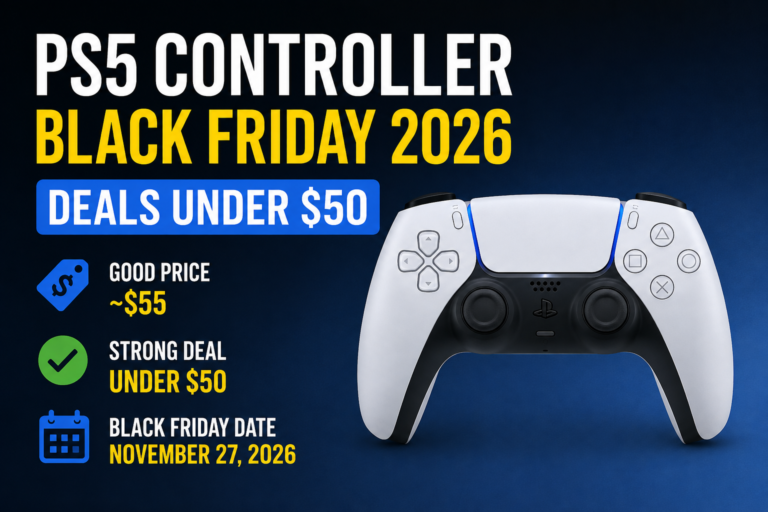
The price of a DualSense controller depends on the edition, finish, and retailer. The standard controller typically carries the lowest recommended retail price, while limited editions and premium color variants often cost more because of their availability and demand.
Before purchasing, it’s worth comparing:
- Official PlayStation Store pricing.
- Major electronics retailers.
- Authorized gaming stores.
- Seasonal promotions.
- Bundle offers that include games or consoles.
Buying from authorized retailers also helps ensure warranty coverage.
Is DualSense Compatible with PC and Mobile?
Quick Answer: Yes. The DualSense controller works with several platforms, although not every feature is available everywhere.
Besides the PlayStation 5, the controller can connect to Windows PCs, macOS, Steam, Android devices, iPhone, and iPad. Connection is possible through Bluetooth or a USB-C cable, depending on the device.
While basic controls usually work across supported platforms, advanced features such as adaptive triggers and detailed haptic feedback require software or game support. Some PC games fully support these technologies, while others recognize the controller only as a standard gamepad.
DualSense Feature Compatibility
| Feature | PS5 | Windows | macOS | Android | iPhone |
|---|---|---|---|---|---|
| Standard Controls | ✓ | ✓ | ✓ | ✓ | ✓ |
| Bluetooth | ✓ | ✓ | ✓ | ✓ | ✓ |
| USB-C | ✓ | ✓ | ✓ | — | — |
| Adaptive Triggers | ✓ | Supported Games | Limited | Limited | Limited |
| Haptic Feedback | ✓ | Supported Games | Limited | Limited | Limited |
| Motion Sensors | ✓ | Supported Software | Limited | Limited | Limited |
| Built-in Speaker | ✓ | Varies | Varies | Limited | Limited |
| Built-in Microphone | ✓ | Supported Software | Supported Software | Limited | Limited |
As game developers continue updating their titles, support for advanced DualSense features on PC and other platforms continues to improve.
For setup, compatibility, or buying details, read our PlayStation wireless gaming guide.
Games That Make the Best Use of DualSense Features
The DualSense controller delivers its best experience when developers build games around its hardware. While basic controls work across thousands of titles, only selected games take full advantage of adaptive triggers, haptic feedback, motion controls, and the controller speaker.
| Game | Adaptive Triggers | Haptic Feedback | Motion Controls |
|---|---|---|---|
| Astro’s Playroom | ✓ | ✓ | ✓ |
| Marvel’s Spider-Man 2 | ✓ | ✓ | Limited |
| Ratchet & Clank: Rift Apart | ✓ | ✓ | Limited |
| Horizon Forbidden West | ✓ | ✓ | Limited |
| Gran Turismo 7 | ✓ | ✓ | — |
| Returnal | ✓ | ✓ | Limited |
These games use the controller to reinforce gameplay rather than simply adding vibration. Pulling a bow, driving over different road surfaces, or firing different weapons can all produce unique physical feedback.
How to Test Your DualSense Controller
Quick Answer: Testing your controller regularly helps identify hardware problems before they affect gameplay. You can check button inputs, analog stick movement, trigger response, and dead zones directly in your browser without installing additional software.
A complete controller test should include:
- Face buttons
- D-pad
- Analog sticks
- L1, L2, R1, and R2 triggers
- Thumbstick click buttons
- Touchpad click
- Motion response (where supported)
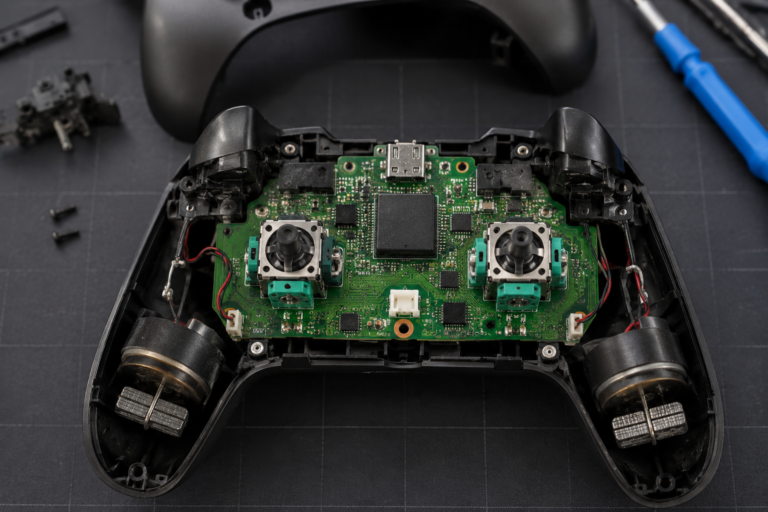
If a button doesn’t register or an analog stick drifts while untouched, the controller may need calibration, cleaning, or repair. Free browser-based testers, such as PadProTools (a free tool we recommend, with no affiliation to Sony), let you verify whether every input responds correctly before starting a game.
Common DualSense Problems and Solutions
Stick Drift Possible causes: dust inside the analog module, normal wear over time, or physical damage. What you can do: restart the controller, check for firmware updates, test stick movement, clean carefully around the thumbsticks, and contact Sony if the controller is still under warranty.
Adaptive Triggers Not Working. This usually isn’t a hardware problem. Check whether the game supports adaptive triggers, whether trigger effects are enabled in PS5 settings, whether the game has disabled them in its own options, and whether you’re using a supported connection on PC.
Haptic Feedback Isn’t Working If vibration feels like standard rumble or doesn’t work at all check controller settings, game settings, battery level, and firmware version. Some games provide separate options for trigger effects and haptic feedback.
Controller Won’t Connect: Controller Won’t Connect: Try recharging the controller, connecting it with a USB-C cable, restarting the console or computer, resetting the controller using the small button on the back, and pairing it again through Bluetooth settings. If the PS5 also becomes unusually hot, slows down, or shuts off during gameplay, follow our PS5 Keep Overheating guide to check the console before assuming the controller is faulty.
Battery Drains Quickly. Battery life varies depending on the features a game uses. You can usually extend playtime by lowering vibration intensity, reducing trigger effect strength, muting the microphone when it isn’t needed, and lowering controller speaker volume.
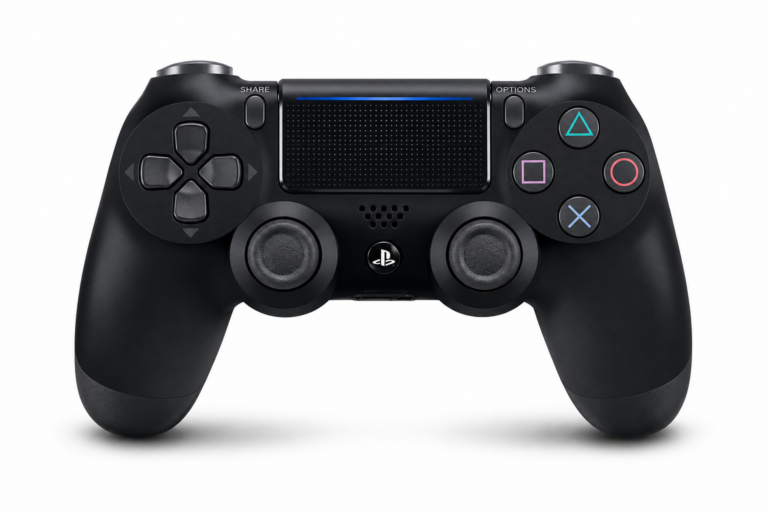
DualSense vs. DualShock 4
| Feature | DualSense | DualShock 4 |
|---|---|---|
| Adaptive Triggers | ✓ | — |
| Haptic Feedback | ✓ | Standard Rumble |
| Built-in Microphone | ✓ | — |
| USB-C | ✓ | Micro-USB |
| Create Button | ✓ | Share Button |
| Ergonomic Design | Improved | Previous Design |
The DualShock 4 remains a comfortable controller, but the DualSense introduces several hardware improvements that make supported PS5 games feel more responsive and immersive.
DualSense vs. Xbox Wireless Controller
Both controllers are excellent, but they focus on different strengths.
| Category | DualSense | Xbox Wireless Controller |
|---|---|---|
| Haptic Feedback | More advanced | Standard vibration |
| Adaptive Triggers | ✓ | — |
| PC Support | Excellent | Excellent |
| Battery | Rechargeable | AA batteries or a rechargeable pack |
| Ergonomics | Comfortable | Comfortable |
| Platform | PlayStation & PC | Xbox & PC |
If you mainly play on PlayStation 5, the DualSense offers features that developers specifically design for the platform. If you mostly play on Windows, both controllers perform well, and the better choice depends on the games you play and the features you value.
For setup, compatibility, or buying details, read our switch off DualSense.
DualSense vs. DualSense Edge
The DualSense Edge builds on the standard controller with additional customization. It adds replaceable stick modules, adjustable trigger travel, rear buttons, multiple controller profiles, and more customization options.
For most players, the standard DualSense provides everything needed for everyday gaming. The DualSense Edge is aimed at players who want deeper control over button layouts and controller settings.
FAQS
What makes the DualSense controller different?
The biggest differences are adaptive triggers, advanced haptic feedback, a built-in microphone, USB-C charging, and a redesigned shape that improves comfort during long gaming sessions.
Does every PS5 game support DualSense features?
No. Every PS5 game supports the controller, but developers decide whether to use advanced features such as adaptive triggers and haptic feedback.
Does DualSense work on PC?
Yes. The controller works with Windows through Bluetooth or USB-C. Basic controls are widely supported, while advanced features depend on the game and software.
Can you use a DualSense controller on a PS4?
No. The DualSense controller is designed for PlayStation 5 games and cannot be used to play native PS5 titles on a PS4 console.
How long does the battery last? Battery life varies depending on the game and which features are active. Games that make heavy use of adaptive triggers, haptic feedback, and the controller speaker generally consume more power.
Is the DualSense controller worth buying?
If you own a PlayStation 5, yes. The controller was designed alongside the console, and many first-party games use its hardware to create a more immersive experience. PC players can also benefit from the DualSense, especially in games that support its advanced features.
Final Thoughts
The DualSense controller is more than a replacement for the DualShock 4. It introduces hardware that changes how players interact with games by combining adaptive triggers, detailed haptic feedback, motion controls, audio, and ergonomic improvements into a single controller.
While not every game uses every feature, the best-supported titles demonstrate why the DualSense has become one of the PlayStation 5’s defining accessories.
If you want to make sure your controller is working correctly, testing it before troubleshooting can save time. Checking buttons, thumbsticks, triggers, and analog input with a free tool like PadProTools is a quick way to confirm whether the issue is caused by the controller itself or something else in your setup.