
Refurbished Steam Deck: Price, OLED vs LCD, Restock Tips, and the 15-Minute Test Before Buying
“By Airam Chandler”
Last updated: July 7, 2026
A Steam Deck is not just a small console. It has analog sticks, triggers, bumpers, touchpads, gyro controls, a touchscreen, a battery, SSD storage, Wi-Fi, Bluetooth, USB-C charging, speakers, cooling, and SteamOS all packed into one handheld. One weak part can ruin the whole experience.
That is why this guide focuses on what most refurbished Steam Deck guides miss: how to test the actual unit before you trust it.
You will learn how to compare refurbished Steam Deck prices, whether OLED or LCD is the better buy, where to check for restocks, what Reddit and Discord advice is actually useful for, and how to run a quick 15-minute inspection using a gamepad tester, screen test, battery check, and real gameplay session.
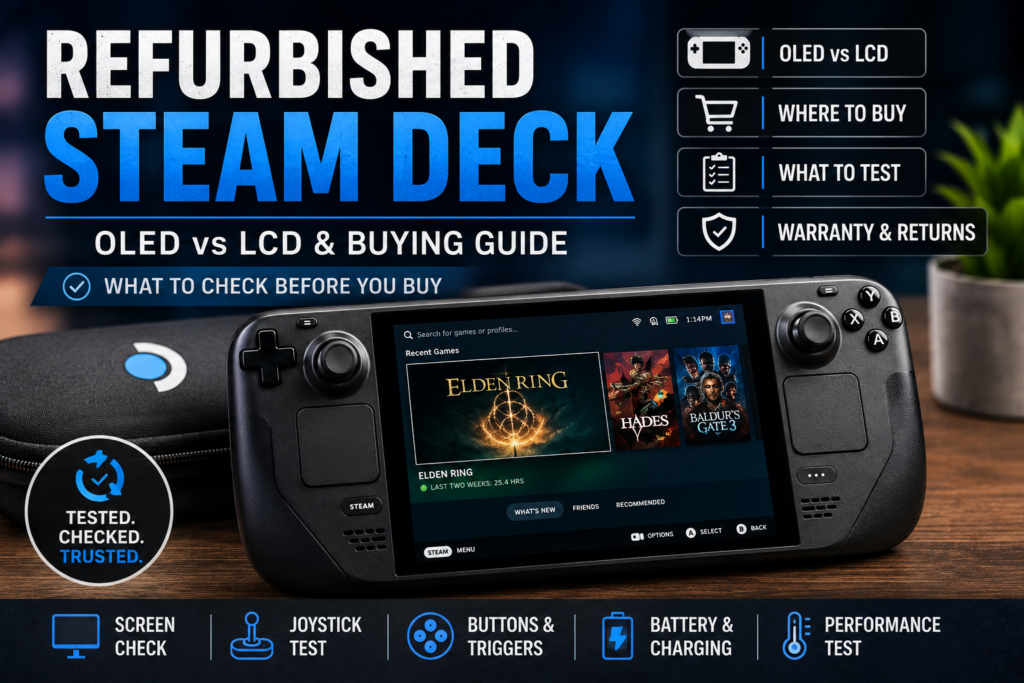
Quick Verdict
A refurbished Steam Deck is worth buying if the price is clearly lower than new, the seller has a real return policy, and the device passes these four checks:
- Screen test: no major light leak, dead pixels, or OLED burn-in.
- Gamepad tester check: no joystick drift, missing buttons, or weak trigger input.
- Battery and charging check: no strange battery drops, loose USB-C port, or charging failure.
- Gameplay check: no overheating, crashes, fan problems, or performance issues after real play.
If a refurbished Steam Deck fails any major test, return it. A cheap Steam Deck is not a good deal if the sticks drift, the screen looks bad in dark scenes, or the battery cannot hold up.
What Is a Refurbished Steam Deck?
A refurbished Steam Deck is a pre-owned, returned, repaired, or inspected Steam Deck that is resold after some level of cleaning, testing, or restoration.
The important phrase is some level.
“Refurbished” does not always mean the same thing everywhere. A Valve-certified refurbished Steam Deck is different from a retailer outlet unit, and both are different from a random eBay seller calling a used unit refurbished.
A refurbished Steam Deck can come from:
- Valve’s certified refurbished store
- A retail outlet or an open-box program
- eBay or marketplace sellers
- Third-party refurbished tech stores
- Local sellers using “refurbished” loosely
Valve has an official Steam Deck Certified Refurbished page, which should be one of the first places buyers check when looking for official refurbished stock. Availability can change because refurbished inventory depends on returned and inspected units.
The safest way to think about it is this:
Certified refurbished means safer. Marketplace refurbished means inspect more thoroughly.
Refurbished Steam Deck Price: What Actually Matters
The refurbished Steam Deck price depends on the model, storage, seller, warranty, condition, accessories, and current stock. Do not compare two listings unless the configuration is the same.
Before calling any refurbished Steam Deck a good deal, check:
- Is it a Steam Deck LCD or a Steam Deck OLED?
- Is it 64GB, 256GB, 512GB, or 1TB?
- Is the SSD original or upgraded?
- Does it include the charger?
- Does it include the carrying case?
- Is there a warranty?
- Is there a return window?
- Are the photos of the actual device?
- Are seller reviews strong?
- Is the price meaningfully lower than new?
Older public reports around Valve refurbished OLED availability listed refurbished OLED pricing at $439 for the 512GB model and $519 for the 1TB model, but those prices were tied to specific stock periods and should not be treated as permanent. Always check the current live listing before publishing or buying.
For another handheld buying option, compare our buy a Steam Deck OLED.
The real question is not “What is the cheapest refurbished Steam Deck?”
The better question is:
How much am I saving after accounting for screen condition, battery condition, warranty, and control issues?
A very cheap Steam Deck can become expensive fast if you need a stick repair, battery replacement, charger, SSD upgrade, or screen fix.
Refurbished Steam Deck OLED vs LCD
The Steam Deck OLED is usually the better refurbished buy if the price gap is reasonable. It has a better screen, smoother refresh rate, improved wireless features, and stronger battery life.
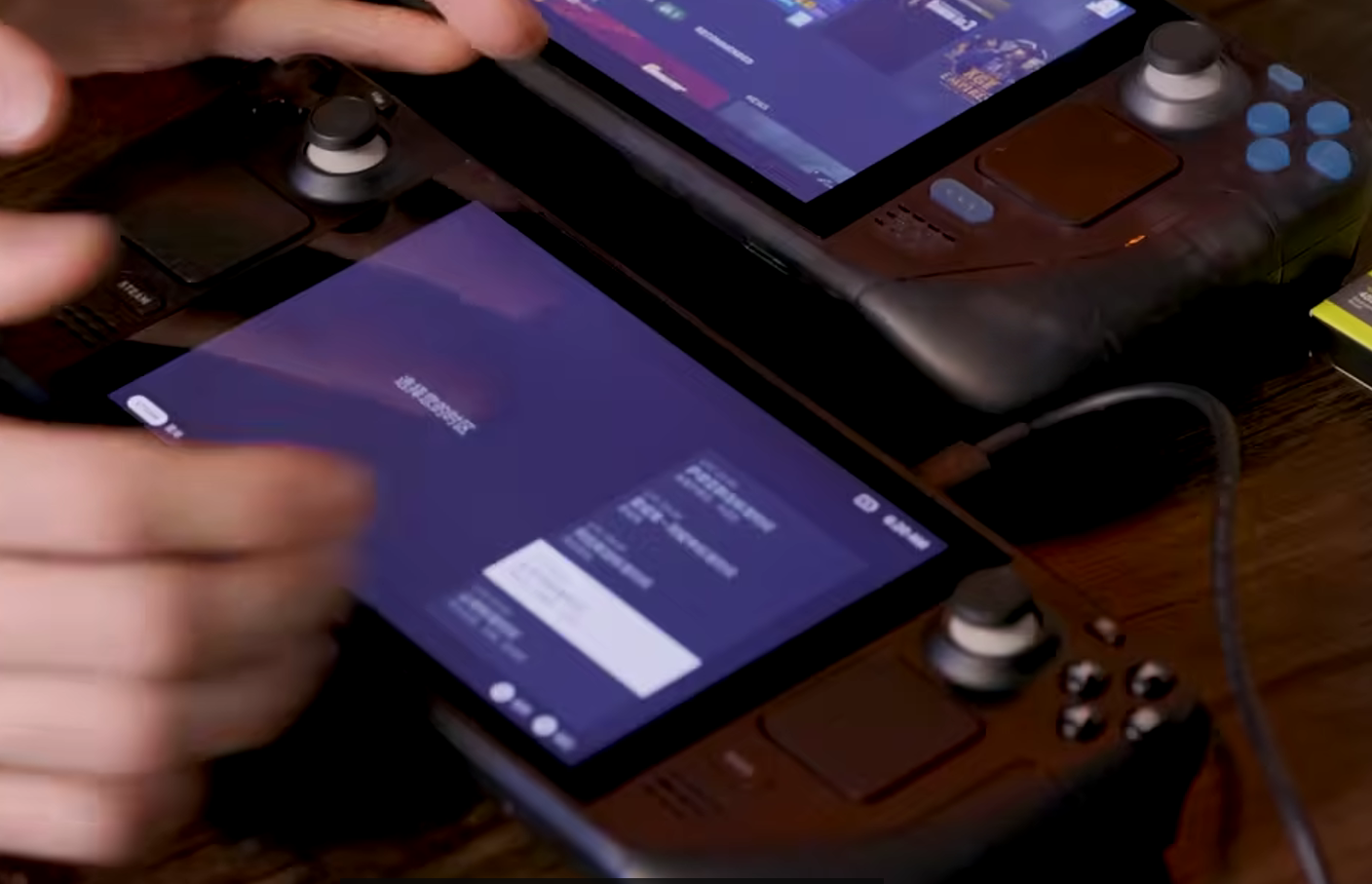
Valve lists the Steam Deck OLED with a 7.4-inch HDR OLED touchscreen, up to 90Hz refresh rate, 512GB or 1TB NVMe SSD options, Bluetooth 5.3, Wi-Fi 6E, USB-C charging, and a 50Whr battery rated for 3–12 hours of gameplay depending on use.
| Feature | Refurbished Steam Deck LCD | Refurbished Steam Deck OLED |
|---|---|---|
| Screen | LCD | HDR OLED |
| Refresh Rate | 60Hz | Up to 90Hz |
| Storage | Varies by model | 512GB or 1TB NVMe SSD |
| Battery | Smaller than OLED | 50Whr battery |
| Wi-Fi | Older Wi-Fi support | Wi-Fi 6E |
| Bluetooth | Older Bluetooth support | Bluetooth 5.3 |
| Best For | Lowest price | Better overall experience |
Choose the OLED if the price difference is not huge and you care about screen quality, smoother visuals, battery life, and long-term comfort.
Choose the LCD if your main goal is the lowest price and the unit passes the screen, controls, charging, and battery checks.
Valve Refurbished Steam Deck vs eBay, Best Buy, and Marketplaces
People search for “Valve refurbished Steam Deck,” “Refurbished Steam Deck eBay,” and “Refurbished Steam Deck Best Buy” because they want to know where the safest deal is.
Here is the practical difference:
| Buying Option | Best For | Main Risk |
|---|---|---|
| Valve certified refurbished | Safer official source | Stock may be limited |
| Best Buy/open-box/outlet | Retail return support | Condition can vary |
| eBay refurbished | Possible lower prices | Seller quality varies |
| Local marketplace | Testing before paying | Usually less protection |
| Third-party refurbishers | More availability | Warranty terms vary |
Valve or a trusted retailer is usually better for beginners. eBay and marketplace deals can work, but only if the return policy is real and the listing is detailed.
Before buying from any marketplace, verify:
- Is it actually refurbished or just used?
- Is there written warranty coverage?
- Is there a real return window?
- Are the photos of the actual unit?
- Does the listing show the exact storage size?
- Does it include a charger and a case?
- Are there seller reviews mentioning device condition?
- Does the seller accept returns for hardware faults?
Avoid listings that only say “works great” without showing the screen, storage, accessories, and condition.
Refurbished Steam Deck Restock, Tracker, and Notification Tips
Searches like “Steam Deck refurbished restock,” “Steam Deck refurbished tracker,” “refurbished Steam Deck notification,” and “Refurbished Steam Deck Discord” happen because official stock is not always available.
Refurbished stock depends on returned units, inspection cycles, and region. That means stock can disappear quickly and come back without much warning.
To track restocks:
- Check Valve’s refurbished Steam Deck page directly.
- Watch trusted deal sites.
- Follow r/SteamDeck discussions.
- Join reliable Steam Deck Discord servers.
- Use stock-alert tools carefully.
- Compare the refurbished price against the current new price before buying.
- Avoid fake deal pages with unrealistic prices.
A restock alert is useful, but do not let urgency make the decision for you. If the price is only slightly lower than new or the return policy is weak, wait for a better listing.
Is Refurbished Steam Deck Reddit Advice Useful?
Reddit and Discord can be useful because buyers often post real experiences: restocks, returns, screen complaints, battery behavior, joystick drift, seller issues, and photos.
But Reddit should not be your final buying decision.
Use Reddit for pattern spotting. Use your own testing for proof.
Common Reddit and Discord discussion points include:
- Refurbished Steam Deck price
- Steam Deck refurbished restock alerts
- OLED vs LCD value
- eBay seller experiences
- Best Buy open-box condition
- Screen light leak
- Joystick drift
- Battery drain
- Warranty returns
- Whether a unit should be returned
The best approach is:
Research online, buy from a protected source, then test your own unit immediately.
The 15-Minute Refurbished Steam Deck Inspection
This is the part that makes the article different from normal buying guides.
Most buyers check the price and maybe the screen. That is not enough. A refurbished Steam Deck should be tested like a gaming PC and a controller.
For setup, compatibility, or buying details, read our cross-platform controller guide.
Use this 15-minute inspection before you trust the device.
| Minute | Test | What You Are Looking For |
|---|---|---|
| 0–2 | Model and storage check | Correct LCD/OLED model and storage size |
| 2–4 | Screen test | Light leak, dead pixels, burn-in, touch issues |
| 4–7 | Gamepad tester check | Stick drift, buttons, triggers, D-pad |
| 7–9 | Touchpad and gyro test | Trackpad movement, haptics, motion input |
| 9–11 | Charging and USB-C test | Loose port, charging LED, stable charging |
| 11–13 | Wi-Fi and Bluetooth test | Downloads, controller pairing, audio pairing |
| 13–15 | Real gameplay test | Heat, fan noise, crashes, performance drops |
If the unit passes this quick test, continue with a longer gameplay session before the return window closes.
Check the Exact Storage Configuration
Storage should match the listing. Do not assume the seller got it right.
Check:
- LCD or OLED model
- Listed storage vs actual storage
- SSD size in SteamOS
- microSD slot detection
- Game installation behavior
- Whether the SSD was upgraded
Valve’s OLED specs list 512GB and 1TB NVMe SSD options, and the Steam Deck includes a high-speed microSD card slot.
A low-storage Steam Deck can still be a good deal if the price is right and you plan to use a microSD card or upgrade the SSD. But if you do not want to open the device, buy the storage size you actually need.
Test the Screen for Light Leak, Backlight Bleed, Burn-In, and Dead Pixels
Screen issues are one of the most important refurbished checks. A Steam Deck can look fine on the home screen but show problems in dark scenes.
Test with:
- A full black screen in a dark room
- A full white screen
- Red, green, and blue screens
- A dark game scene
- Touch input across the display
Look for:
- Dead pixels
- Bright corners
- Backlight bleed on LCD
- Light leak around the edges
- OLED burn-in on OLED
- Scratches
- Flickering
- Uneven brightness
- Touchscreen dead zones
For LCD units, some backlight variation may be normal, but a heavy light leak that distracts you during dark scenes is a valid reason to return the device.
For OLED units, check for burn-in, tint issues, and touch response.
Test the Joysticks for Drift
Joystick drift is one of the biggest risks with any used or refurbished handheld.
Valve lists two full-size analog sticks with capacitive touch on Steam Deck, so both movement and stick-click behavior should be tested.
Test both sticks:
- Move the left stick slowly in every direction.
- Move the right stick slowly in every direction.
- Rotate each stick fully.
- Release both sticks.
- Check if they return to the center.
- Test L3 and R3 clicks.
- Watch for movement when untouched.
Open a gamepad tester and watch the stick position. If the input moves while your thumb is off the stick, that is possible joystick drift.
A tiny deadzone difference is not always a disaster. Obvious movement at rest.
For diagnosis and repair steps, see our deadzone settings guide.
Test Every Button
The Steam Deck includes ABXY buttons, D-pad, analog triggers, bumpers, View/Menu buttons, and four assignable grip buttons.
Test every button one by one:
- A
- B
- X
- Y
- D-pad up
- D-pad down
- D-pad left
- D-pad right
- Steam button
- Quick Access button
- View button
- Menu button
- L1
- R1
- L2
- R2
- L4
- L5
- R4
- R5
Do not only test buttons inside a game. Use a controller tester so you can see if every input appears properly.
A good refurbished Steam Deck should register each button quickly and consistently. Sticky, delayed, or missing inputs are red flags.
Test Triggers and Shoulder Buttons
L2 and R2 are analog triggers, so they should ramp smoothly. They should not jump from 0 to 100 with a simple click.
Check:
- L2 starts at zero.
- R2 starts at zero.
- Input increases smoothly.
- Full press reaches full input.
- Trigger releases properly.
- No sticking or grinding.
- L1 and R1 click cleanly.
Use a gamepad tester with trigger input display. If a trigger never reaches full input or jumps suddenly, the trigger may be worn or damaged.
Test Touchpads, Haptics, and Gyro
The Steam Deck has two square trackpads with haptic feedback and pressure sensitivity, plus a 6-axis IMU gyro system.
Test:
- Left touchpad movement
- Right touchpad movement
- Trackpad click
- Haptic feedback
- Cursor control in desktop mode
- Dead zones
- Gyro aiming in a supported game
- Steam Input settings
Touchpads matter more than many buyers think. They are useful for desktop mode, launchers, strategy games, mouse control, and custom Steam Input layouts.
If the touchpads or gyro do not work, check Steam Input settings first. If they still fail, treat it as a hardware concern.
Check Battery, Charging, and Heat
Battery and charging issues can ruin a refurbished Steam Deck even if the controls work.
Valve lists the Steam Deck OLED with a 50 Wh battery and 3–12 hours of gameplay depending on use, plus a PD3.0 Type-C 45W power supply.
Check:
- Battery percentage drops normally.
- The battery does not jump randomly.
- The device charges while powered on.
- The device charges while gaming.
- USB-C port is not loose.
- Charging LED works.
- The charger fits firmly.
- Fan noise is not extreme.
- Heat feels normal under load.
- The device does not shut down randomly.
Run at least one real game for 15–30 minutes. Watch battery drain, heat, fan noise, and frame stability. A menu test is not enough.
Test Wi-Fi, Bluetooth, and External Controllers
Steam Deck OLED supports Bluetooth 5.3 for controllers, accessories, and audio, plus Wi-Fi 6E connectivity.
Test:
- Wi-Fi connection
- Download speed
- Bluetooth controller pairing
- Bluetooth headphones
- External controller input
- USB-C dock connection
- Sleep and wake behavior
- Controller reconnecting after sleep
If you plan to use the Steam Deck docked, connect an external controller and test it too.
How to Test a Refurbished Steam Deck With a Gamepad Tester
This is the fastest way to catch control problems.
Open a gamepad tester in the Steam Deck browser and check:
- Left stick movement
- Right stick movement
- Stick center position
- Joystick drift
- ABXY buttons
- D-pad
- L1/R1 bumpers
- L2/R2 triggers
- Back grip buttons
- External controller input
A clean test should show stable stick centers, responsive buttons, and smooth trigger input.
Before keeping a refurbished Steam Deck, use our gamepad tester to check joystick drift, button response, trigger pressure, D-pad input, and external controller accuracy.
The Refurbished Steam Deck Test Log
Use this test log before your return window closes.
| Test | Pass/Fail | Notes |
|---|---|---|
| Model matches listing | LCD/OLED confirmed | |
| Storage matches listing | Checked in SteamOS | |
| Screen black test | Light leak/burn-in/dead pixels | |
| Touchscreen test | Taps register across screen | |
| Left stick drift test | Gamepad tester result | |
| Right stick drift test | Gamepad tester result | |
| ABXY buttons | All registered | |
| D-pad | All directions registered | |
| L1/R1 bumpers | Clean click | |
| L2/R2 triggers | Smooth full range | |
| Back buttons | L4/L5/R4/R5 registered | |
| Touchpads | Movement/click/haptics | |
| Gyro | Tested in a supported game | |
| Battery | Stable drain | |
| USB-C charging | Charges under load | |
| Wi-Fi | Download test completed | |
| Bluetooth | Controller/audio paired | |
| Gameplay | 30-minute session completed |
This table gives you a clear return decision. If two or more important tests fail, do not talk yourself into keeping the device.
Easy Fixes vs Serious Problems
Some refurbished Steam Deck problems are manageable. Others are return-worthy.
| Easier Fix | Serious Problem |
|---|---|
| SSD upgrade | Major screen damage |
| Minor software issue | OLED burn-in |
| Sticky button | Loose USB-C port |
| Steam Input setting issue | Battery swelling |
| microSD issue | Random shutdowns |
| External controller pairing issue | Severe overheating |
| Thumbstick replacement | Motherboard issue |
If you are comfortable repairing electronics, a minor issue may not be a dealbreaker. If you are not, prioritize warranty and return support over a lower price.
When Should You Return a Refurbished Steam Deck?
Return the Steam Deck if the problem affects normal gaming or daily use.
Return it if:
- Joystick drift is obvious in a tester.
- Buttons fail after setup or updates.
- Triggers do not respond smoothly.
- Screen light leak is distracting.
- OLED burn-in is visible.
- The battery drains unusually fast.
- USB-C port is loose.
- The device overheats under normal gameplay.
- Storage does not match the listing.
- Wi-Fi or Bluetooth does not work reliably.
- Seller’s description was inaccurate.
A few cosmetic marks may be acceptable on refurbished hardware. Bad controls, battery problems, charging issues, or screen faults are much harder to ignore.
Refurbished Steam Deck Buying Checklist
Use this checklist before buying or immediately after delivery.
| Test | What to Check | Pass/Fail |
|---|---|---|
| Price | Fair compared with new and other refurbished units | |
| Warranty | Written warranty or return policy | |
| Seller reviews | Hardware-specific complaints checked | |
| Configuration | Correct LCD/OLED and storage size | |
| Screen | Black/white/color test completed | |
| Joysticks | Both sticks tested for drift | |
| Buttons | Every button tested individually | |
| Triggers | Smooth analog range confirmed | |
| Touchpads | Movement, click, haptics tested | |
| Gyro | Motion input tested | |
| Battery | Drain and charging checked | |
| USB-C | Port stable and charges under load | |
| microSD | The card reads and writes properly | |
| Wi-Fi | Connects and downloads normally | |
| Bluetooth | Controller/audio pairing works | |
| Gameplay | 30-minute real session completed |
Final Verdict: Should You Buy a Refurbished Steam Deck?
A refurbished Steam Deck is worth buying if the price is right, the seller is trusted, the return policy is clear, and the device passes the 15-minute inspection.
The best-value unit is not always the cheapest one. It is the one with the right configuration, clean screen, healthy battery, stable charging, working controls, and enough buyer protection.
For most people, Valve-certified refurbished or a trusted retailer is the safer route. eBay and marketplace deals can work, but only if you inspect the listing carefully and test the device immediately after delivery.
Before you keep any refurbished Steam Deck, run three tests first:
- Black-screen display test
- Gamepad tester input test
- Real gameplay heat and battery test
If it passes all three, you probably have a strong deal. If it fails one badly, return it.
FAQs
Is a refurbished Steam Deck worth buying?
Yes, a refurbished Steam Deck is worth buying if it is meaningfully cheaper than new, comes from a trusted seller, has a clear return policy, and passes screen, controller, battery, charging, storage, and gameplay tests.
For setup, compatibility, or buying details, read our arcade sticks guide.
How much is a refurbished Steam Deck?
The price depends on the model, storage, condition, seller, region, warranty, and current stock. Check the current Valve refurbished page and compare it with new Steam Deck pricing before buying.
Is a refurbished Steam Deck from Valve better than one from eBay?
Valve refurbished is usually safer because it is the official source. eBay can still have good deals, but seller quality, warranty, photos, and return terms matter much more.
Should I buy a refurbished Steam Deck OLED or LCD?
Buy the OLED if the price gap is reasonable because it has a better display, a higher refresh rate, newer wireless features, and a better overall experience. Buy LCD if your main goal is the lowest price.
How do I track refurbished Steam Deck restocks?
Check Valve’s refurbished page, follow trusted deal sites, watch r/SteamDeck discussions, join reliable Discord communities, and use stock alerts carefully.
Can I find a refurbished Steam Deck at Best Buy?
Availability can change. Best Buy and other retailers may offer open-box, outlet, or refurbished-style listings, but you should always check the condition grade, return policy, warranty, and accessories.
Is refurbished Steam Deck Reddit advice reliable?
Reddit is useful for spotting common issues and restock alerts, but you should still test your own unit. Use Reddit for research, not as your only buying decision.
Can a refurbished Steam Deck have joystick drift?
Yes. Any used or refurbished handheld can have joystick drift. Test both analog sticks with a gamepad tester before keeping the device.
How do I test Steam Deck buttons?
Open a gamepad tester and press every button individually: ABXY, D-pad, Steam button, Quick Access button, View/Menu, L1/R1, L2/R2, and the four grip buttons.
What should I check before buying a used or refurbished Steam Deck?
Check price, seller reviews, warranty, model, storage, screen, joysticks, buttons, triggers, touchpads, gyro, battery, charging, Wi-Fi, Bluetooth, microSD, and gameplay performance.
Does a refurbished Steam Deck come with a warranty?
It depends on the seller. Official or certified refurbished units may include warranty or return support, while marketplace listings vary. Always read the warranty terms before buying.
Should I return a refurbished Steam Deck with a screen light leak?
Return it if the light leak is distracting during dark scenes, appears worse than normal, or affects gameplay. Minor LCD backlight variation may be acceptable, but obvious bright bands or OLED burn-in should not be ignored.


One Comment